155
Polyend Tracker Manual
154
Polyend Tracker Manual
NOTESNOTES
7.20 Reverse Sample 7.21 Position
Start position for sample used in instrument 22 only for this step
Start position for sample used in instrument 22 only for this step
Start position for sample used in instrument 22 only for this step
Start position for sample used in instrument 22 only for this step
Position for steps in-between ‘p’ will operate at the normal start
FX Type Tag FX Type Tag
Value Ranges Value Ranges
FX Description FX Description
Example Example
Effect Effect
Pad Range Pad Range
r p
<<< Or >>> 0 - 100%
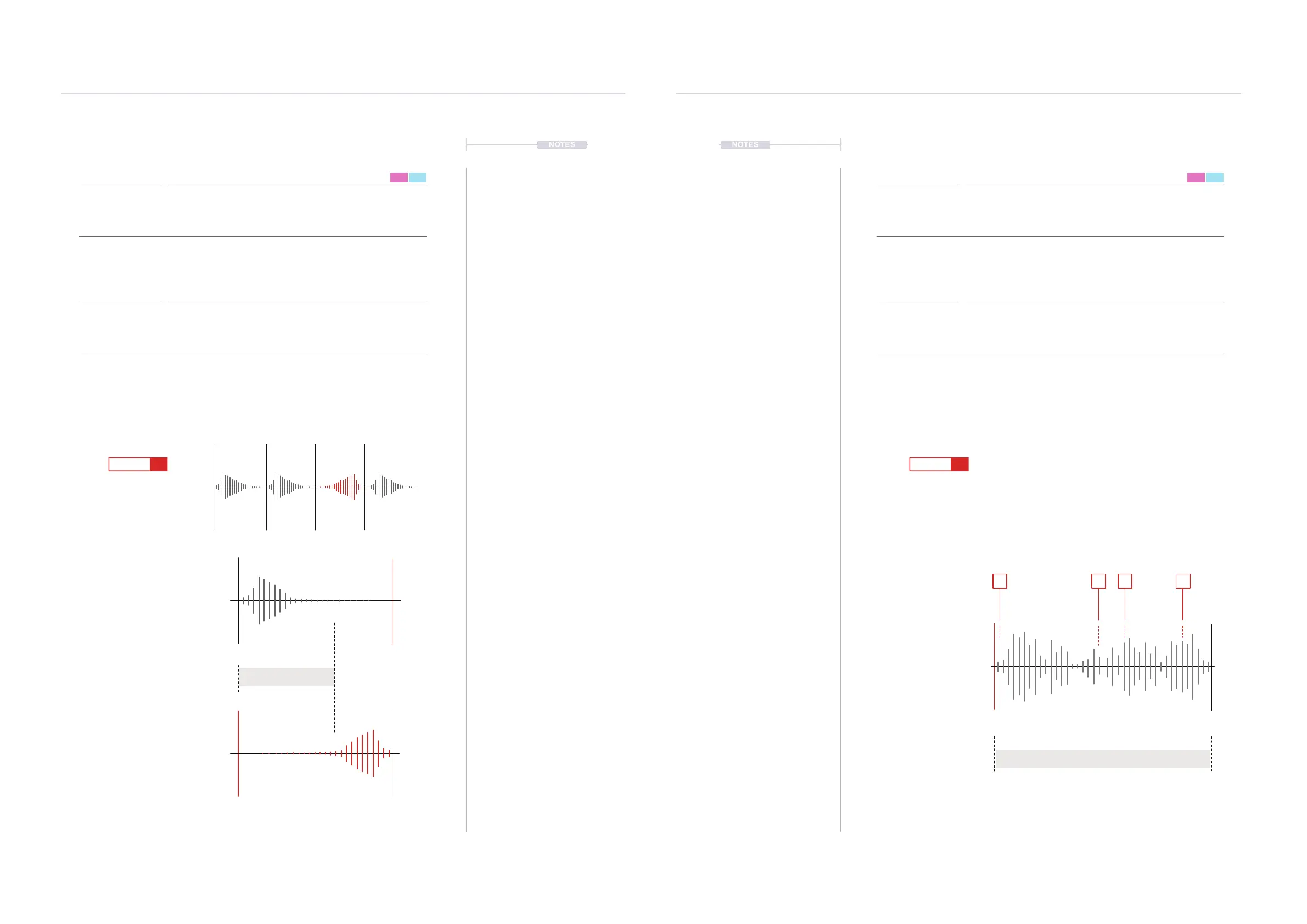
Reverses the sample playback. Simply plays the sample forwards as normal
or reverses its playback.
Sample start position for playback is set. This is based on the playback type
selected and better applied with one-shot samples, wavetables and granular.
When using sliced samples the ‘slice’ FX is an alternative option.
Reversing the sample playback is a simple application. The reverse will take
place only on the step activated. It is also important in practical applications to
know the sample length. If the ‘tail’ of a sample is long then reversing it may
mean no sound is heard. Adjusting the ‘end’ parameter of the sample playback
may also need to be changed.
Try experimenting with different samples and start points. Use full samples
(one-shots), wavetables and granular types for the full more pronounced
effect. Happy accidents to nd a ‘sweet spot’ in a sample are possible.
Automate the variation using individual steps to create movement and interest.
Reverses Sample Playback Position
Pads 1 - 24 >>> Play Forward, Pads 25 - 48 <<< Reverse Pad 1 = 0, Pad 13 = 12, Pad 25 = 24, Pad 37 = 36,
Pad 48 = 47
FX Steps
7
FX Steps
7
<<<
1 1
9 9
5 5
13 13
16 16
D6 03
---- ----
F5 22
----
D6 03
----
r<<< F5 22
----
p 65
p 85
D6 03
---- ----
F5 22
---- ----
D6 03
----
r>>> F5 22
----
p 47
p 5
D6 03
---- ----
F5 22
----
1
1 5 9 13
5 9 132 6 10 143 7 11 154 8 12 16
Start
Start
(Default)
Normal Sample Direction.
Playback from ‘Start’ to ‘End’
parameters as set in the sample
playback settings.
Instrument Sample Type.
Will be dependant on sample
playback type. Use One-Shots,
Wavetable and Granular.
Steps with Dened Start Pos
Start in %
Reversed Sample Direction.
Playback from ‘End’ to ‘Start’ parameters
as set in the sample playback settings.
End may need to be adjusted to hear
audio within the step duration.
End
Playback Length
Position ‘p’ Range 0-100%
End
End
Start



 To Next Page