165
Polyend Tracker Manual
164
Polyend Tracker Manual
NOTESNOTES
7.30 Band Pass Cutoff 7.31 High Pass Cutoff
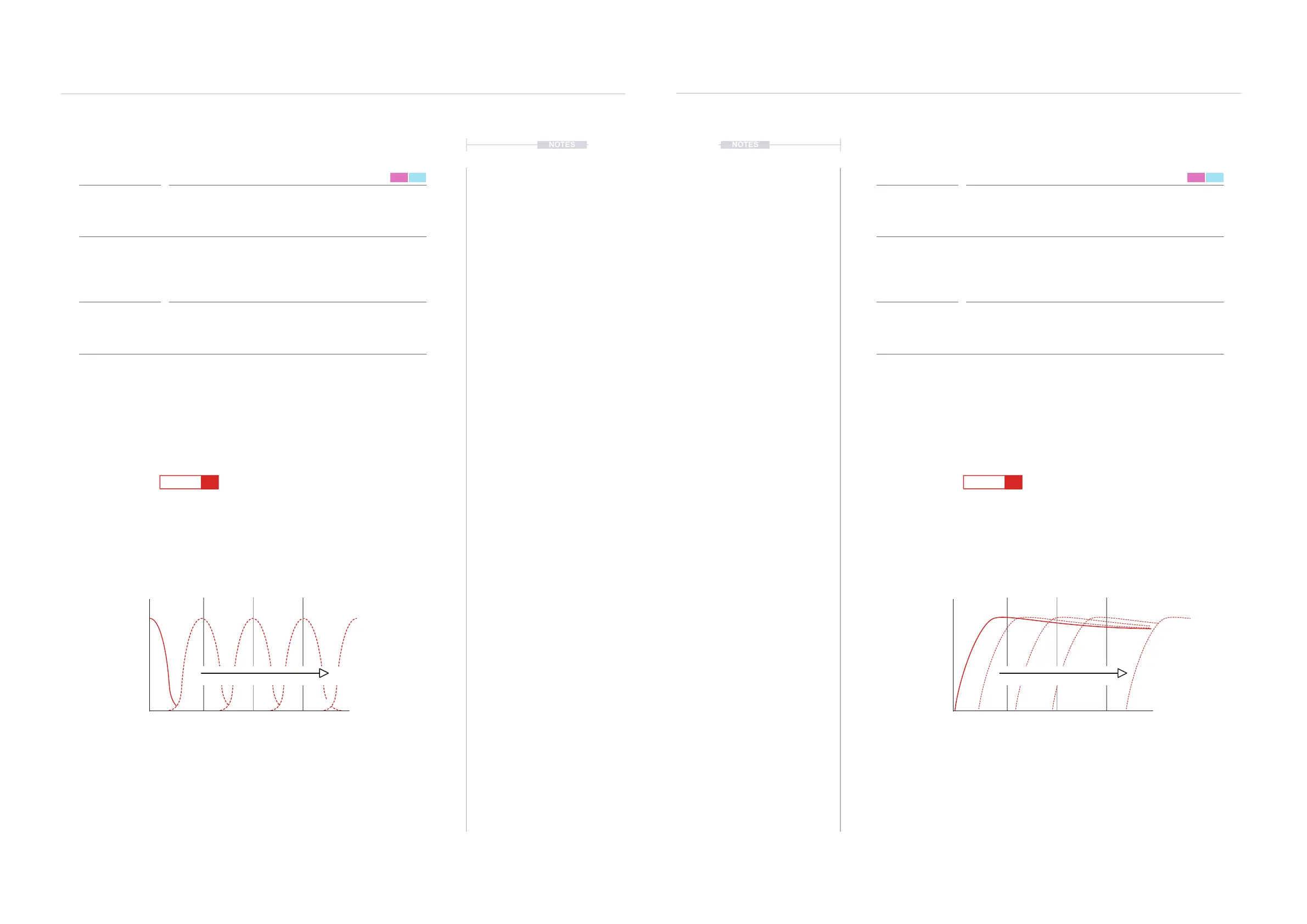
Note and Instrument triggered with no lteringNote and Instrument triggered
Sample triggered at step 1 will be fully ltered
Band sweeps through the frequencies
11
99
55
1313
1616
F5 16
---- ----
F5 16
----
----
----
----
---
---
---
---
--
--
--
--
H 50
H 75
H100
----
----
----
---
---
---
--
--
--
B 50
B 0
B 75
B100
----
H 25
---------
B 25
< 20Hz< 20Hz > 20KHz> 20KHz
0%0%
Frequency in %Frequency in %
100%100%
11 55 99 1313 22 66 1010 1414 33 77 1111 1515 44 88 1212 1616
High Pass
Cutoff
Band Pass
Cutoff
FX Type Tag FX Type Tag
Value Ranges Value Ranges
FX Description FX Description
Example Example
Effect Effect
Pad Range Pad Range
B
H
0-100% 0-100%
Adjust the instrument cutoff frequency of the band pass lter. The instrument
lter is found in the instrument parameters P2/2 but can be disabled and this
effect will still operate.
Adjust the instrument cutoff frequency of the high pass lter. The instrument
lter is found in the instrument parameters P2/2 but can be disabled and this
effect will still operate.
The cutoff frequency can be triggered by each step applied. This allows
sweeps using only FX steps with multiple steps ramping the value or glitchy
sequenced lter effects.
The cutoff frequency can be triggered by each step applied. This allows
sweeps using only FX steps with multiple steps ramping the value or glitchy
sequenced lter effects. 0% plays the sound as normal, all frequencies
present, while 100% will almost cutoff all frequencies.
Band Pass Filter High Pass Filter
Pad 1 = 0%, Pad 13 = 25, Pad 25 = 51, Pad 37 = 76,
Pad 48 = 100%.
Pad 1 = 0%, Pad 13 = 25, Pad 25 = 51, Pad 37 = 76,
Pad 48 = 100%.
FX Steps
7
FX Steps
7
Filter SweepFilter Sweep



 To Next Page