241
Polyend Tracker Manual
240
Polyend Tracker Manual
NOTESNOTES
MIDI
11
MIDI
11
11.1 MIDI Denitions
To clarify some of the terminology and technology around MIDI with respect
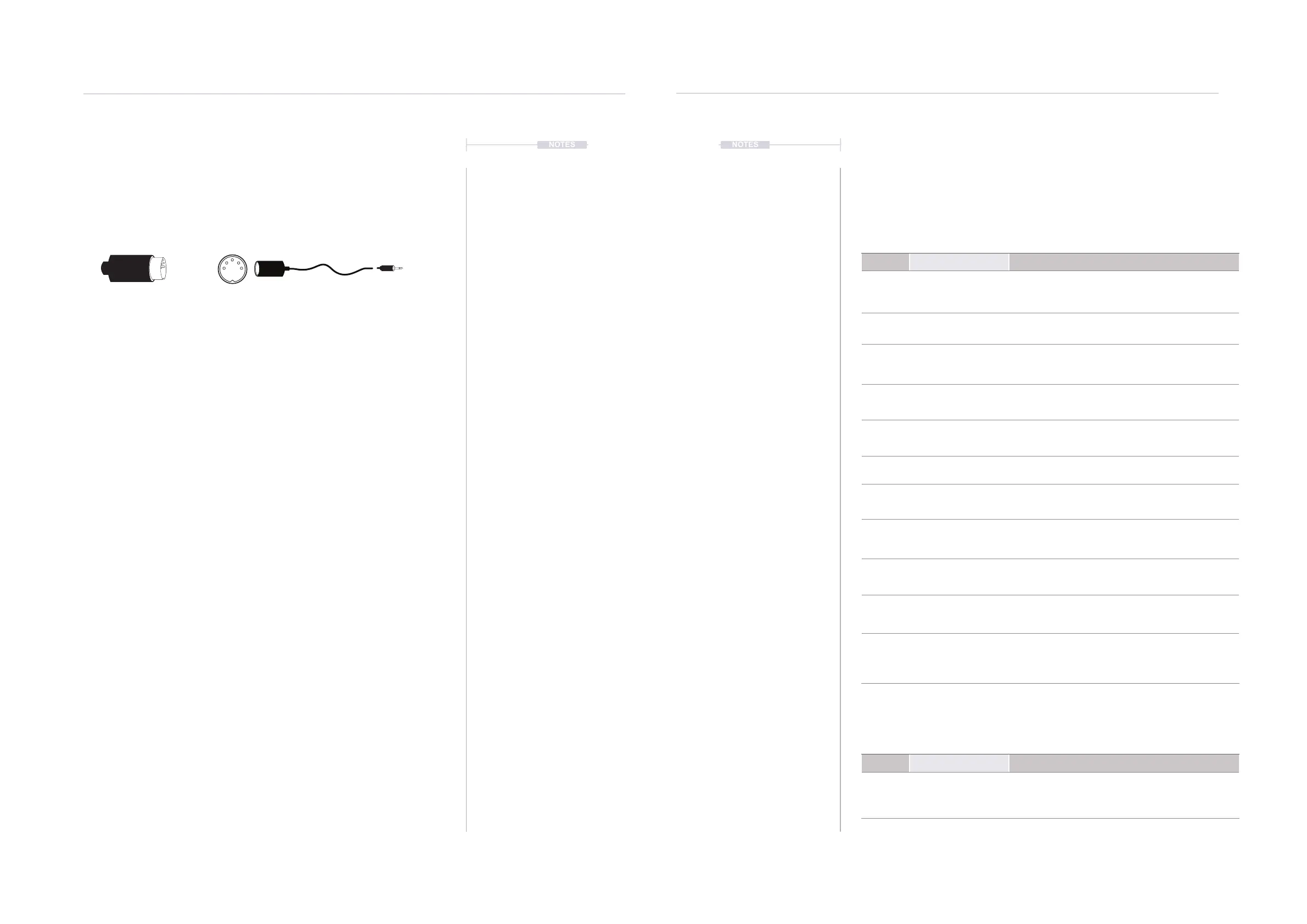
to Tracker a summary of key denitions is provided. Tracker uses a TRS to
Type B MIDI Adapter. Also MIDI over USB is possible.
5 PIN MIDI 5 PIN to TRS MIDI
MIDI DIN 24
This is often found for MIDI
Out and Thru and enables
syncing of classic devices.
This uses 0v & 5v messages
as sync signals at 24 pulses
per quarter note (PPQN).
Tracker uses 192 PPQN
Internally and can also
transmit and receive via USB.
MIDI CC
MIDI Control and Note
change messages are used
to communicate messages
across MIDI with values of 0-
127. Control Changes (CC)
affect parameter values while
note data triggers notes.
Tracker has some dened
CC Assignments.
SYSEX
System Exclusive. This is an
expansion of the normal MIDI
communications set up and is
typically used for transferring
data such as back ups,
patches, presets and
rmware updates to and from
devices.
MIDI
Musical Instrument Digital
Interface. A protocol for
communicating between
electronic musical gear.
Never connect MIDI gear to
incompatible DIN signals.
Tracker has USB MIDI but
also an interface for 5 Pin
DIN In and out.
MIDI STANDARDS
While there are MIDI
standards dened, many
synth developers interpret
this in slightly different ways.
Its always worth reviewing
the documentation with each
to fully understand each
device level implementation.
SDS
Sample Dump Standard. This
is an older transfer protocol
used for transferring data to
and from devices. This is
rarely seen nowadays.
MIDI DIN 48
This is often found for MIDI
Out and Thru and enables
syncing of classic devices.
This uses 0v & 5v messages
as sync signals at 48 pulses
per quarter note (PPQN).
Tracker uses 192 PPQN
Internally and can also
transmit and receive via USB.
MSB & LSB
Most Signicant Byte and
Least Signicant Byte. MSB
provides the 128 data
resolution which is ok for
most MIDI applications. More
advanced devices use MSB
and LSB values increasing
resolution to 16,384 steps.
NRPN
Non-Registered Parameter
Number is part of the MIDI
standard. CC and NRPN are
technically very similar but
NRPN is less well dened in
the standards. NRPN uses
more data and can give
better control.
The term ‘primary lead’ will refer, in this guide to a device that has the main control responsibility.
For example controls the clock and transport and is the central lead. A device which will be
controlled by, and follow the primary lead device and which will be subservient by responding to
the main control messages will be called a ‘secondary follower’.
11.2 MIDI Conguration
A pre-requisite to working with MIDI is to ensure that the conguration
settings in the [Cong] menu are applied for the desired MIDI gear setup.
These will dictate if Tracker leads on functions like clock and transport or if
it acts as a secondary follower, responding to control and synchronisation
from another primary device control. Also Note and CC behaviour is set.
Velocity can be recorded from an external MIDI controller, but this must be
set in the recording options.
Menu Option Description
MIDI Clock In
Sets the Tracker clock between the internal
generated clock (default) or an external clock
received through the USB or MIDI In jack.
MIDI Clock Out
Sends the Tracker clock output to other devices.
Off, USB, MIDI Out jack or USB+MIDI jack options.
MIDI Transport In
Sets the source of transport control commands,
Internal (default), or control from an external
device received through the USB or MIDI In jack.
MIDI Transport Out
Sends Tracker transport control commands to
other devices. Set to Off, USB, MIDI Out jack or
USB+MIDI jack options.
MIDI Notes In
Sets the input of how notes are received from an
external device. Set to Off, USB, MIDI In jack or
USB+MIDI jack options.
MIDI Notes Input Channel
Sets the MIDI channel for external note inputs.
Select All channels or Ch 1-16.
MIDI MIDI Out
Sets the output routing of MIDI to communicate to
other devices. Set to Off, USB, MIDI Out jack or
USB+MIDI jack options.
MIDI CC In
Denes how the CC (control change) input from
external devices is handled. Set to Off, USB, MIDI
In jack, USB+MIDI In jack.
MIDI CC In channel
Sets the MIDI channel that is used to receive CC
(control change) messages. Select All channels or
Ch 1-16.
MIDI Middle C
Sets Tracker’s middle C as C-3, C-4, C-5, C-6.
This will calibrate the note ranges to external gear
if this does not naturally match.
MIDI Clock Sync Delay
Latency compensation for incoming clock
synchronisation. Options range from -50 to +50
with each unit = 1/250 of pattern step. Leave at the
default 0.0 unless there are synchronisation errors.
Menu Option Description
Project Recording Options
This option sets the recording options for the
project. To record velocity from an external
controller one of the velocity inclusive options
should be selected.



 To Next Page