277
Polyend Tracker Manual
276
Polyend Tracker Manual
System
13
System
13
NOTESNOTES
13.4 Resetting the Conguration.
There may be occasions when the changes in congurations have caused
problems and tracking back is not possible. An example may be that MIDI
settings applied may need to be reset. The whole conguration settings can
be reset to the defaults. This is performed in the cong menu.
▌ RESETTING CONFIG
1. Press [Cong].
2. In the main menu list select the ‘Firmware’ option using the screen
navigation buttons.
3. In the Firmware sub menu select ‘Reset Cong’.
4. Press [Apply], 6
th
Screen button and follow the prompts. Any previously
changed settings will be restored back to default values.
13.3 Emergency Firmware Update
Firmware updates are available from the polyend portal for your registered
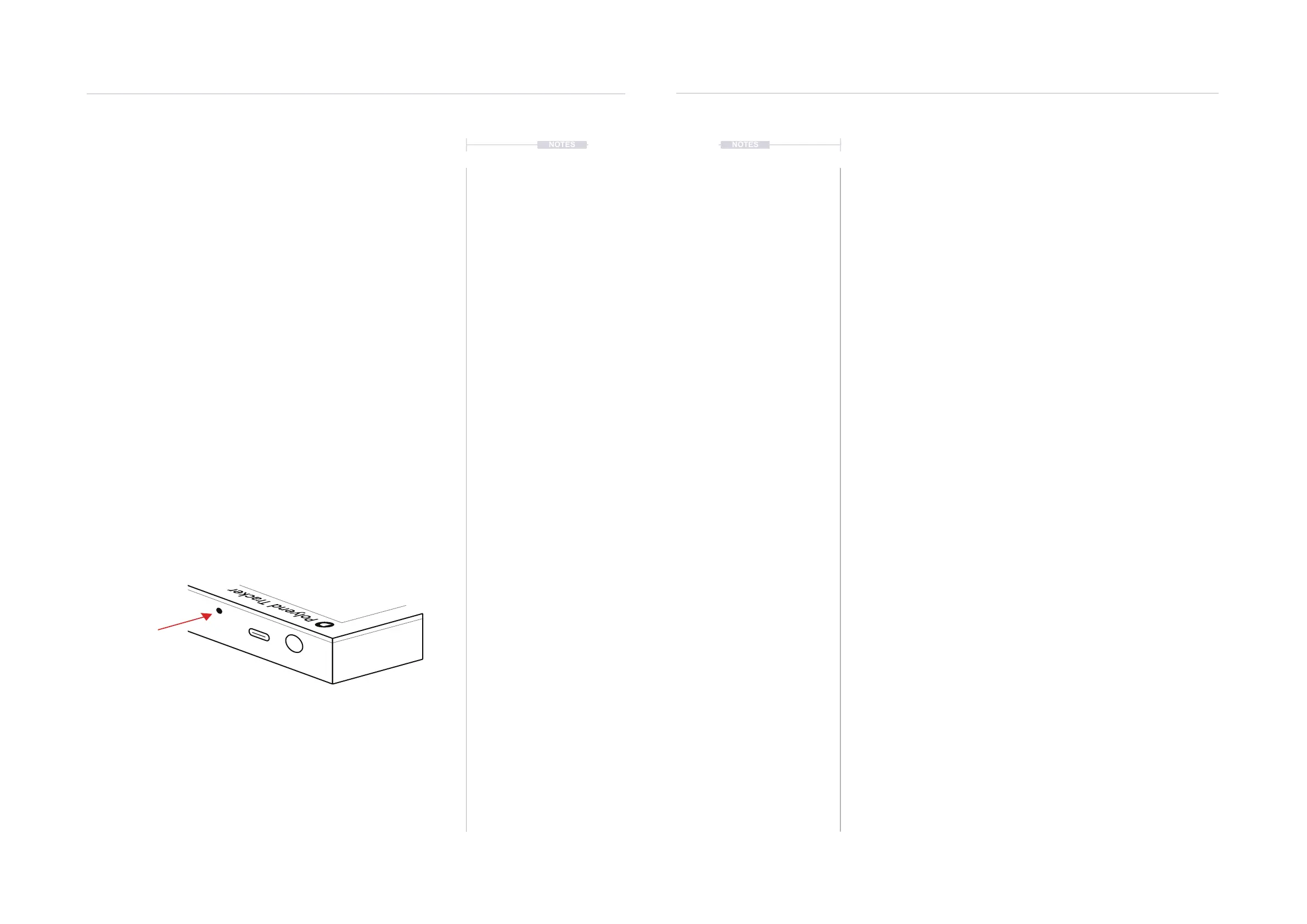
device. A reset button is provided, recessed behind the rear panel for
emergency situations . A reset can be performed if there are issues with the
update method or to clear Tracker issues but should not be used as a
regular process for updates.
▌ TRACKER & FIRMWARE RESET
1. Download the latest rmware. Access rmware updates for your device
from your registered account at Polyend.
2. Copy the downloaded .ptf rmware le into the /Firmware folder. This
can be found in the root directory of the SD Card. Also ensure any
previous update les remain in the rmware folder.
3. Insert the SD card into Tracker.
4. Use a pin or thin object to press the internal reset button. This is located
on the rear of the device behind the case next to the USB connection.
5. Tracker will reset and search the rmware folder on the SD Card. A
random rmware will be selected and installed in order to recover
Tracker to a working state. The install process is typically less than 1
minute.
Recessed reset button. Use a
pin or thin object to trigger reset
Rear Panel
Power
USB
The reset option is useful if any lock ups or freezing occurs on Tracker. It is not necessary in these situations
to download a new OS. It is advised to keep a series ofcial, known good, rmware releases in the /rmware
folder. For example 1.5.0, 1.6.0, 1.4.0. That way steps 4-5 can be performed in case of issues and a random
update will be performed from a known state. A manual update in the ‘cong’ menu to select the latest
version can then follow.



 To Next Page