Overview
1
7
Polyend Tracker Manual
6
Polyend Tracker Manual
Overview
1
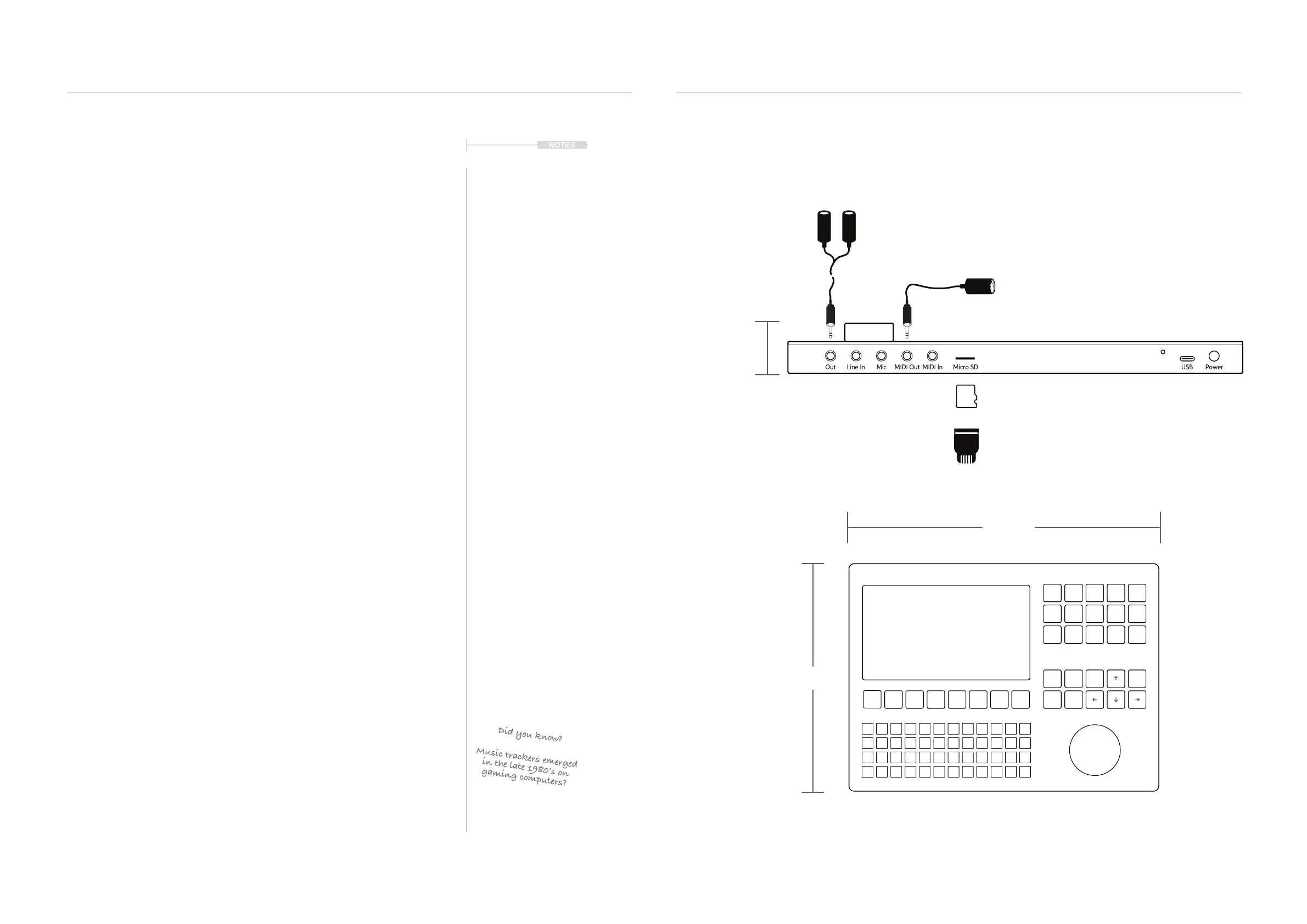
Out Line In Mic MIDI Out MIDI In Micro SD
USB Power
On / Off
Switch
Reset
Switch
USB Power Input
USB-C to USB-A Cable Supplied
3.5mm Stereo
Audio Input &
Output
Stereo audio output also serves as headphone out.
3.5mm MIDI
Input & Output
Micro SD Card Slot.
Pins face down.
16GB Micro SD Card Supplied
3.5mm Male Stereo TRS Jack
to 2 x 6.3mm TR Mono Female
adapter supplied.
Micro SD Card to USB-A
adapter supplied.
Input is TR Mono and output
TRS Stereo, also supports
headphones.
Supply is 5V, 1A so can use
the supplied mains to USB or a
battery power bank.
3.5mm Jack to 5 Pin MIDI
adapter (type B) supplied
1.1 How to Use This Notebook
This book combines a formal reference alongside your own notes and
comments, collectively bringing together a comprehensive guide to Tracker.
Sections are laid out to cover the full workow with walkthroughs, step by
step guides and tips. Some pages carry a wide margin and some are
intentionally blank enabling you to make your own notes.
Control conventions.
(Jog)
Rounded parentheses represent the large single rotary control jog wheel.
Selected functions can be navigated or changed depending on the context.
[Function]
Square parentheses contain functions that are selectable by a physically
dedicated button - either as a primary or secondary function. Examples are
[Rec], [Play]. The arrow symbol buttons will be represented by [Left],
[Right], [Up], [Down] text.
[Function] + [Option]
Functions which require multiple button selections simultaneously are
shown with a + symbol between each required button. An example is the
[Shift] + [Copy/Paste] command.
[PAD]
Each of the 48 pad buttons will be simply represented by [PAD]. These
functions will depend on the mode and function selected.
[Dynamic Screen Key]
The 8 dynamic screen buttons located under the display will be written in
this book using italic text. The actual function that each button serves will
change depending on the current context. The function it serves will be
labelled on the screen above each button on the device. Currently
unavailable options will show on the tracker screen as dimmed text. An
example is [Create Project].
1.2 Hardware Overview
Your Notes Can be written here Here
Did you know?
Music trackers emerged
in the late 1980’s on
gaming computers?
282 mm
207 mm
33 mm
NOTES



 To Next Page