7088-8000
-141
F.3 Running
TimeGATE
™
After installing
TimeGATE
™
(Section F.2), the program can be run as follows:
1. Open the door of the flowmeter and connect a null modem cable from the com port of
the flowmeter to the com port of the PC.
2. Ensure that power has been applied to the flowmeter.
3. If connecting
TimeGATE
™
to a DCT6088 or DCT7088, ensure that the
TIMEGATE
selection in Menu 46 is active. To activate the
TIMEGATE
selection:
!
Access Menu 46.
!
Select
TIMEGATE
on the flowmeter display.
!
Access Menu 00.
4. Run
TimeGATE
™
.
NOTE:
If the default options were chosen during installation,
TimeGATE
™
can be run
by double-clicking the
TimeGATE
™
icon on the Desktop Screen.
The
TimeGATE
™
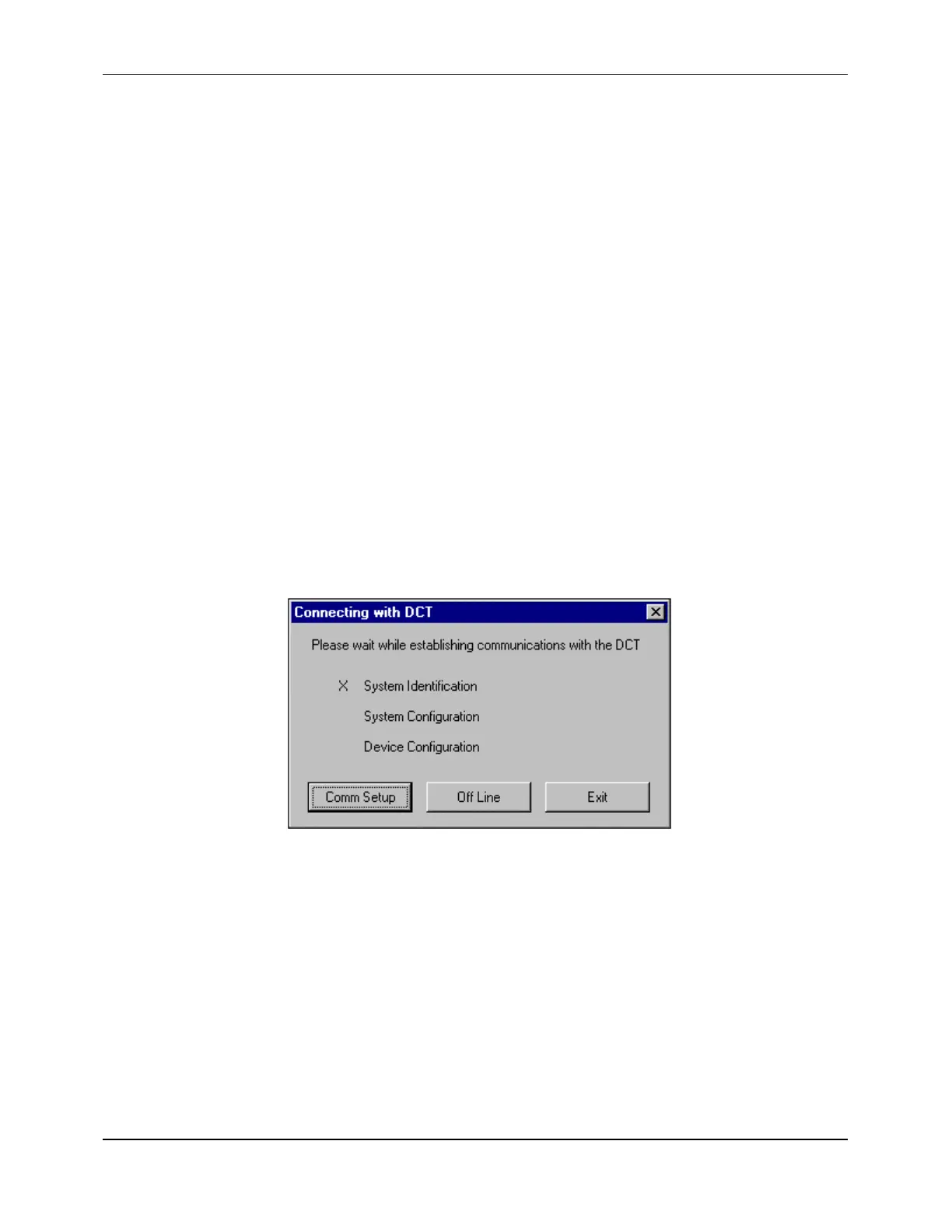
Welcome Screen is displayed, followed by the Connecting Screen
(Figure F-9):
Figure F-9 Connecting Screen
Communications are established after several seconds, then Configuration Screen 1 is
displayed (Figure F-10).
NOTE:
If the units do not communicate, refer to Section F.6.
The flowmeter can now be configured (Section F.4) and flow data can be observed
(Section F.5). After the
TimeGATE
™
session is completed, the program can be
terminated by selecting
EXIT
from the
FILE
pull-down menu.


 To Next Page