7088-8000
-183
F.9 Upgrading the Flowmeter Software
The version number for the flowmeter’s software can be viewed in the Manufacturing Tab
(Section F.7). The flowmeter can be upgraded in the field by downloading new software
into its Flash memory. The software upgrade file is available on diskette from Peek
Measurement or by modem download from the Peek Measurement web site at
www.peekmeas.com.
IMPORTANT:
The baud rate must be set at 19200 for the software upgrade function to
operate.
CAUTION:
If the flowmeter contains any data log files, these files may be deleted
during a software upgrade.
To upgrade the flowmeter:
1. Exit from
TimeGATE
™
if it is currently running by selecting
EXIT
from the
FILE
pull-down menu.
2. Turn off power to the flowmeter.
3. Run
TimeGATE
™
.
The Connecting Screen is displayed (Figure F-28).
4. Turn on power to the flowmeter.
The Mini Bios Options Screen is displayed (Figure F-29).
5. Click on the
UPGRADE SOFTWARE
button.
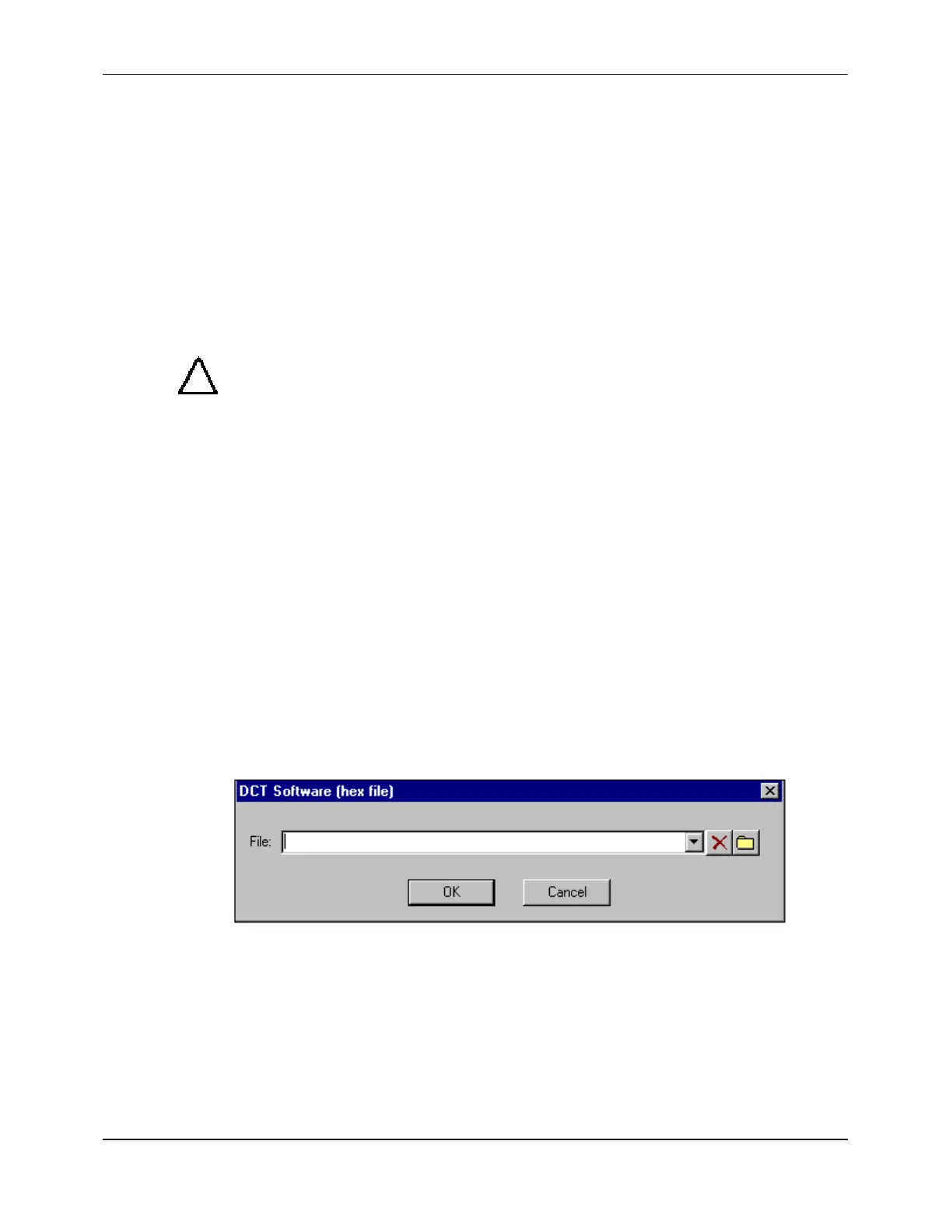
The Software Upgrade Screen is displayed:
Figure F-31 Software Upgrade Screen
6. Enter one of the following in the text box of the Software Upgrade Screen and click on
OK
:
!
A:\1088.HEX (for upgrading a DCT1088)
!
A:\DCT.HEX (for upgrading a DCT6088 or DCT7088)


 To Next Page