Panel setup menu PrismJET 54 Gen2 OPERATION MANUAL
190 5.1 Setup menu
5.1.26 Select Nozzle menu
If missing lines still persist after several attempts of cleaning, you can check the nozzle conditions by
printing the select nozzle patterns and choose only good nozzles for printing.
5.1.26.1 Nozzle Settings menu
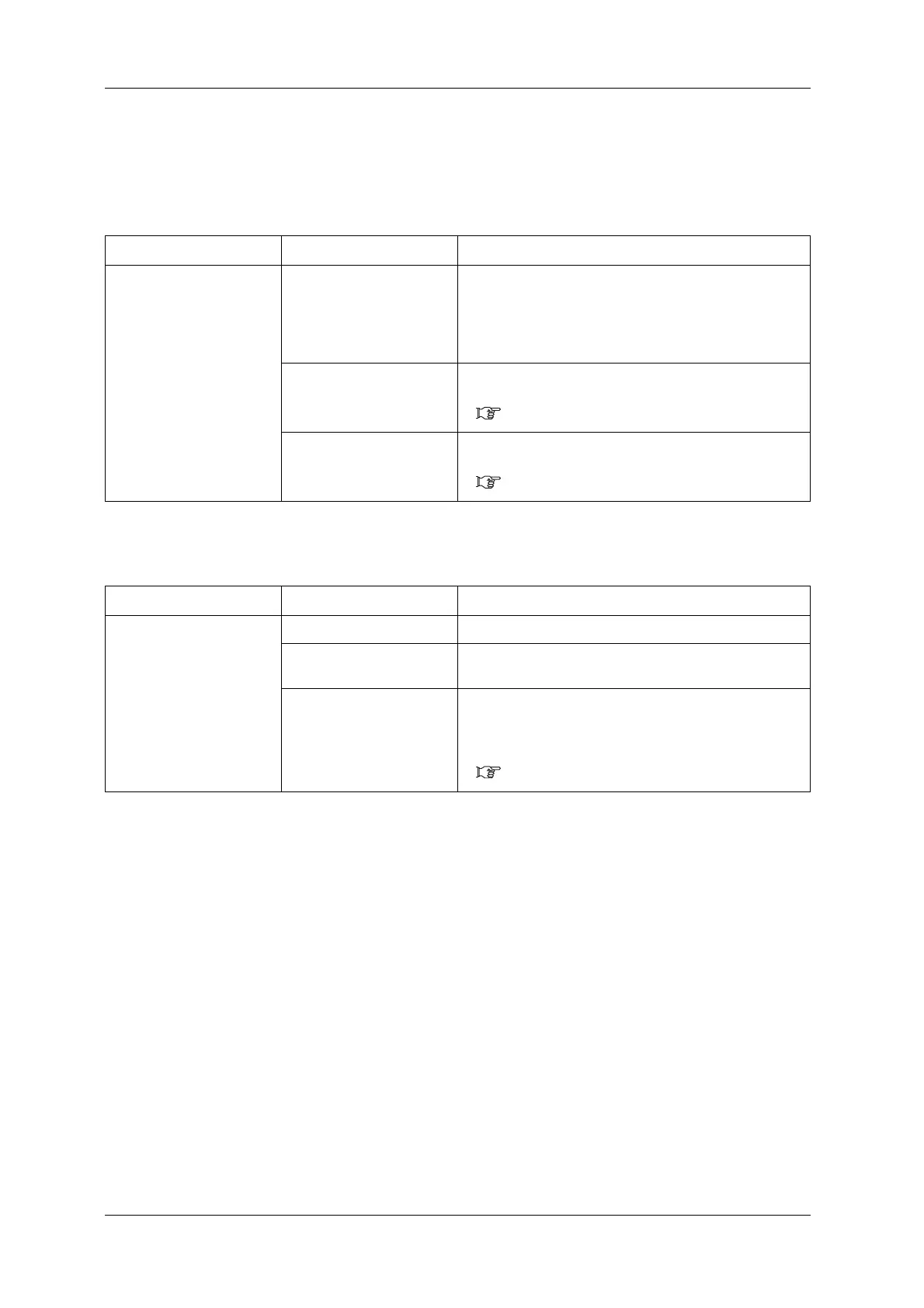
Setup item Setting Description
Select Nozzle Print Print the select nozzle patterns and find the pattern that does
not have missing lines.
•[Enter] key:
“Printing” is displayed on the operation panel and Print the
select nozzle patterns starts.
Settings Goes to the nozzle settings menu.
• [Enter] key: shifts to the sub menu.
5.1.26.1 Nozzle Settings menu
—
• [Cancel] key: cancels the setting value and shifts to the
previous menu.
5.1 Setup menu
Setup item Setting Description
Settings Nozzle ALL Using all of the nozzles on the print head.
Nozzle Ato F Choose from A to F for the pattern that does not have missing
lines.
— • [Enter] key: saves the setting and shifts to the previous
menu.
• [Cancel] key: cancels the setting value and shifts to the
previous menu.
5.1 Setup menu



 To Next Page