PrismJET 54 Gen2 OPERATION MANUAL Maintenance
6.1 Replacing consumable components 219
a. Replacing 220ml ink cartridges
1. Confirm that the printer is turned ON.
• Do not replace ink cartridges when the printer is turned OFF.
The remaining ink may not be detected correctly, causing abnormal printing.
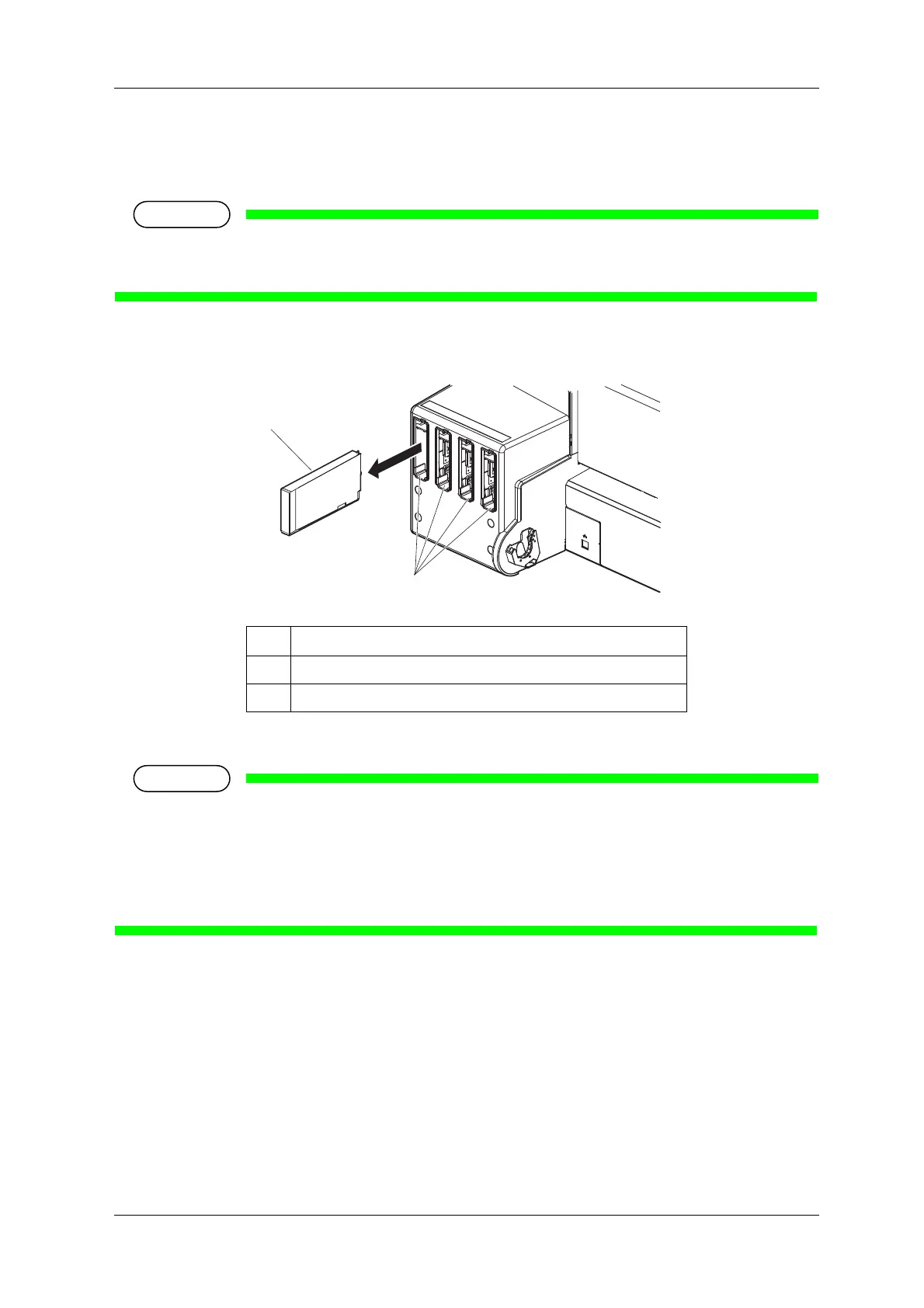
2. Remove the ink cartridge that you want to replace from the slot.
3. Take out the new ink cartridge from the bag.
• Open the bag just before attaching the ink cartridge to the ink cartridge slot.
Leaving the ink cartridge with the bag open for a long time may result in abnormal printing.
• Do not insert or remove the ink cartridge more than 10 times.
If the ink cartridge has been removed/inserted more than 10 times, it cannot be used even though
ink remains.
No. Name
1 Ink cartridge
2 Ink cartridge slots



 To Next Page