Maintenance PrismJET 54 Gen2 OPERATION MANUAL
220 6.1 Replacing consumable components
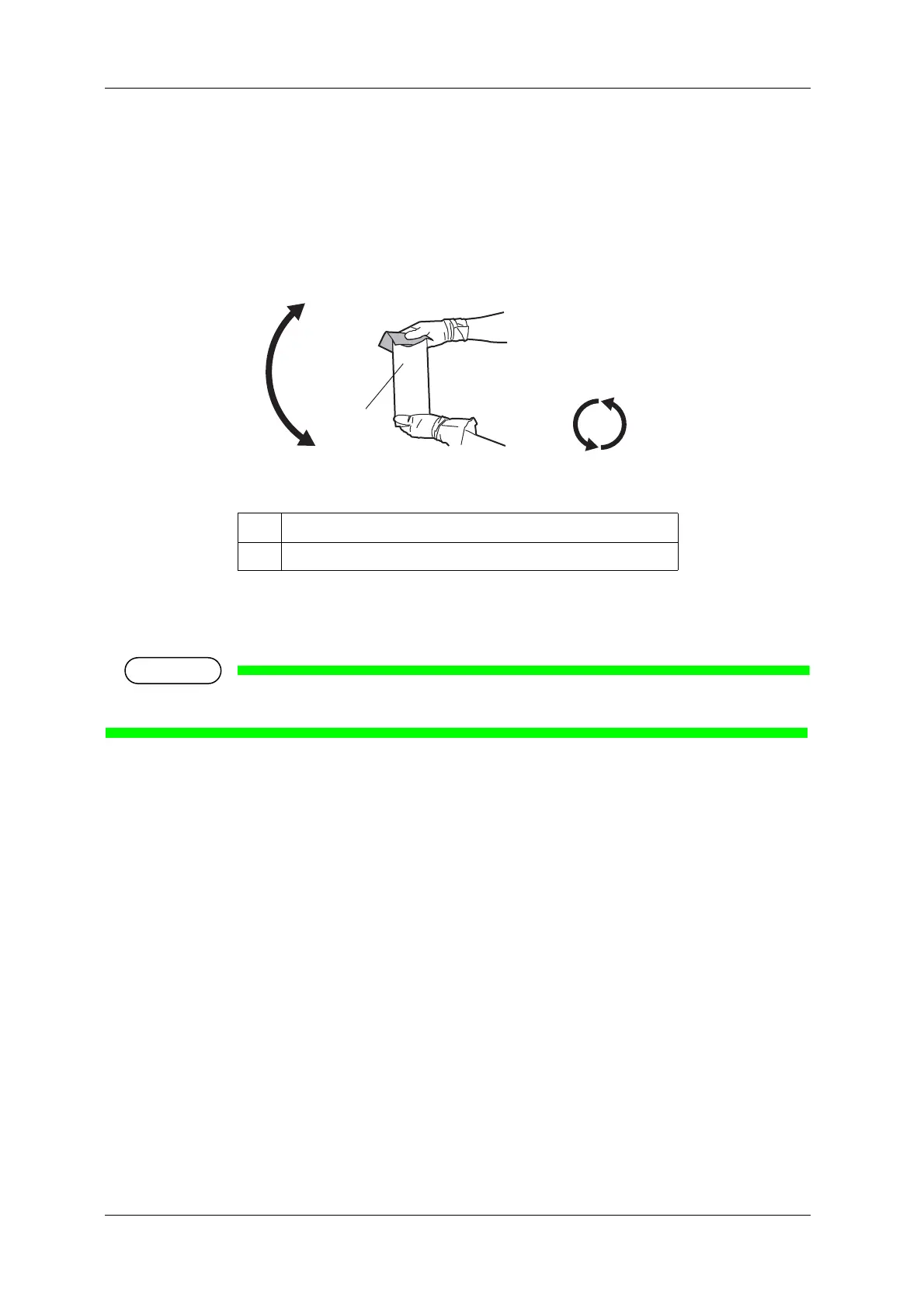
4. Agitate the ink cartridges.
• Turn the ink plug upward and wait for 3 seconds.
• Next, turn the ink plug downward and wait for 3 seconds.
• Repeat that 10 times.
5. Install a new ink cartridge.
6. Confirm that the operation panel returns to Normal.
• If the ink cartridge is replaced during printing, printing resumes.
• Ink cartridge replacement is complete.
No. Name
1 Ink cartridge



 To Next Page