Maintenance PrismJET 54 Gen2 OPERATION MANUAL
222 6.1 Replacing consumable components
3. Take out the new ink bag from the bag.
• Open the bag just before attaching the ink bag to the high capacity pack adapter.
Leaving the ink bag with the bag open for a long time may result in abnormal printing.
4. Install the ink bag and smart chip card to high capacity pack adapter.
• To install or remove the high capacity pack adapter to/from the ink bag and smart chip card, refer
to the operation manual included with high capacity pack adapter.
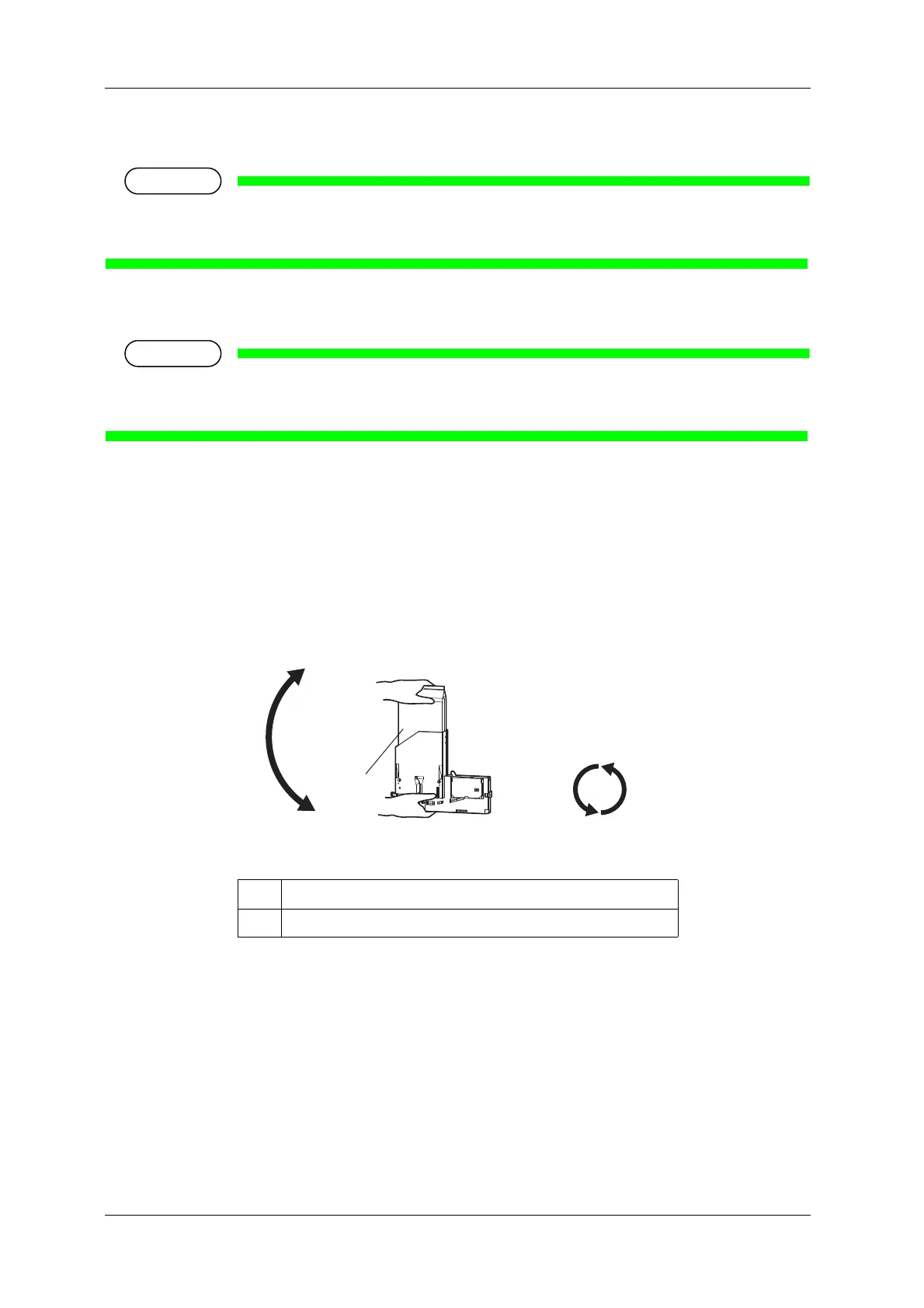
5. Agitate the ink bag.
• To prevent the ink bag and the High capacity ink pack adapter from separating, hold one hand
against the top of the ink bag. Rotate the plug of the ink bag vertically and hold for 3 seconds.
• Then, invert the ink bag with the adapter and hold for 3 seconds.
• Repeat that 10 times.
No. Name
1 Ink bag



 To Next Page