15 Installation of the secondary module
n User qualification, installation of the secondary module: Elec‐
trical technician
Ä Chapter 2.4 ‘User qualification’ on page 14
1. Disconnect the system from the power supply.
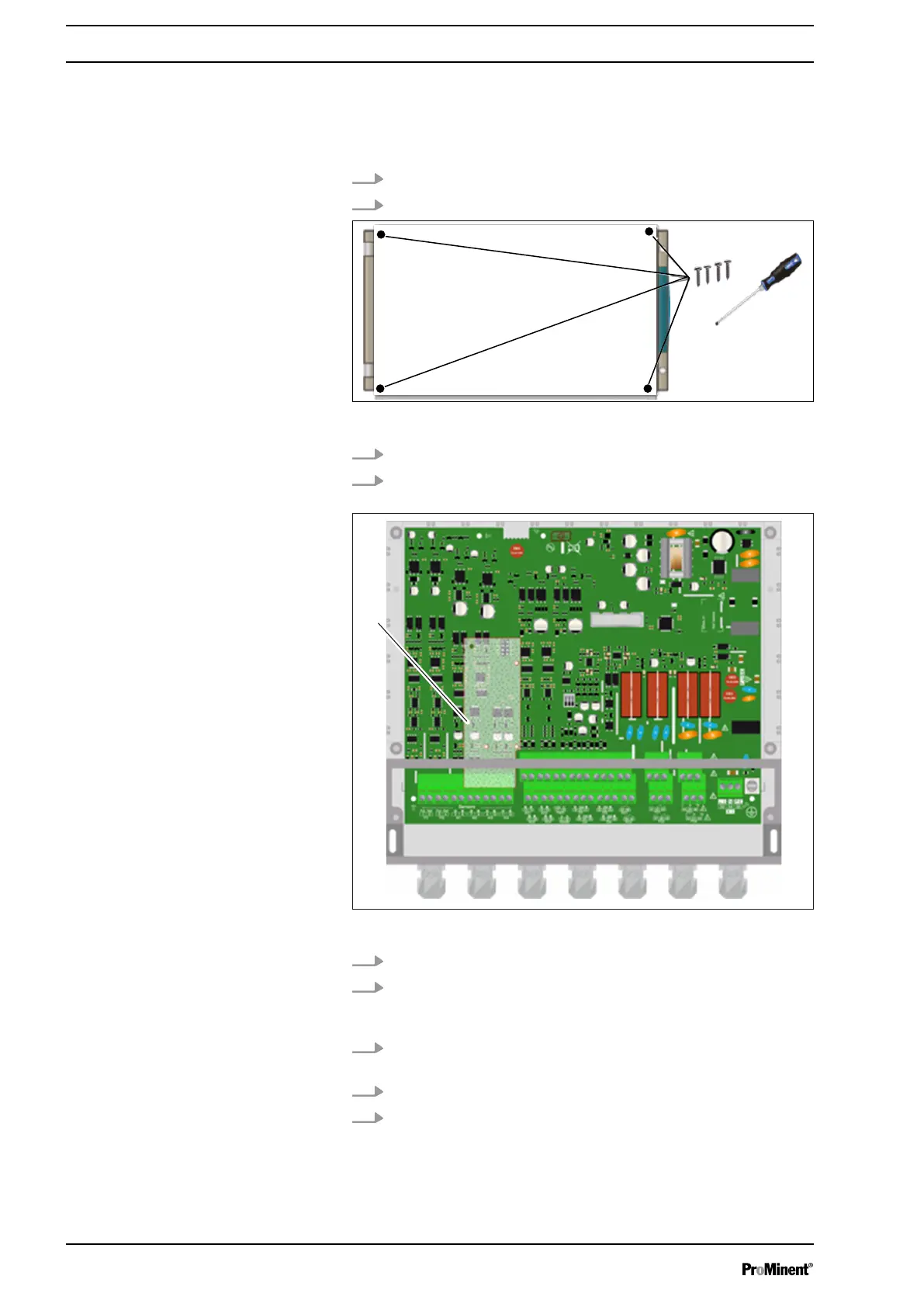
2. Open the transparent cover, .
Fig. 132: 4 screws
3. Use an appropriate screwdriver to loosen the 4 screws.
4. Disconnect the connecting ribbon cable between the lower
circuit board and the upper part of the device.
Fig. 133: Position (1) of the secondary module.
5. Localise the position (1) of the secondary module.
6. Position the three sockets, and then insert the module into
the connector on the rear circuit board. Make sure that the
sockets are fixed in the holes provided.
7. Connect the connecting ribbon cable between the lower cir‐
cuit board and the upper part of the device.
8. Use an appropriate screwdriver to tighten the 4 screws.
9. Close the transparent cover, .
Installation of the secondary module
122














 To Next Page