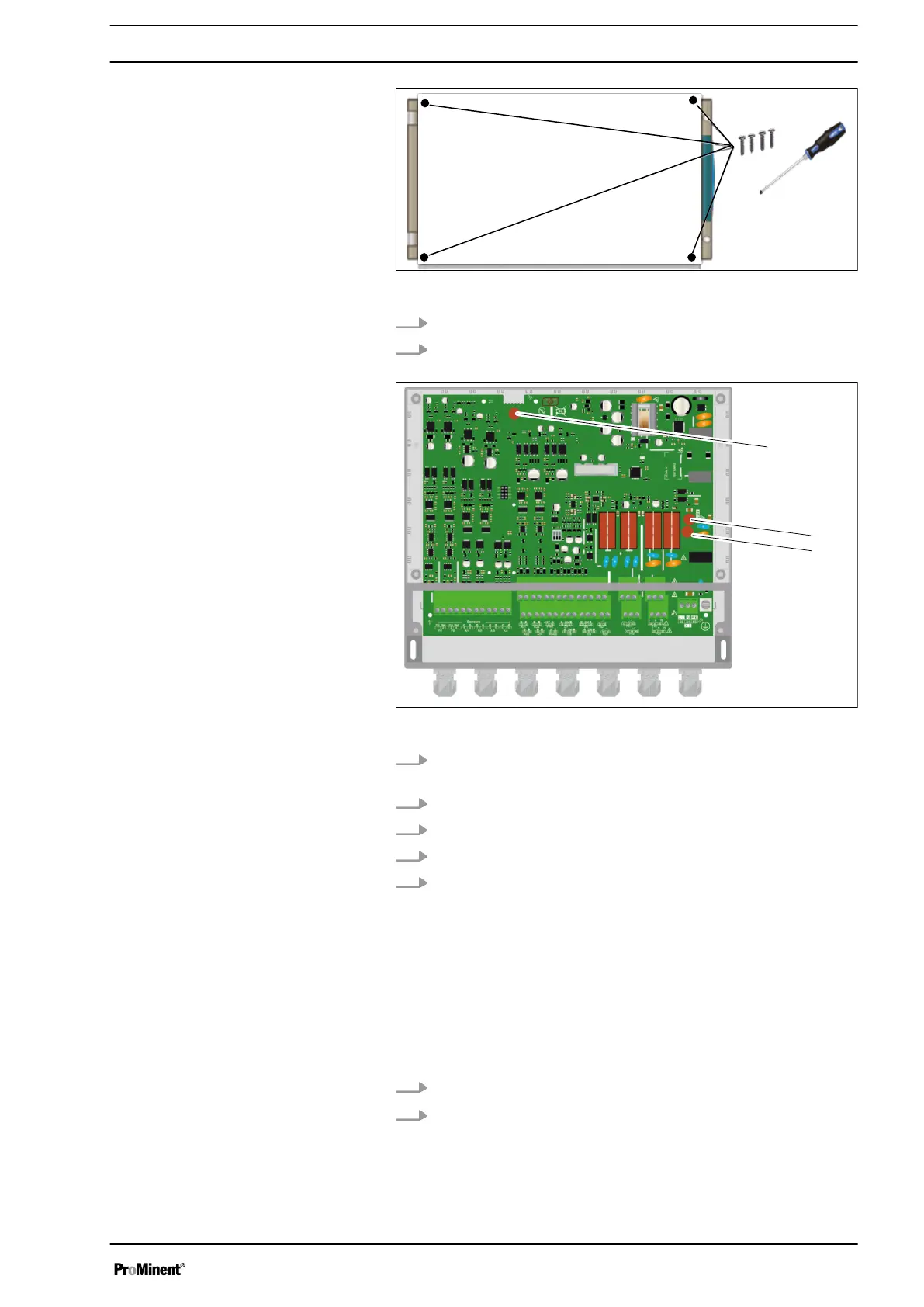
Fig. 6: 4 screws
3. Use an appropriate screwdriver to loosen the 4 screws.
4. Disconnect the connecting ribbon cable between the lower
circuit board and the upper part of the device.
Fig. 7: Fuse (F1 or F2)
5. Look for the fuse to be replaced (F1 or F2) on the lower cir‐
cuit board.
6. Remove the fuse to be replaced.
7. Fit a new fuse with the correct power rating.
8. Reconnect the connecting ribbon cable.
9. Use an appropriate screwdriver to tighten the 4 screws.
4.3.6 Primary power supply
The device has its own wide range power unit. The device can be
operated with an alternating voltage of between 90 V ... 240 V
50/60 Hz.
The device does not have its own mains switch. The device is fed
directly when it is connected to the mains/power supply.
1.
Use a 3-lead 1.5 mm
2
cable to connect up the power supply.
2. Strip away 7 mm of the insulation on the leads.
Installation and assembly
19














 To Next Page