8 Setting measuring and control parameters
n User qualification, setting measuring and control parameters:
trained user
Ä Chapter 2.4 ‘User qualification’ on page 14
General menu
User
Menu
Menu
Menu
Set-upSet
Navigation bar
Serial number: 2047000815
Software version: X.XX
A3087
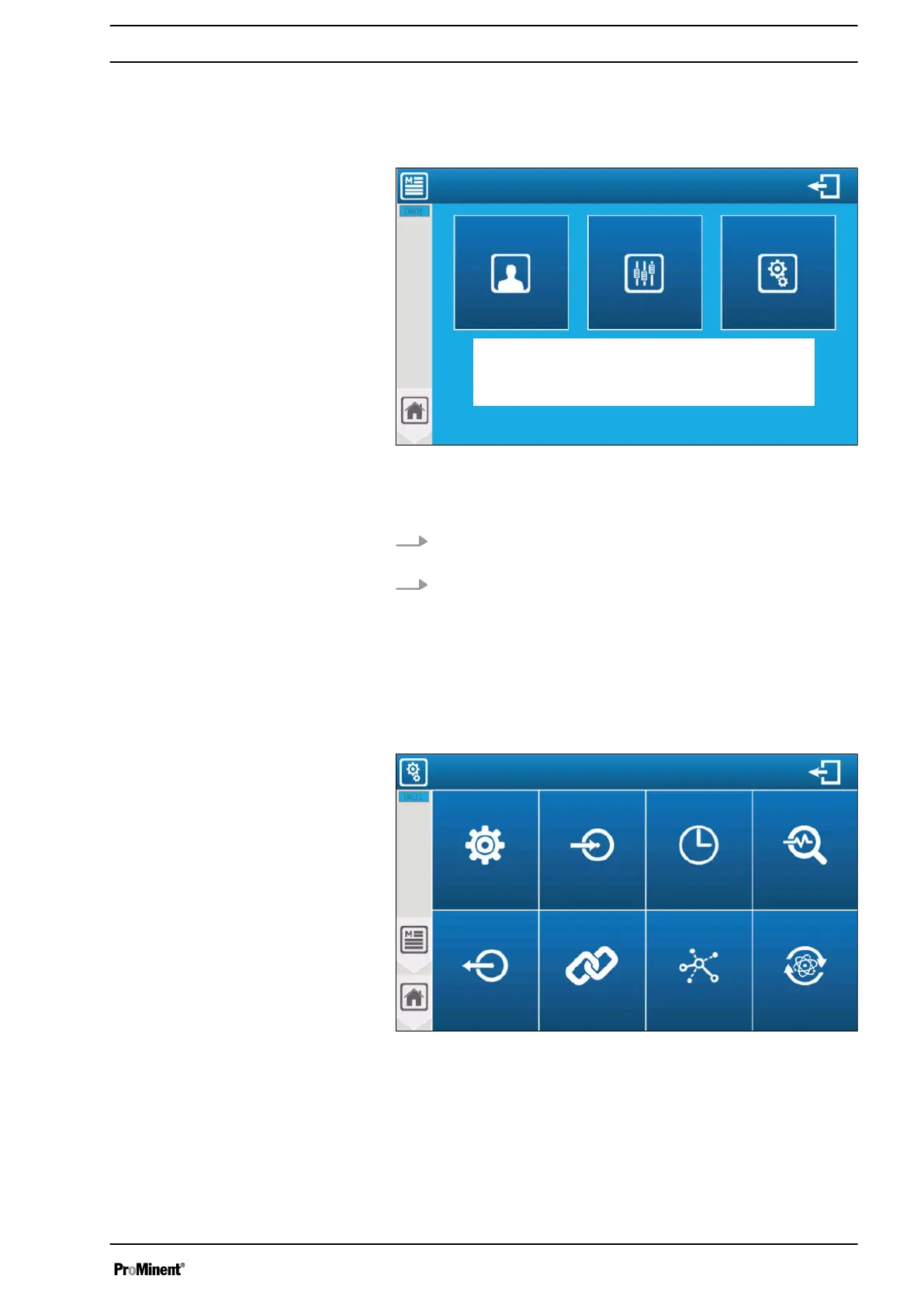
Fig. 67: Start screen for programming
If an access code has been set up to lock the
‘SETTING’
or
‘SET
UP’
menu, then the two keys also have a small padlock symbol.
1. Press the menu you wish to access to open the password
entry window.
2. Enter the 4-digit user code. Confirm the entry with the tick
key to access the
‘SETTING’
or
‘SET UP’
menu
8.1
‘SET UP’
programming screen
You can access and change the entire configuration for initial use
of your controller via the
‘SET UP’
menu. Press the
‘SET UP
menu’
to open the following screen.
Configuration and setting
Inputs Timer
Calculating
measurements
Factory
setting
Communication
Conditions
Outputs
Options
A3088
Fig. 68: Menu: Configuration and setting
Options The
‘Options’
menu lets you access the options
available in the installation part.
Inputs The
‘Inputs’
menu lets you access the options avail‐
able in the installation part.
Timer The
‘Timer’
menu lets you access the options avail‐
able in the installation part.
Setting measuring and control parameters
79














 To Next Page