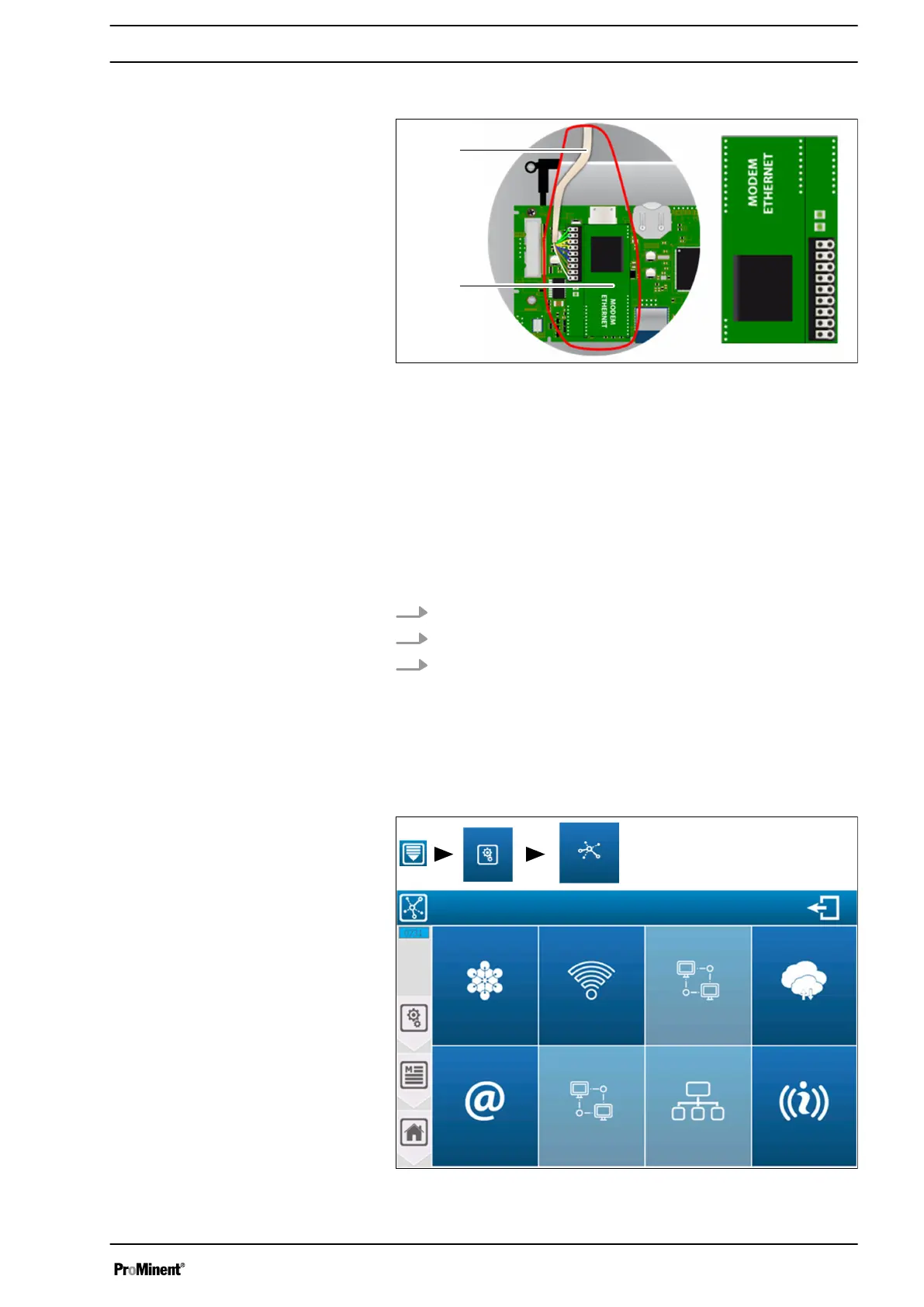
7.4 Ethernet modem connector
Fig. 58: Ethernet modem connector
1 Cable: Green/White
2 Cable: Green
3 Cable: Orange/White
4 Cable: Orange
5 Cable: Blue/White
6 Cable: Blue
7 Cable: Brown/White
8 Cable: Brown
9 Cable: Earthing
10 Connecting cable to the network
11 Ethernet modem
1. Install the Ethernet modem (11) at its intended position.
2. Guide the cable through the cable gland to the network (10).
3. Connect wires 1 ... 9, as shown.
7.5 Setting up the communication
To connect the device to the bus, the RS485 communication of the
device and the other systems connected to the same bus must be
identical.
A3055
Communication settings
MODBUS
WIFI
MODBUS
ETHERNET
INTERNET
WEB SERVICE
Manufacturer
ETHERNET
MODEM
ETHERNET
MODUS
SLAVES
COMMUNICATION
INFO
Menu
Settings
Communication
Fig. 59: Setting up the communication
Communication programming instructions
61














 To Next Page