1 Terminal RS
2 RS minus (B)
3 RS plus (A)
The bus can be poled from your device if necessary. To do so,
switch the two microswitches (RS+ (A) and RS- (B)) on the elec‐
tronic plug-in card to the ON position
If your device is the last device on the line of the RS485 bus, you
can switch over the RS terminal. Switch RS to ON to enable termi‐
nation of the line.
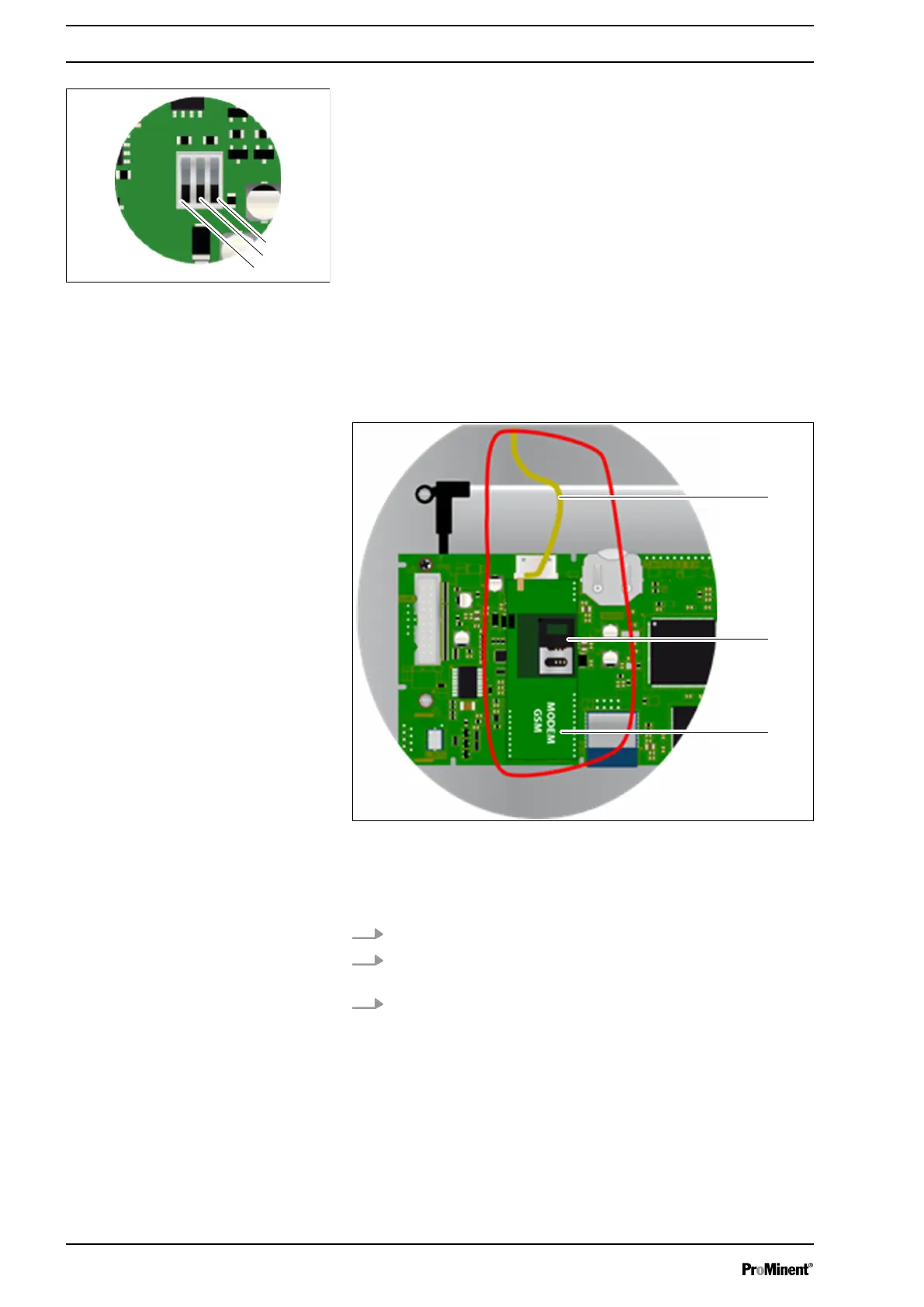
7.3 Internal GSM modem connector
Your mobile service plan must have a minimum data volume of 5
MB/month. Disable the PIN functions of the SIM card.
Fig. 57: Internal GSM modem connector
1 Antenna cable
2 SIM card
3 GSM modem
1. Install the GSM model (3) at its intended position.
2. Position the antenna (1) in a cable gland and connect the
antenna using the cable supplied.
3. Position the SIM card (2) in its intended position.
Fig. 56: Polarisation and termination
of the RS485 bus
Communication programming instructions
60














 To Next Page