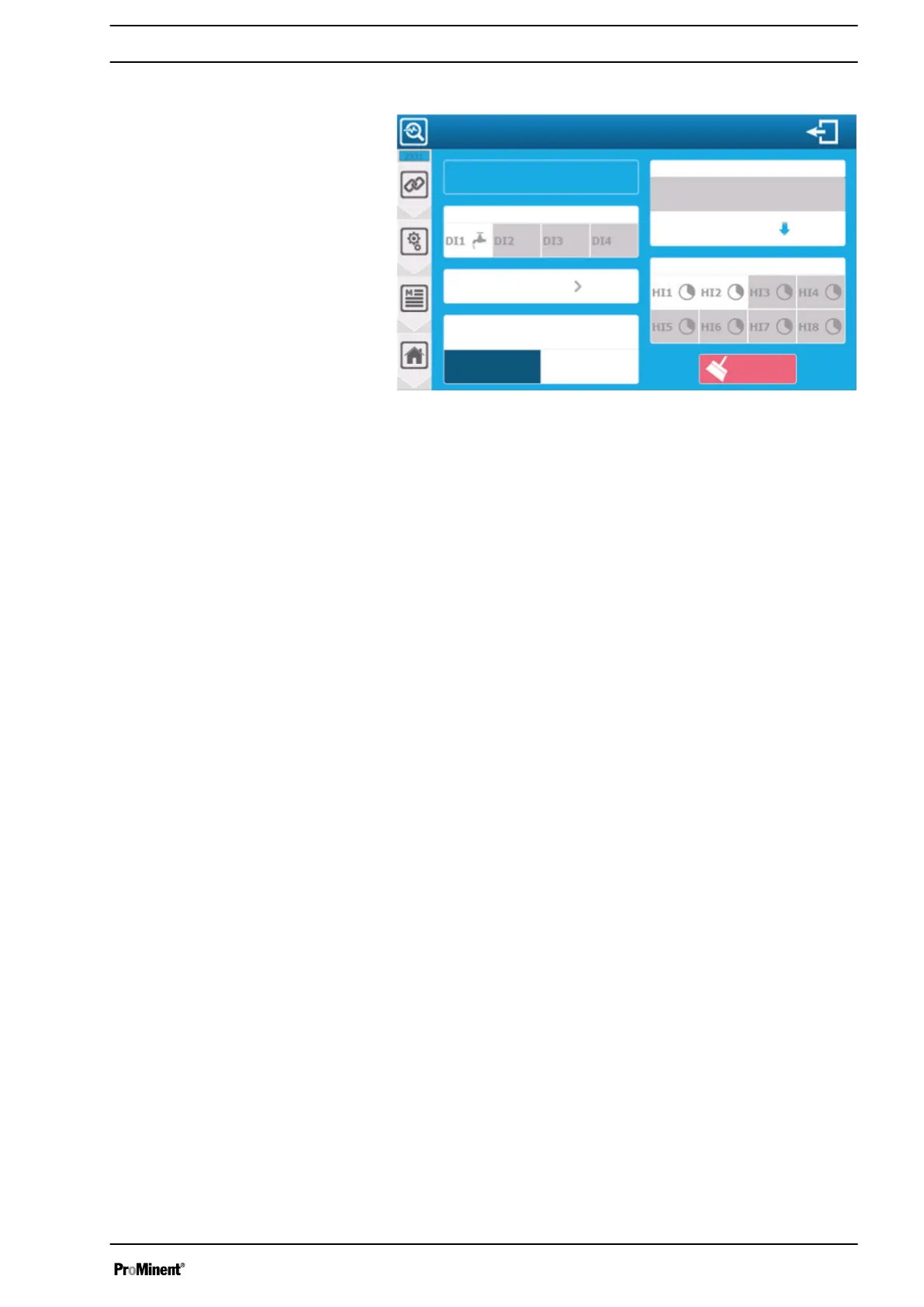
8.1.4.1 Setting the conditions of a parameter
A3136
Condition settings
E01 pH value
Control by external contact
Tank base
Raise metering
Lower metering
Control by timer
clear
One or both
(or)
Both
(and)
Combination of
flow detector and flow rate
Flow meter E04
Fig. 89: Setting the conditions of a parameter
‘EO1, pH value PI1’
: This is where to find parameter identification
for information of the parameter number (EO1), type (pH) and
associated main sensor input (PI1).
‘Control by external contacts:’
selection of the contact(s) to be
taken into account for control of the parameter. Select "Multiple",
and press the contact you want to assign to this parameter. No
contact is selected here. Only configured contacts can be selected.
Unconfigured contacts appear grey. The contacts are identified by
their associated entry number (DIx) and an icon representing their
function.
‘Flow meter E04’
: Selection of the flow meter, which is to be linked
to the parameter. The selection button provides the selected input
information (E04). Press this key to select a flow meter. The list of
flow meters depends on the configuration options. If the option
“Only adjust flow rates to the parameter” is disabled, the list is filled
with flow parameters and flow sensors.
[Combination of flow detector and flow rate]
: If you select at least
one contact switch and one flow meter, this option is enabled and
lets you define which combined information is considered.
One or two (or):
n Active information = parameter in pause
n All inactive information = active parameter
Both (and):
n All active information = parameter in pause
n Inactive information = active parameter
This option is not necessarily available. The option is enabled in
the "OPTIONS" of the installation menu.
‘ Tank bases’
: to enable this choice, you need the following:
n Configured tank base contact or 4 ... 20 mA volume sensor,
n Relay output or 4 ... 20 mA configured in the metering assigned
to the parameter.
You can assign the required tank base depending on the metering
direction of the output assigned to the parameter. Here, only one
metering relay is assigned to the parameter, with falling metering
and (no) tank base is assigned.
‘ Control by timer’
: Select the timer(s) to be taken into account.
Multiple selection types: press the required timer to select/deselect.
A timer is (not) selected here.
Setting measuring and control parameters
93














 To Next Page