PLX51-PBM Diagnostics
PROFIBUS DPV0/DPV1 Master or Slave to EtherNet/IP™ or Modbus® Gateway User Manual
ProSoft Technology, Inc. Page 158 of 196
8.2.1 PLX51-PBM Status Window
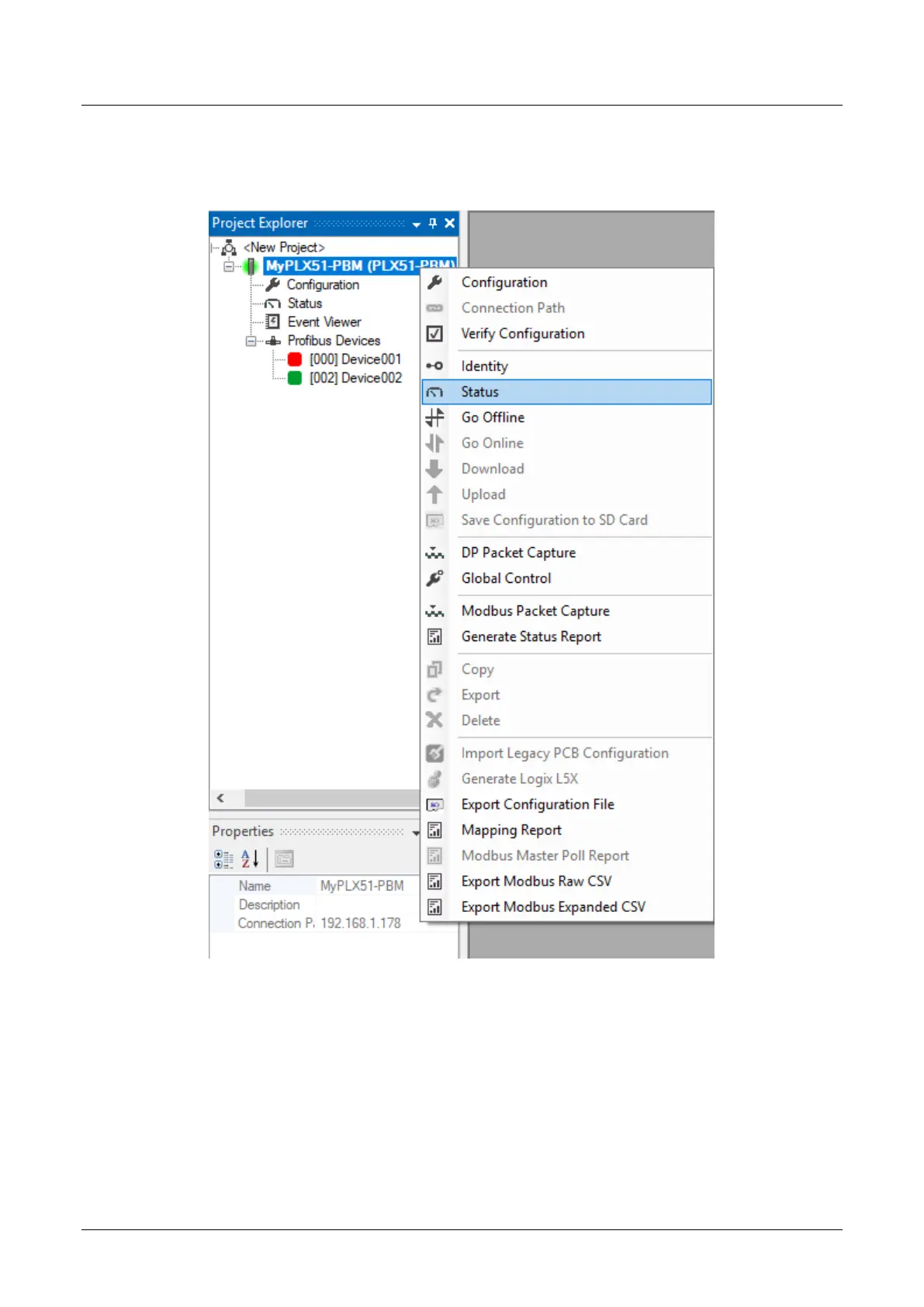
The Status monitoring window of the PLX51-PBM can be opened by either double-
clicking on the Status item in the Project Explorer tree, or by right-clicking on the
module and selecting Status.
Figure 8.3 - Selecting PLX51-PBM online Status
The status window contains multiple tabs to display the current status of the module.


 To Next Page