PLX51-PBM Setup
PROFIBUS DPV0/DPV1 Master or Slave to EtherNet/IP™ or Modbus® Gateway User Manual
ProSoft Technology, Inc. Page 46 of 196
3.8 Adding PROFIBUS DP Devices – Master Mode
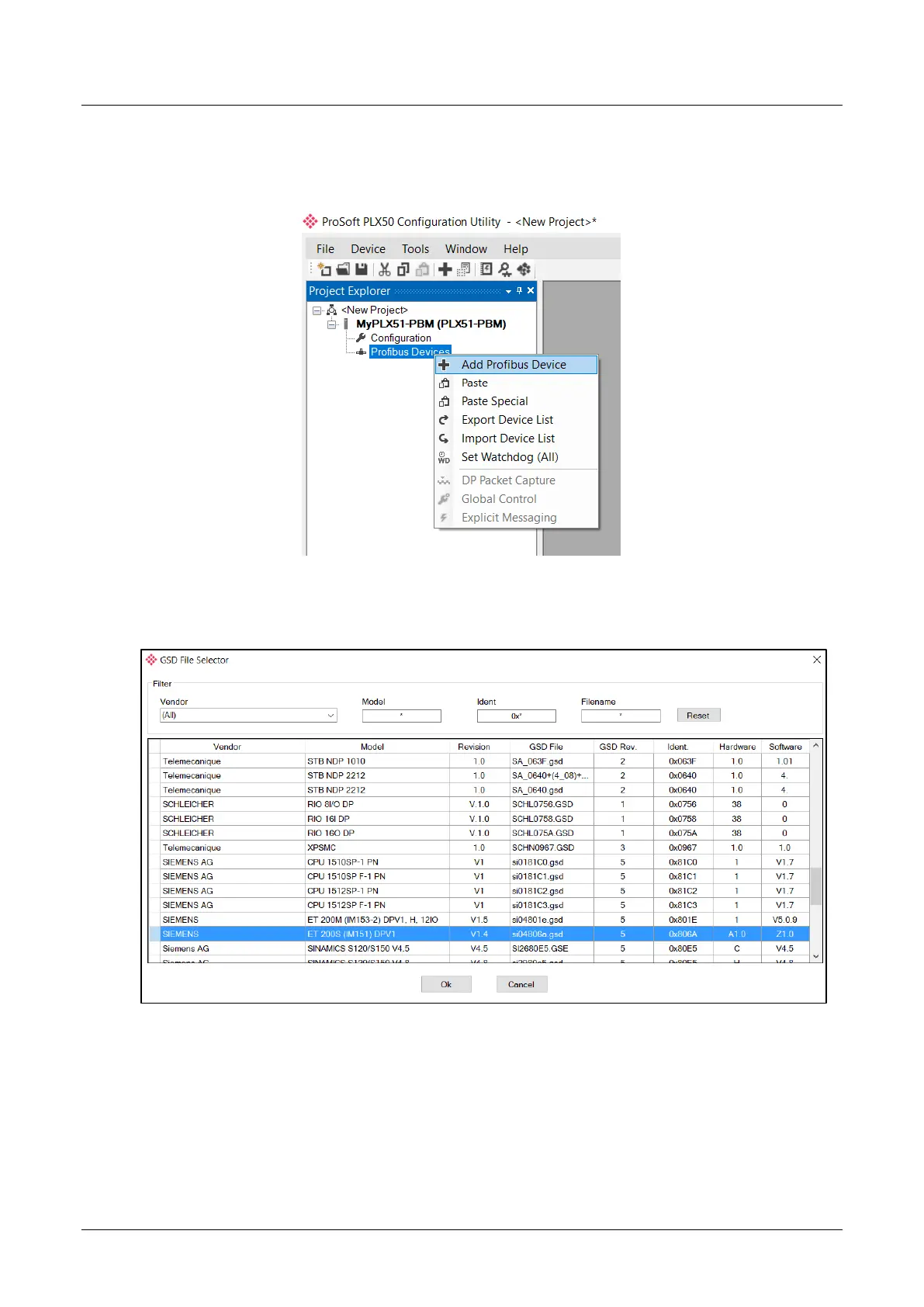
The user will need to add each PROFIBUS device to the PLX51-PBM which can then
be configured. This is done by right-clicking on the PROFIBUS Devices item in the
tree and selecting Add PROFIBUS Device.
Figure 3.45 – Adding a PROFIBUS Field Device
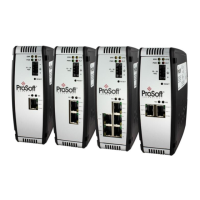
The user will need to select the device to be added to the PLX51-PBM. This is done
by selecting the device from the GSD File Selector and pressing Ok.
Figure 3.46 – Selecting a PROFIBUS Field Device
Once the device has been added the General Configuration page will be opened and
the device will be added at the first open PROFIBUS Station Address.


 To Next Page