Maintenance
5-9
Note:
Don´t destroy the small plastic lip above the toner output of the
Developer Unit (1).
$
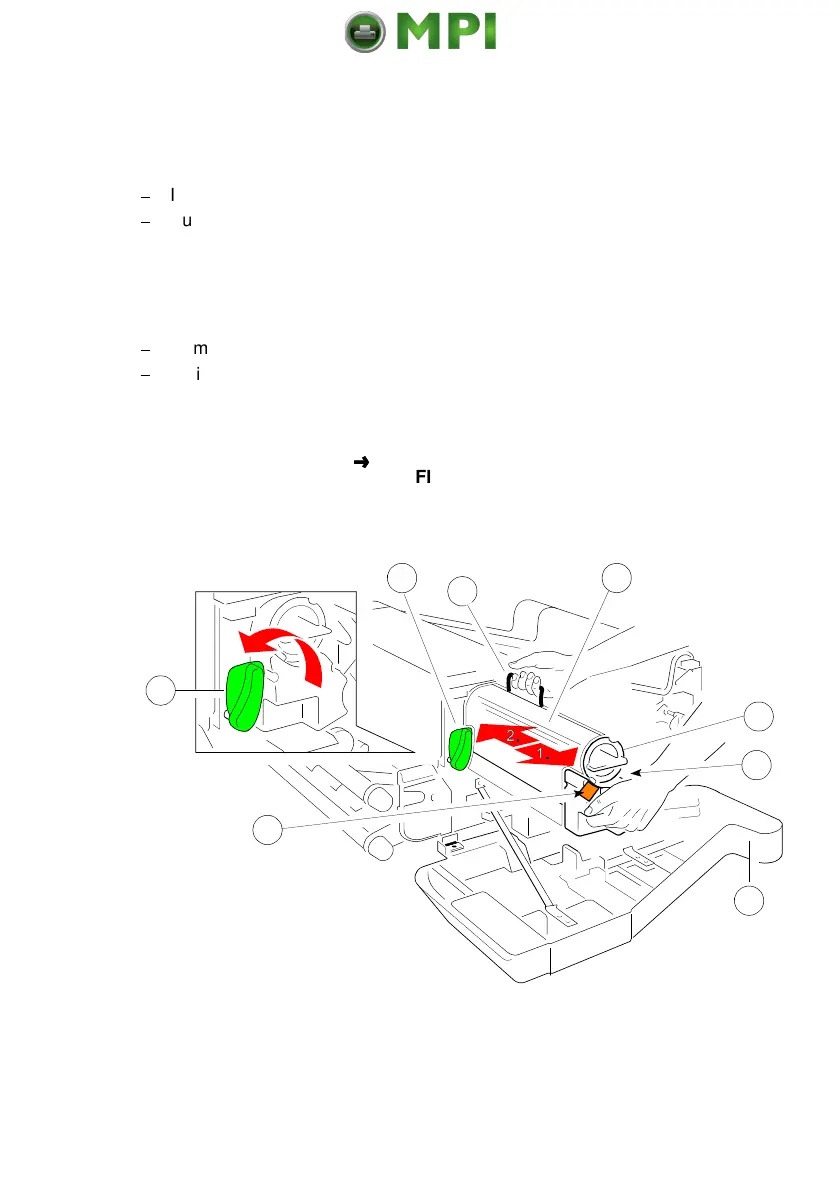
Insert a new Developer Unit (1) and fix it by pressing down the lever (9).
$
Pull the Toner Cartridge (7) completely off the developer.
Note:
An orange tape (8) is visible which is fixed to a foam block that closes
the toner entrance into the developer.
$
Remove the foam block from the Developer Unit.
$
Activate the Toner Cartridge as described in paragraph
5.1.1 Refilling the
Toner
.
Note:
Change into the
OFFLINE
mode and reset the
Developer INFO
(see
BASIC SETTINGS
CONFIC MENU).
Mantenimiento Periféricos Informáticos SL C/Canteras, 15 28860 Paracuellos de Jarama Tel: 00 34 917481604 WEB: https://mpi.com.es



 To Next Page