Maintenance
5-7
5.1.4 Replacing the Ozone Filter
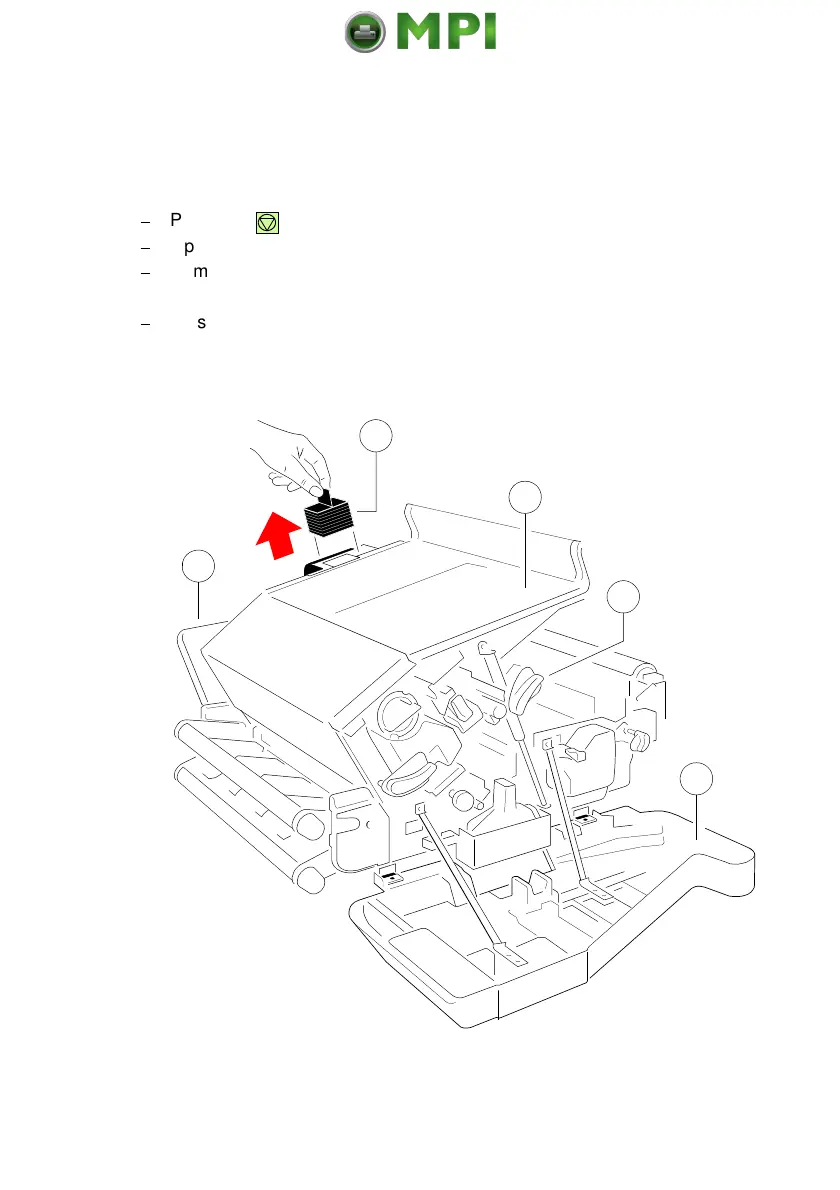
It is recommended to replace the Ozone Filter at regular intervals. The box of
the Toner Kit also contains the Ozone Filter, a black cube (5).
$
Press first .
OFFLINE
will be displayed.
$
Open rear (2) cover.
$
Remove the Ozone Filter (5) by using the small tab to hold the filter. Insert
the new Ozone Filter (5) into the slot.
$
Close the rear (2) cover.
Mantenimiento Periféricos Informáticos SL C/Canteras, 15 28860 Paracuellos de Jarama Tel: 00 34 917481604 WEB: https://mpi.com.es



 To Next Page