Installing the Printer and the intelligent Paper Stacker
1-24
1.10.2 Remove Paper
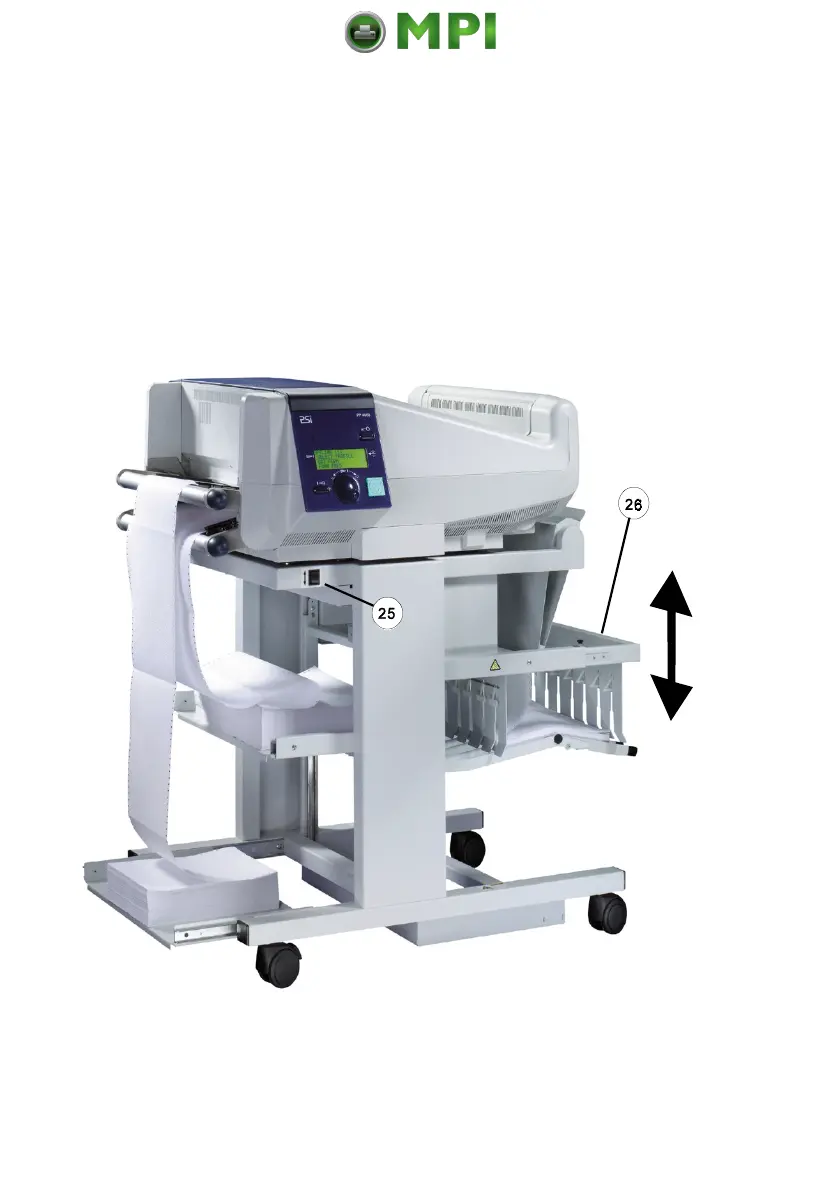
There is a switch (25) at the front of the table (below the operator panel) which
causes the paper exit tray (26) to move up and down.
Move the paper exit tray down and remove the paper. Before the next print job
is processed, the paper exit tray is lifted automatically into the operating position.
Mantenimiento Periféricos Informáticos SL C/Canteras, 15 28860 Paracuellos de Jarama Tel: 00 34 917481604 WEB: https://mpi.com.es



 To Next Page