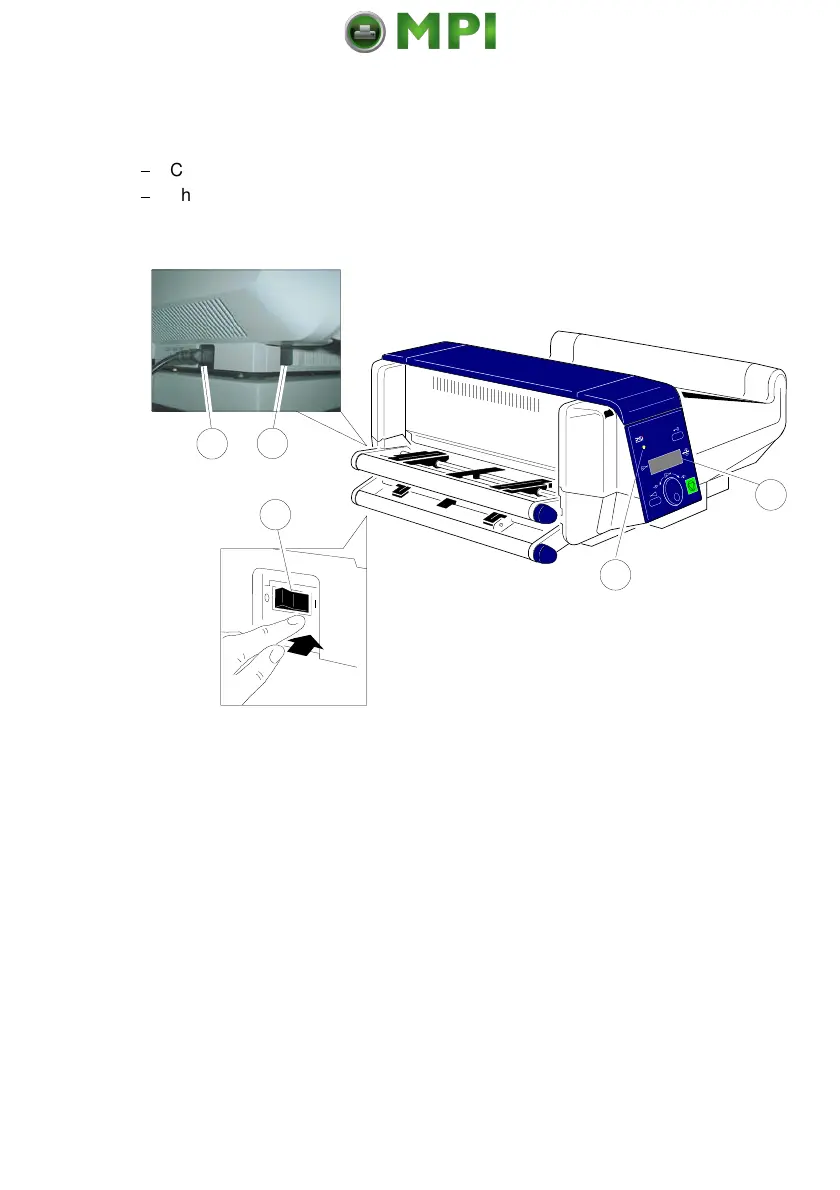
Installing the Printer and the intelligent Paper Stacker
1-19
1.7 Power ON/OFF Switch
$
Connect the printer to the mains using the power cord (14).
$
The power ON/OFF switch (15), can be found in the housing under the
lower tractor cassette to the rear of the printer, switches the printer's power
supply ON or OFF.
When switched
ON
the printer performs an internal self test which checks the
electronics, fans, and the motors for the paper transport mechanism.
The display (17) presents the message:
MEMORY TEST!
PLEASE WAIT ...
After successful completion two messages pop up shortly after each other:
OFFLINE (1)
..................
..................
PCL
Then all fields of the display will show black squares and a short beep sounds;
power
ON
is indicated by a green LED (16).
Mantenimiento Periféricos Informáticos SL C/Canteras, 15 28860 Paracuellos de Jarama Tel: 00 34 917481604 WEB: https://mpi.com.es



 To Next Page