Installing the Printer and the intelligent Paper Stacker
1-11
1.4.5 Remove the Transport Locks
$
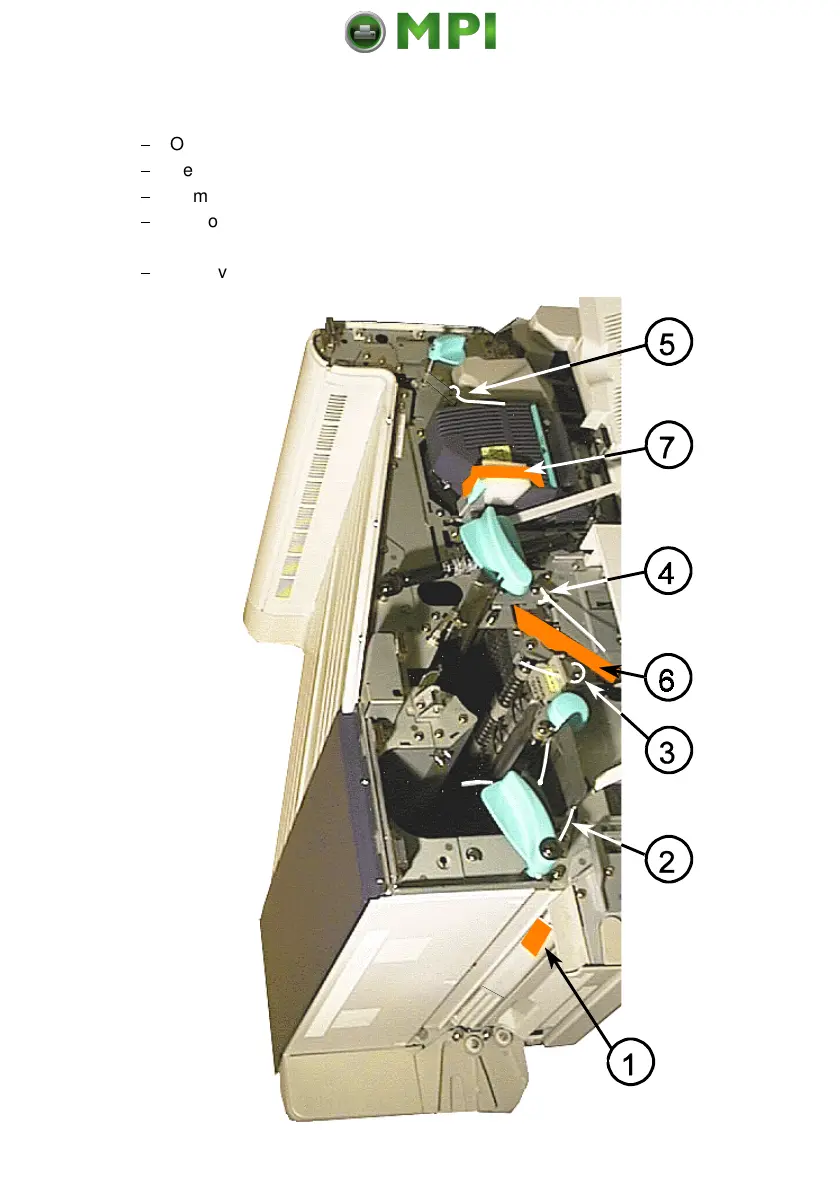
Open the front cover at the Operator Panel side
$
Remove the foil (1) which protects the paper sensors in both paper paths.
$
Remove the transport locks (2), (3), (4), and (5) which fix the levers.
$
Remove the orange stripe (6) including the bubble wrap which protects the
rollers at the paper entrance of the Fuser.
$
Remove the foam block (7) which locks the lever of fuser.
Mantenimiento Periféricos Informáticos SL C/Canteras, 15 28860 Paracuellos de Jarama Tel: 00 34 917481604 WEB: https://mpi.com.es



 To Next Page