Installing the Printer and the intelligent Paper Stacker
1-21
1.9 Inserting Fanfold Paper
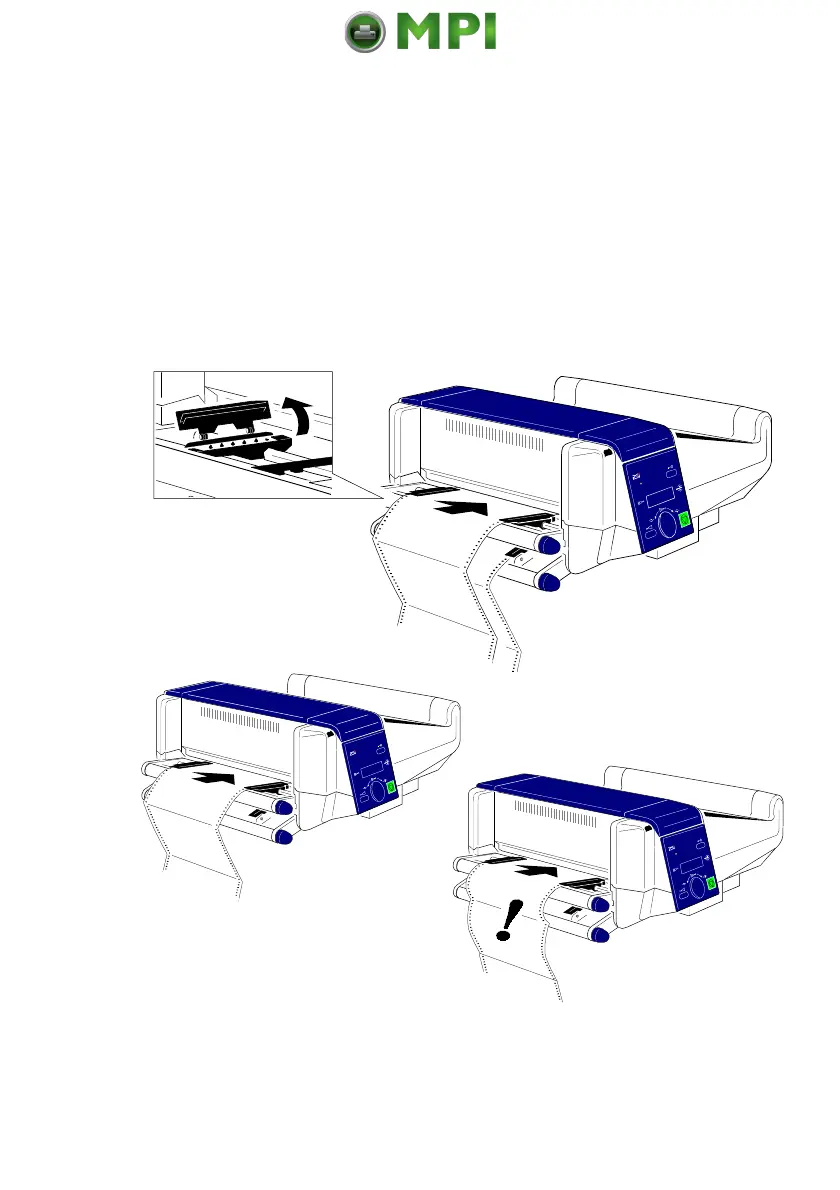
Insert the paper as shown in the illustration; the top edge of the paper must be
close to the paper guide. (About three transport punches behind the last
transport pin of the tractor.)
Check that the fold points outwards behind the first page (default setting for
SELECT FOLD = POSITIVE). If not tear off one page or change the setting for
SELECT FOLD to NEGATIVE (see chapter 4 Explanation of Individual Menu
Items).
Fold = POSITIVE
Fold = NEGATIVE
Note:
Paper must only be inserted while the printer is powered on!
Mantenimiento Periféricos Informáticos SL C/Canteras, 15 28860 Paracuellos de Jarama Tel: 00 34 917481604 WEB: https://mpi.com.es



 To Next Page