Maintenance
5-24
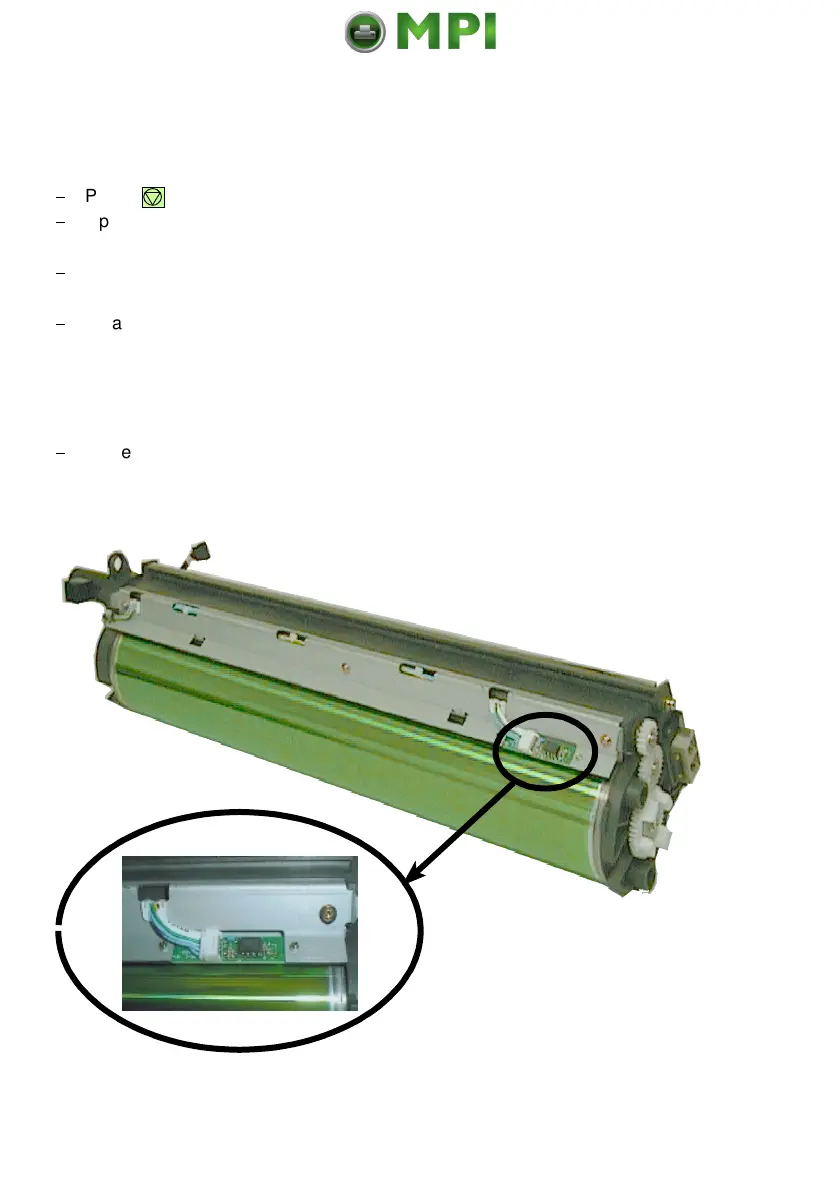
5.5.7 Cleaning of the TP Sensor
After opening the top cover you can see the TP sensor at the end of the OPC.
$
Press . OFFLINE will be displayed.
$
Open the front, rear, and top cover
$
To protect the printer against toner dust put a pice of paper below the TP
sensor into the printer.
$
Clean the TP sensor by blowing pressure air from a bottle between the
OPC and the TP sensor.
Note:
The rest toner is falling down onto the pice of paper. Take the paper
with the toner dust carefully out of the printer.
$
Close all covers.
Mantenimiento Periféricos Informáticos SL C/Canteras, 15 28860 Paracuellos de Jarama Tel: 00 34 917481604 WEB: https://mpi.com.es



 To Next Page