Installing the Printer and the intelligent Paper Stacker
1-16
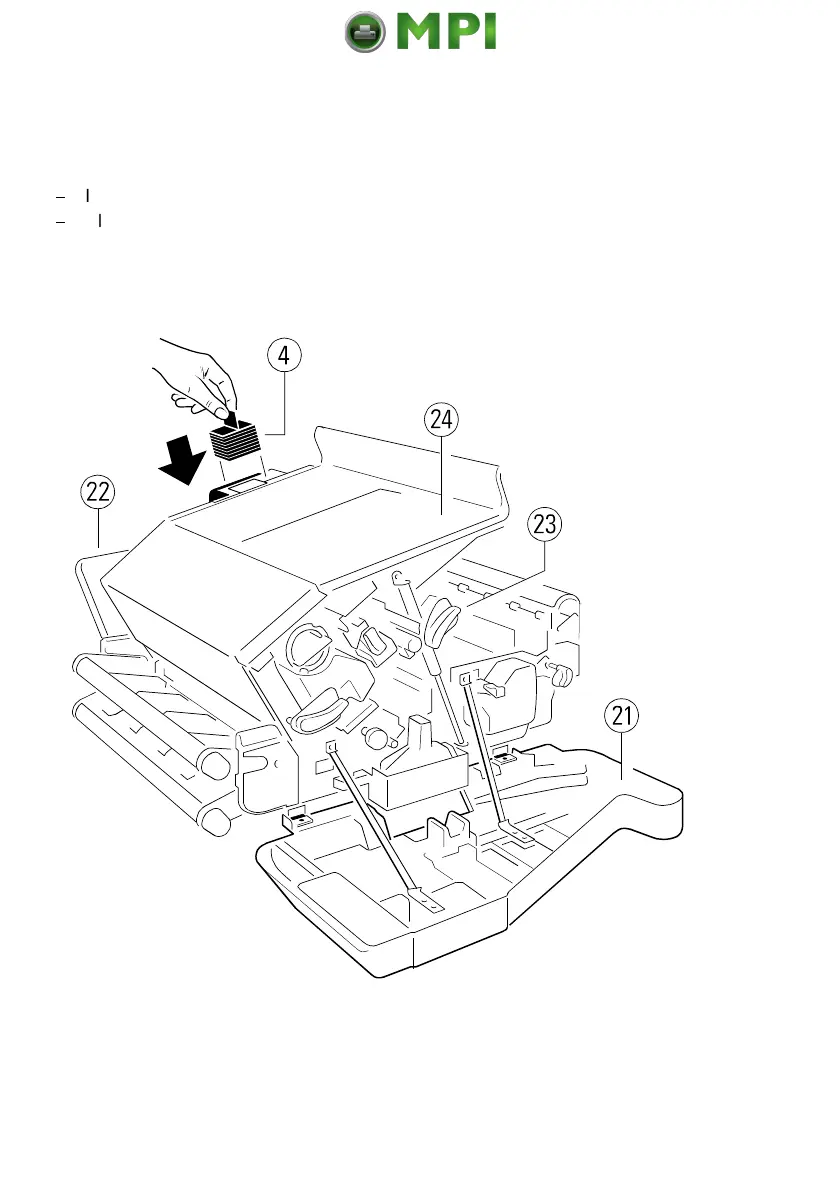
1.5.5 Inserting the Ozone Filter
The Ozone Filter is in the Starter Kit package 1
$
Insert the Ozone Filter (4) into the slot.
$
Close the rear (22) cover.
Note:
After printing 20,000 pages it is recommended that the Ozone Filter is
replaced. The box of the Toner Kit contains the Ozone Filter.
Mantenimiento Periféricos Informáticos SL C/Canteras, 15 28860 Paracuellos de Jarama Tel: 00 34 917481604 WEB: https://mpi.com.es



 To Next Page