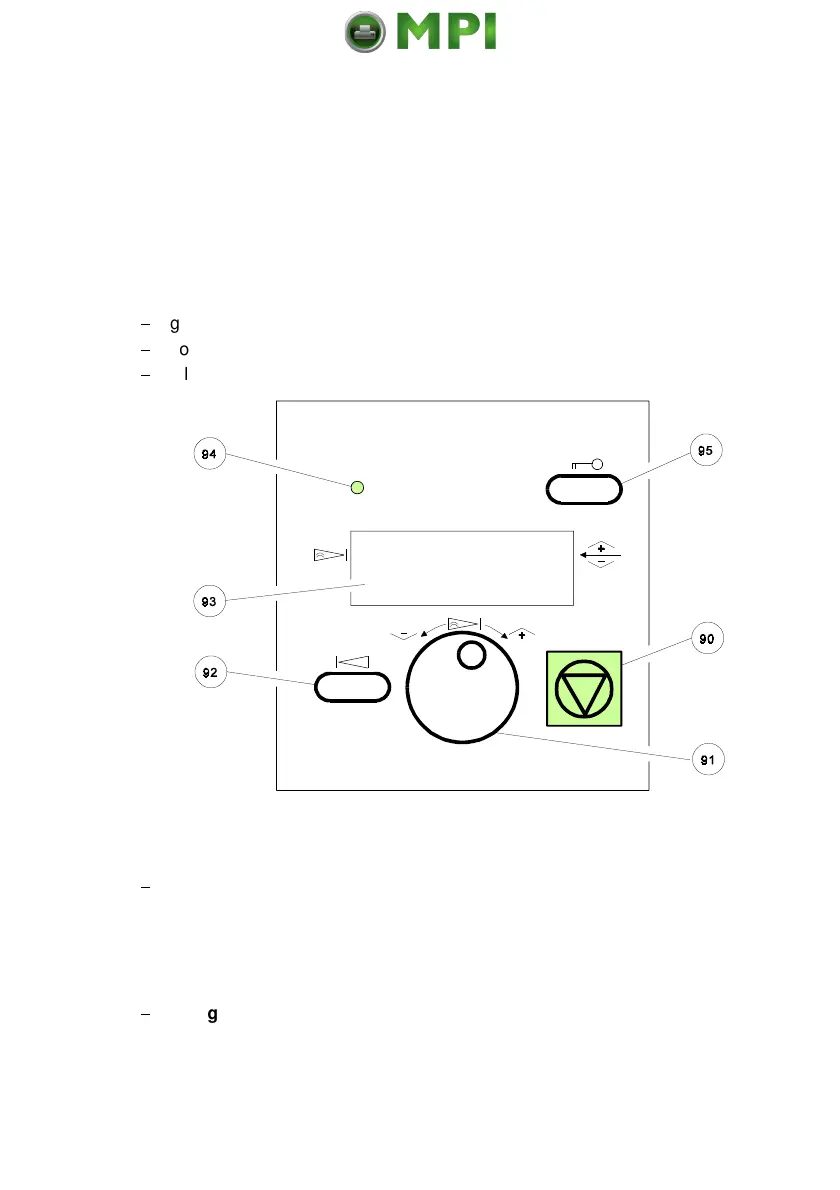
2-1
$
gives information about the printer status
$
controls various parameter settings
$
allows manual control of the paper handling
2.1.1 Description of the two Indicators
$
The 4-line Liquid Crystal Display (LCD)
(93) indicates the current status of
the printer. If any error occurs (e.g. COVER OPEN) the resulting error
message will be displayed. While configuring the printer menu settings and
parameters appear on the display.
$
(94) is lit if the printer is supplied with power by
setting the power ON/OFF switch to ON.
Mantenimiento Periféricos Informáticos SL C/Canteras, 15 28860 Paracuellos de Jarama Tel: 00 34 917481604 WEB: https://mpi.com.es



 To Next Page