Appendix A Programming Guide
A-8
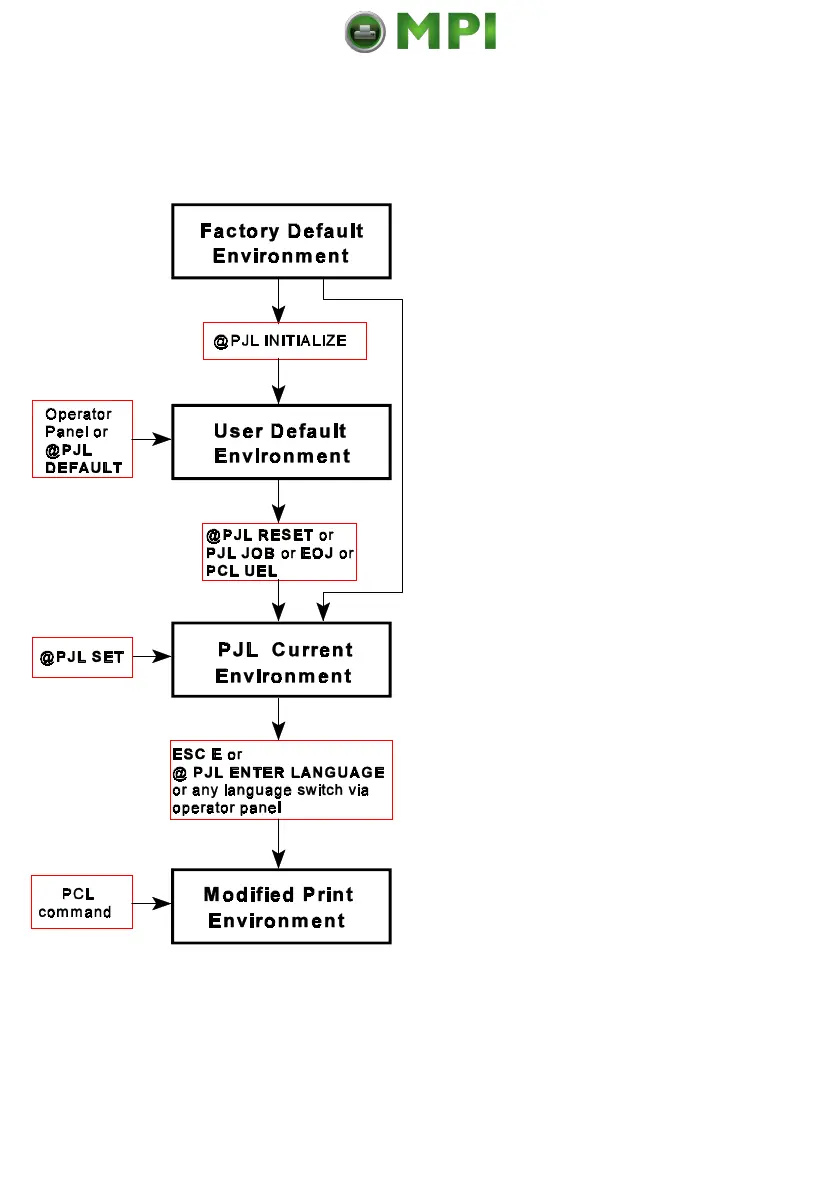
A-2.1.2 PJL Environments
The factory default is stored in the
flash memory of the printer and can
not be changed by the user
the printer default settings are copied
from the Factory Defaults
Environment into the User Default
The User Default Environment
settings are modified using the
operator panel keys and/or the
Default Environment settings are
loaded into the PCL Current
The PCL commands as part of the
application data streams changes the
PJL Current Environment settings
Current Environment settings into the
Modified Print Environment
Mantenimiento Periféricos Informáticos SL C/Canteras, 15 28860 Paracuellos de Jarama Tel: 00 34 917481604 WEB: https://mpi.com.es



 To Next Page