EasyManua.ls Logo

PSI PP4050 XP - Page 52

PSI PP4050 XP
236 pages
Print Icon
To Next Page IconTo Next Page
To Previous Page IconTo Previous Page
Loading...
Printer Operation
2-9
2.2.3
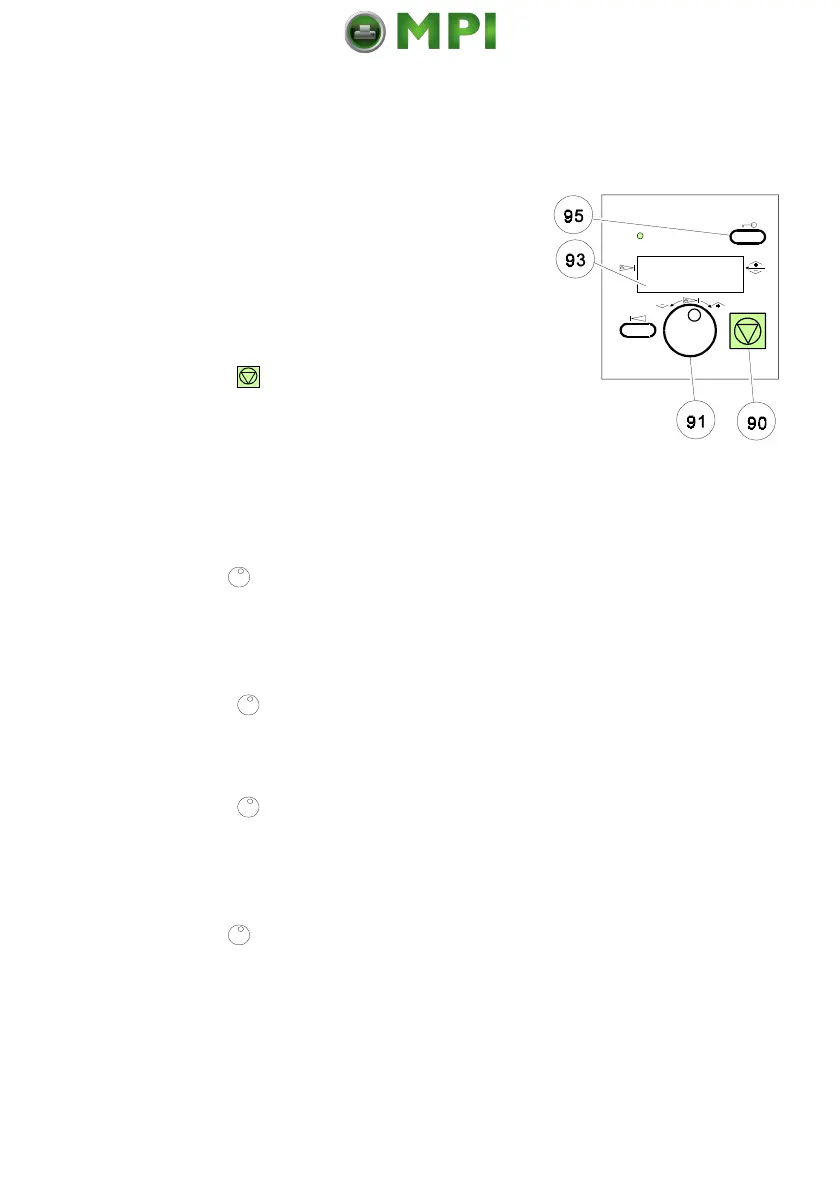
Example to Start a Self Test
Panel keys are now used and associated display messages are shown for the
next steps. The following example demonstrates how to do so:
Key
Display
1.
Switch the printer on.
ONLINE (1)
16.00 x 12 INCH
LOWER --> BOTTOM
2.
Press
(90)
OFFLINE (1)
SELECT PROFILE
CUT FORM
FORM FEED
Note:
The number in brackets behind ONLINE or OFFLINE indicates
the selected Profile.
3.
Tu
r
n
(91) until
OFFLINE (1)
TEST MODE
RESET PRINTER
SELECT PROFILE
4.
Press
(91)
TEST MODE
select the TEST MODE
TEST MENU
INFO MENU
5.
Press
(91)
TEST MENU
select TEST MENU
PANELTEST
SELF TEST
CONT SELF TEST
6.
Tu
r
n
(91)
TEST MENU
SELF TEST
CONT SELF TEST
CONFIG. PRINT
Mantenimiento Periféricos Informáticos SL C/Canteras, 15 28860 Paracuellos de Jarama Tel: 00 34 917481604 WEB: https://mpi.com.es

Table of Contents