RADWIN2000CPlusUserManual Release3.5.70 16‐2
SettinguptheLinkforQoS Chapter16
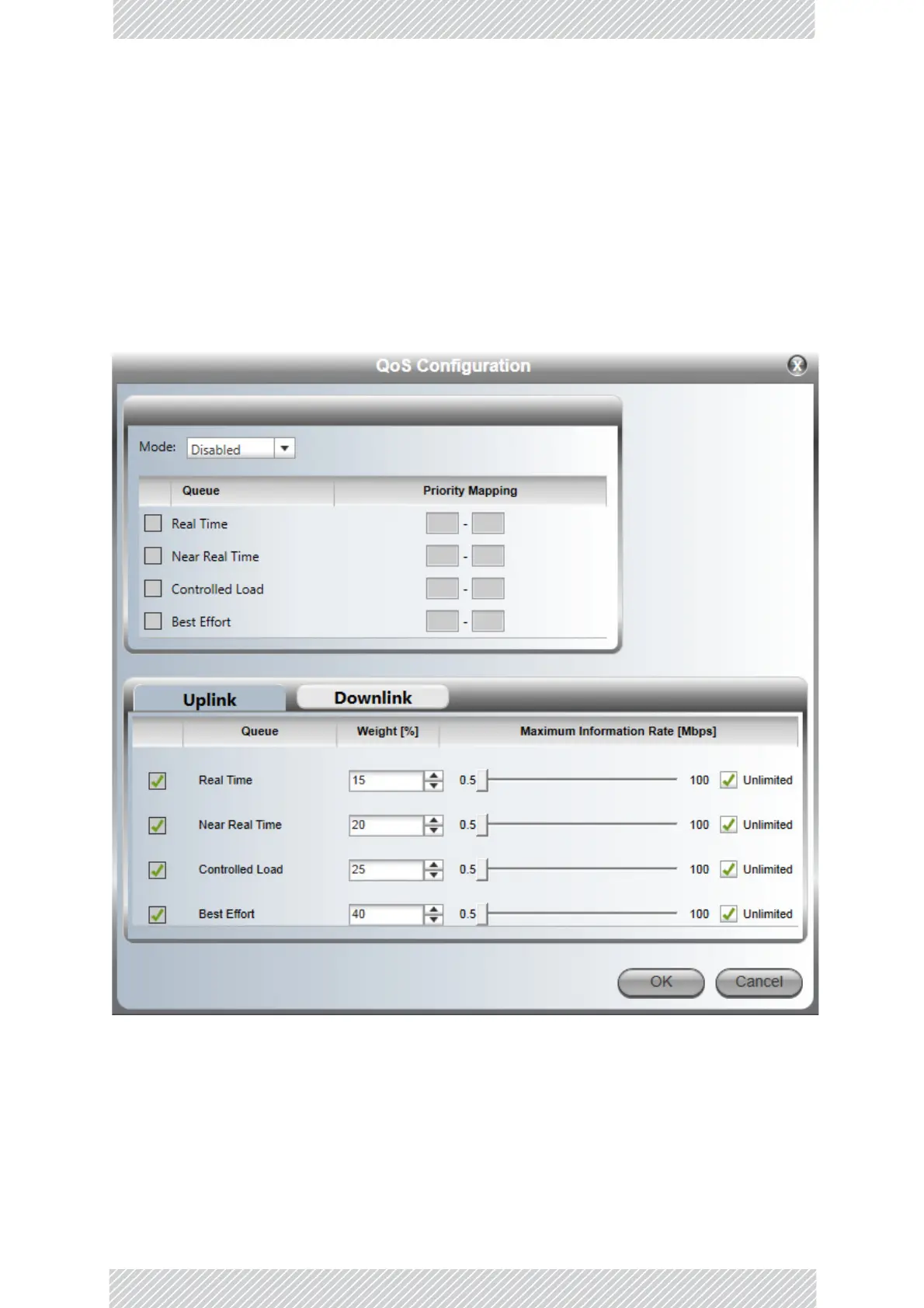
YoumaypartitionthetotallinkcapacityacrossthefourQualityqueues.Thedefaultweights
aspercentagesareshowninTable 16‐1.
SettinguptheLinkforQoS
PreparingforQoS
OpenServicesConfigurationandthenclicktheQoSConfigurationbutton.
Figure16‐1:QoSConfigurationwindow
QoSisdisabledbydefault.YoumaychoosebetweentheVLAN(802.1p)andDiffserv
methods.



 To Next Page