RADWIN2000CPlusUserManual Release3.5.70 6‐16
ExploringtheRADWINManagerMainWindow Chapter6
ExploringtheRADWINManagerMainWindow
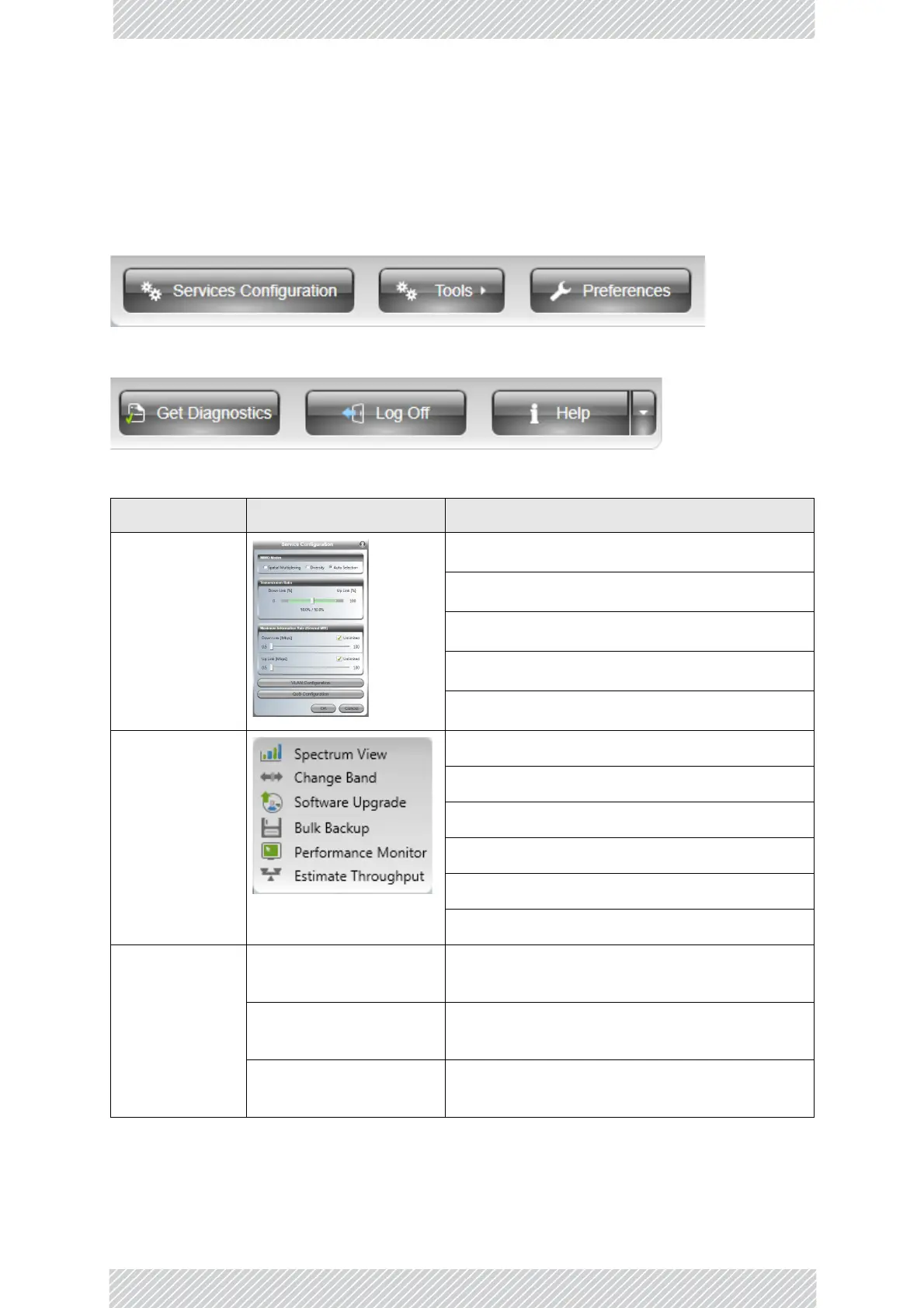
ThefollowingsectionsdescribethepanelsandtoolbarofmainwindowshowninFigure 6‐5.
MainToolBar
Figure6‐6:Maintoolbar‐Leftthreebuttons
Figure6‐7:Maintoolbar‐Rightthreebuttons
MenuItem Purpose Reference
Services
Configuration
MIMOModes
TransmissionRatio
MaximumInformationRate
VLANFunctionalitywithRADWIN2000CPlus
QualityofService
Tools
SpectrumView
ChangingtheLinkBand(Installeronly)
SoftwareUpgrade
BulkSoftwareBackup
PerformanceMonitoring
ThroughputChecking
Preference s
Monitor
Monitor‐Filelocation,intervaland
throughputunits
Events
Events‐Colorcodingforeventslogandevents
logfilelocation
Advanced
Advanced‐Enable/disablecheckforupdates,
Monitoringintervalandtimeout



 To Next Page