RADWIN5000HPMPUserManual Release3.5.70 11‐17
CreatingaSectorfromanHBSTemplateandanHBSList
CreatingaSectorfromanHBSTemplateand
anHBSList
TocreateasectorfromaHBSIPlistandaMobilitysettingsfile:
1.InthewindowofFigure 11‐4,enteraHBSlistfile.Theformatofthefileislinesof
<IPaddress><Read‐Writecommunity>
Forexample,
10.104.50.200netman
AlloftheHBSsneedtoactivatedandaccessible(viaaswitch)tothemanagingcom‐
puter.Theyneednotbeonthesamesub‐net.
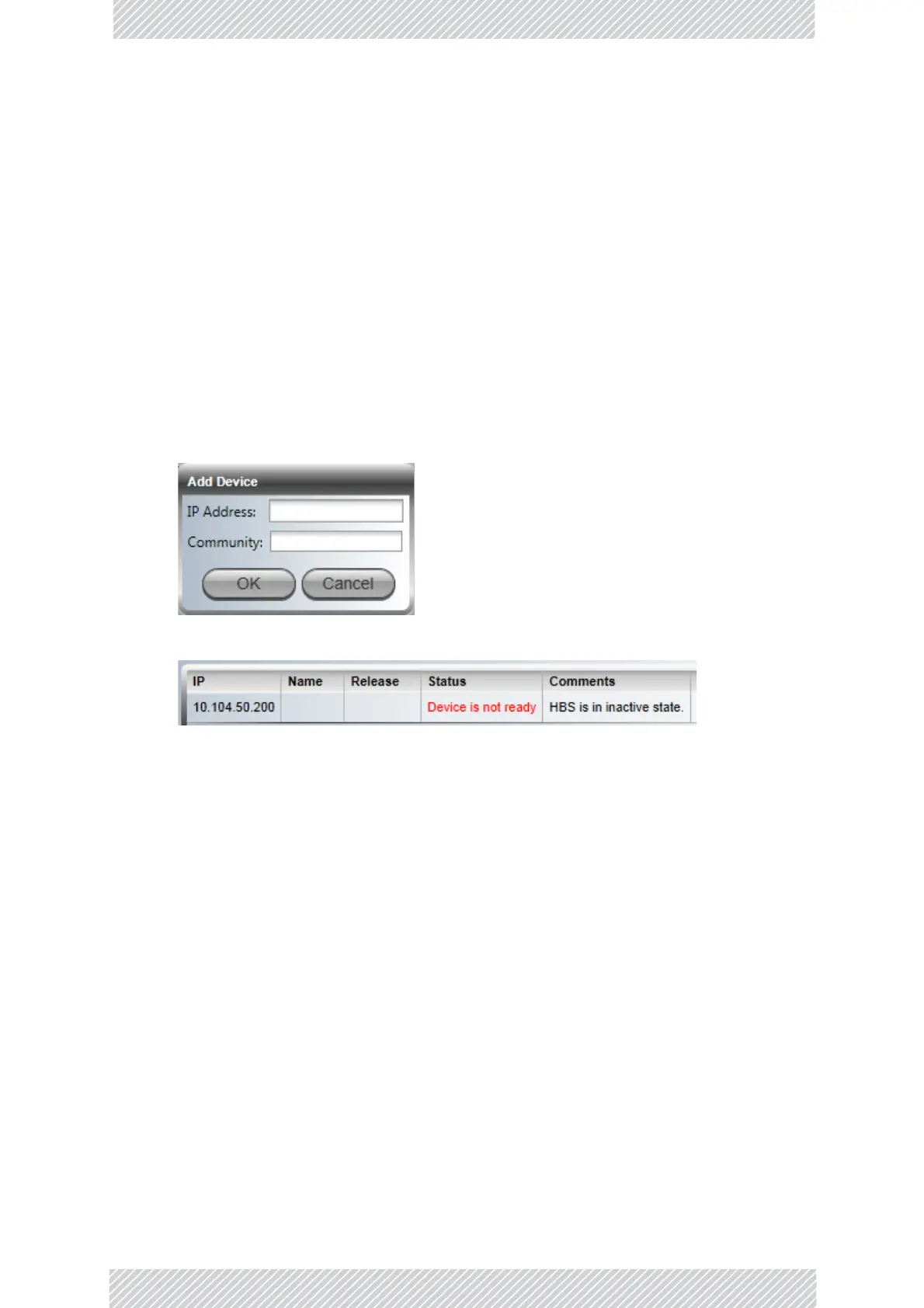
Alternatively,enterthemonebyoneusingthePlusbutton.
AnyunactivatedHBSswillbeshownasunavailable:
2.MakeanyfurtherchangestothedisplayedlistusingthePlus/Minusbuttons.
3.ClickStarttocommencetheprocess.
4.ThelistwindowwillindicatethesuccessorotherwiseoftheuploadforeachHBS.
WiFiConnectivityforaVehicularMobi le Unit
GettingStarted
CompletingtheregularVMUregistrationisaprerequisitetoWiFiconnectivity.Thebase
stationbackhaulstheWiFitraffic.
Assupplied,theVMUisconfiguredassingleaccesspointwithSSIDInstall,andaccessible
over‐the‐airfromalaptopequippedwithWiFihardware,runningunderWindows7orlater.
UnderWindows7,yourWiFisystemiconandWiFidisplayshouldlooksomethinglikethis:


 To Next Page