Instrument Functions
R&S
®
NRP2
122User Manual 1173.9157.02 ─ 03
"[3] [4]"
Sets the fence, provided "Fence" has been activated in the "Config
Gates" dialog box, see chapter 4.5.4.3, "Gate diagram settings",
on page 122. This setting applies to R&S NRP-Z8x wideband power
sensors only.
Gate
Selects a gate. The gate is displayed graphically and the measurement results for the
gate are shown in the info panel.
Select Trace ...
Switches between the traces to be evaluated for gate measurement.
4.5.4.3 Gate diagram settings
►
Select "Gates Config..." in the dialog box opened via the Window→Graph→"Dis-
play"→"Gates" control panel ("Trace&Statistics" sensor mode).
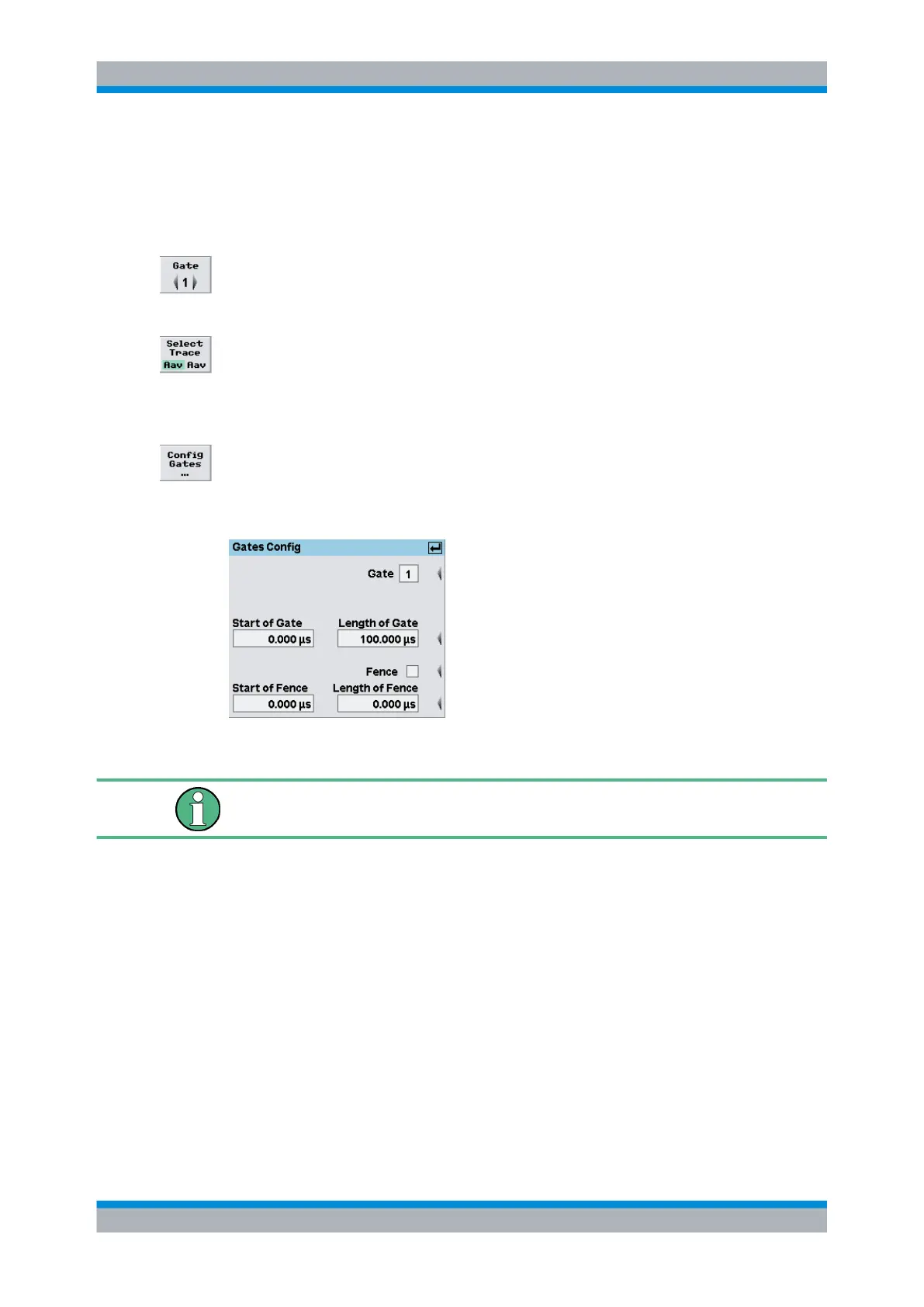
Configure the four available gates in the "Gates Config" dialog box.
Fig. 4-51: Gates Config dialog box
The four available gates are common for all diplayed waveforms. Individual gates for
specific channels (sensors) can only be configured in numeric "T'gateAV" mode.
Gate
Selects the gate to be configured.
Note: In remote-control, the gate to be configured is selected by the TGATe suffix.
Start / Length of Gate
Entry of start time and length of the gate.
SCPI command:
[SENSe<[1]..4>][:POWer]:TGATe<[1]..4>:TIME on page 274
[SENSe<[1]..4>][:POWer]:TGATe<[1]..4>:OFFSet:TIME on page 273
Fence
Activates the "Fence" function.
Displaying traces



 To Next Page