Instrument Functions
R&S
®
NRP2
81User Manual 1173.9157.02 ─ 03
This entry field always shows the current averaging number. With automatic averaging,
the displayed value is grayed out and cannot be changed manually. If manual filtering is
selected, the desired averaging number can be set. Changes are immediately imple-
mented when a key is pressed.
SCPI command:
[SENSe<[1]..4>]:AVERage:COUNt on page 262
Reset
Initializes the currently measured averaging filter power value. Thus, the display can be
updated quickly after a change in level, particularly in the case of a large averaging num-
ber.
SCPI command:
[SENSe<[1]..4>]:AVERage:RESet on page 264
Auto Once
Determines a “one-off” optimal averaging number based on the instantaneously mea-
sured power value and enter this value in the "Avg No" field. This function is available
when autofilter is off.
SCPI command:
[SENSe<[1]..4>]:AVERage:COUNt:AUTO on page 262
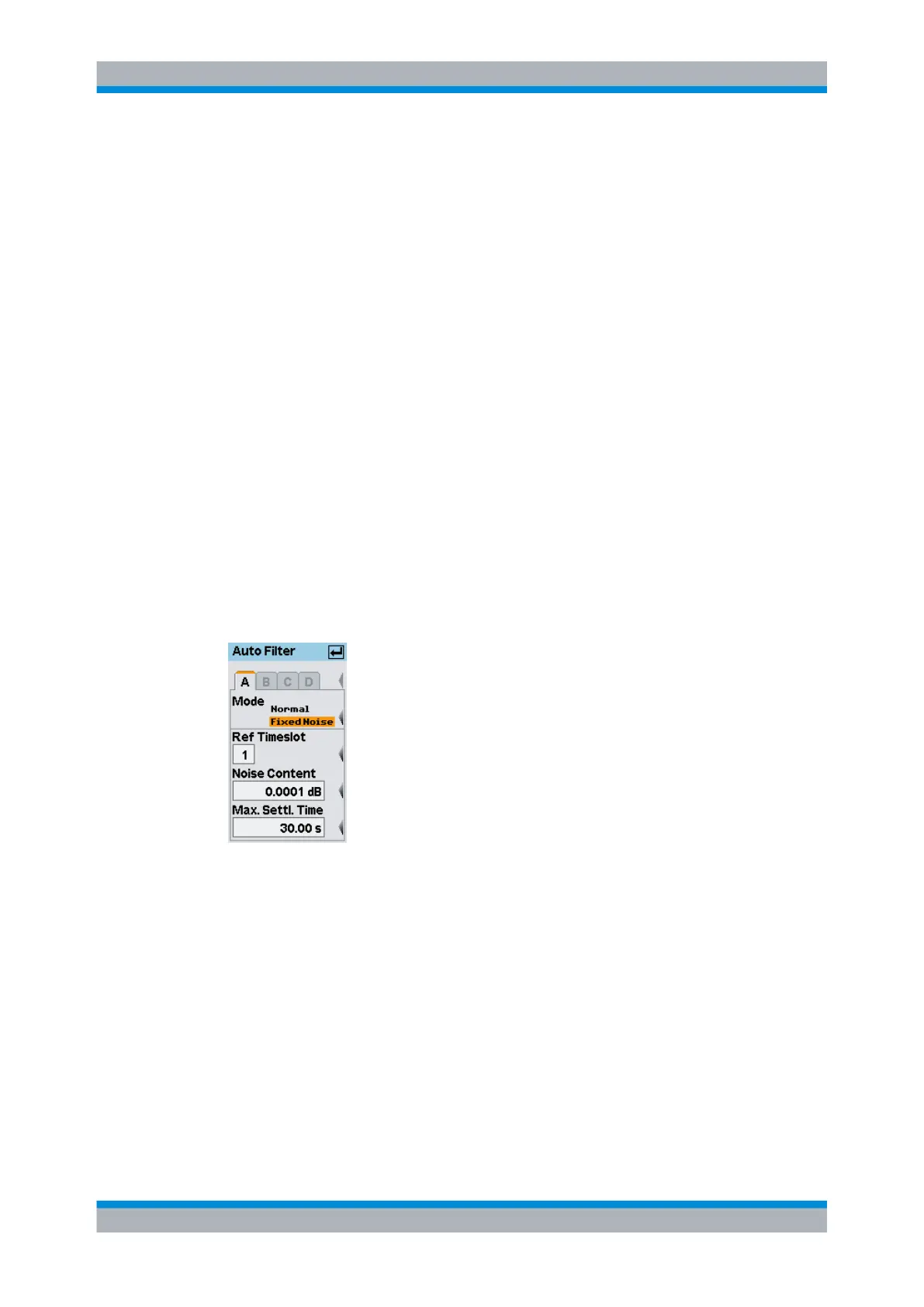
Auto Config...
Opens the "Auto Filter" dialog box.
Fig. 4-17: Auto filter dialog box
A | B | C | D ← Auto Config...
Tabs for selecting the sensor.
Note: In remote-control commands, select the sensor with the suffix in command
SENSe<[1]..4>:..., i.e. choose suffix 1 for channel A, channel 2 for B, and so on.
Mode ← Auto Config...
Selects the auto filter mode.
"Normal"
Selects the "Normal" autofilter mode.
"Fixed Noise"
Selects the "Fixed Noise" autofilter mode.
SCPI command:
[SENSe<[1]..4>]:AVERage:COUNt:AUTO:TYPE on page 264
Data acquisition and parameters



 To Next Page