EasyManua.ls Logo

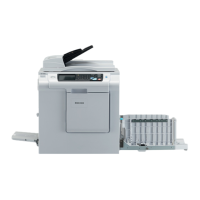
Ricoh D025 - User Manual

Ricoh D025
1522 pages
Print Icon
To Next Page IconTo Next Page
Loading...
D023/D025
SERVICE MANUAL
(Book 1 of 2) 003987MIU
MAINFRAME

Table of Contents

Questions and Answers

  • P
    Philip HooverAug 1, 2025
    How to fix stack problem on Ricoh All in One Printer 1-bin tray?
    • D
      David HendersonAug 1, 2025
      To resolve a stack issue on the 1-bin tray of your Ricoh All in One Printer, try these solutions: * Raise the guide on the 1-bin tray. * Push the guide to lift it [A]. * Press down on the guide [B].
  • M
    Melvin MitchellAug 8, 2025
    Why my Ricoh D025 is overheating or overcooling?
    • K
      kristine44Aug 9, 2025
      Overheating or overcooling in your Ricoh All in One Printer's scanner unit happens because the environment is inappropriate for the board.
  • S
    samantha27Aug 17, 2025
    What causes destruction of circuit elements in Ricoh All in One Printer?
    • J
      Jeffrey CruzAug 17, 2025
      Destruction of circuit elements in your Ricoh All in One Printer is caused by over current or a defective element breaking the circuit.
  • C
    Courtney HarrisonAug 23, 2025
    What causes short circuit on signal lines in Ricoh D025?
    • F
      Frank BoyerAug 23, 2025
      A short circuit on the signal lines in your Ricoh All in One Printer can be caused by: * Damage to a pin or two on the ASIC when the BICU board is installed. * Some conductive matter or object trapped among the pins. * Condensation.

Ricoh D025 Specifications

General IconGeneral
BrandRicoh
ModelD025
CategoryAll in One Printer
LanguageEnglish

Related product manuals