Fax Unit (D393)
D393 6 SM
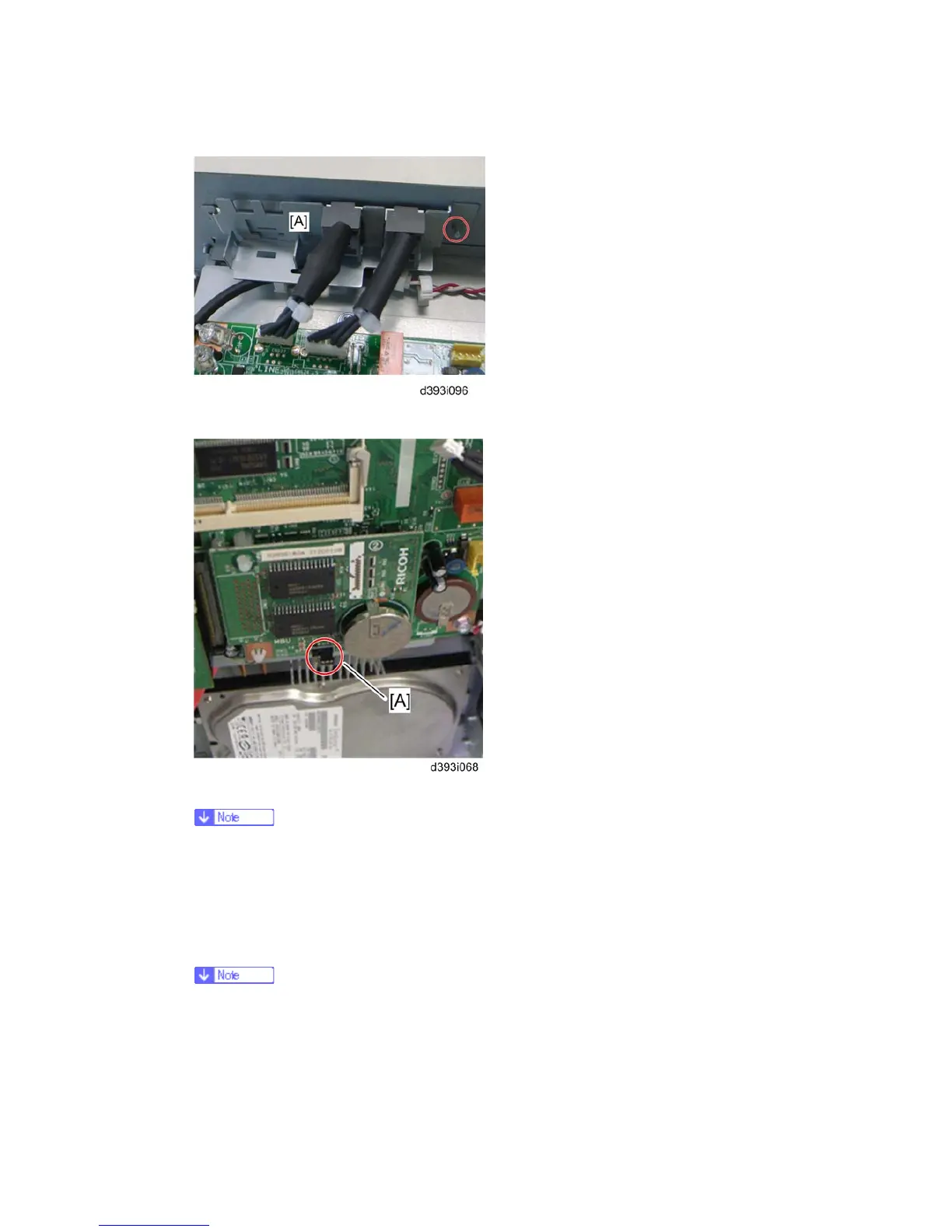
10. Attach the modular bracket [A] to the controller box (x 1).
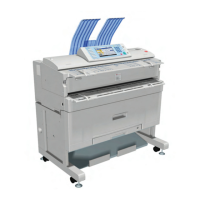
11. Switch the MBU battery jumper switch [A] to "ON" position.
Make sure that the MBU board is firmly connected to the FCU.
12. Reinstall the controller box.
13. Attach the handset support bracket and handset bracket to the copier, and then
connect the handset cord with the ferrite core to the "TEL" jack if you install the
handset to the machine.
For details, refer to the "Hand Set Installation" in the Service Manual for the
Fax Unit (D393).


 To Next Page