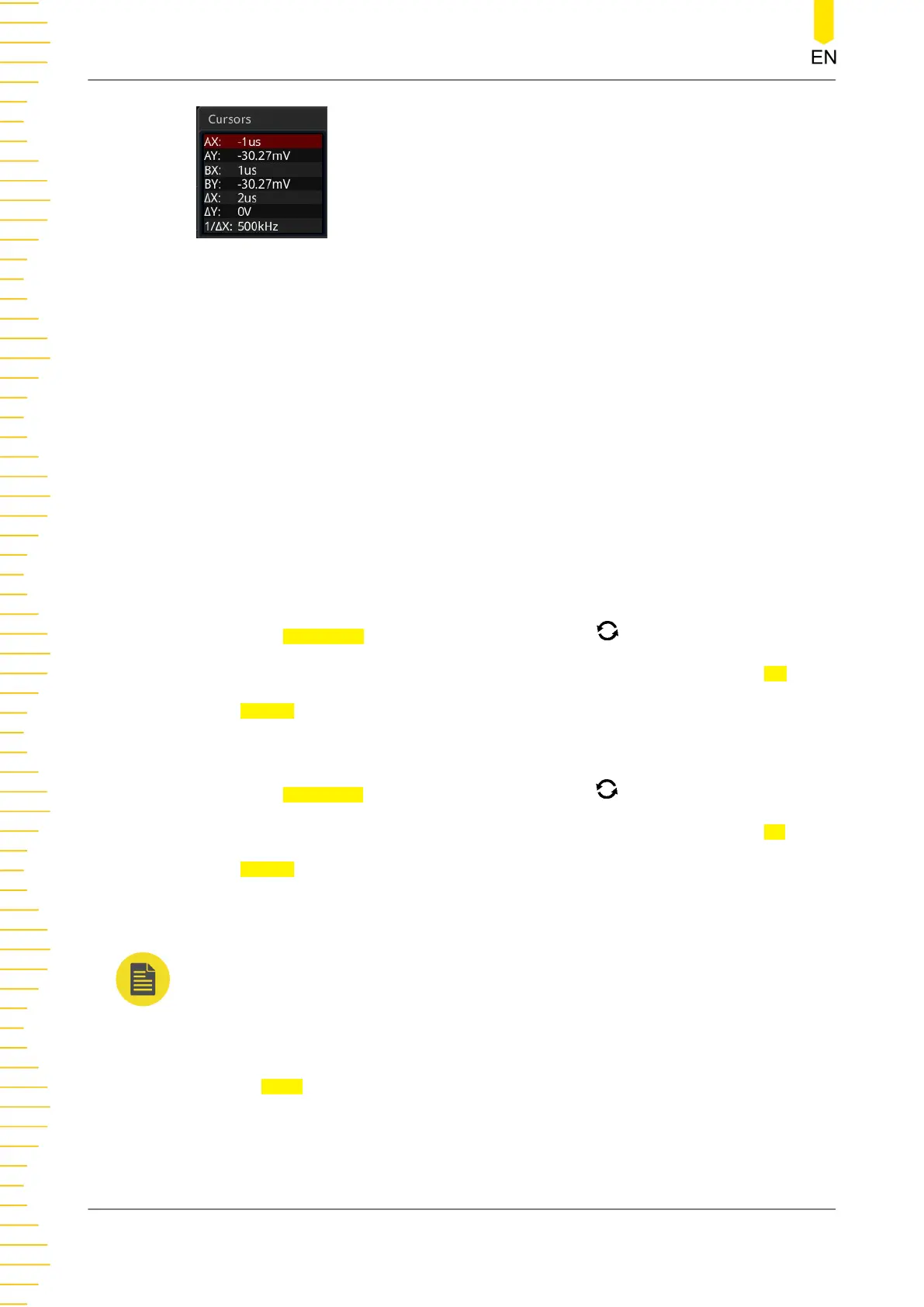
• AX: indicates the X value at Cursor A.
• AY: indicates the Y value at Cursor A.
• BX: indicates the X value at Cursor B.
• BY: indicates the Y value at Cursor B.
• ΔX: indicates the horizontal spacing between Cursor A and Cursor B.
• ΔY: indicates the vertical spacing between Cursor A and Cursor B.
• 1/ΔX: indicates the reciprocal of the horizontal spacing between Cursor A and
Cursor B.
1.
Select the Measurement Source
- Press
AX Source, rotate the multifunction knob to select the measurement
channel, and then press down the knob to select it. You can also press AX
Source continuously or enable the touch screen to select it. The available
source channels include NONE, CH1-CH4, and Math1-Math4.
- Press BX Source, rotate the multifunction knob to select the measurement
channel, and then press down the knob to select it. You can also press BX
Source continuously or enable the touch screen to select it. The available
source channels include NONE, CH1-CH4, and Math1-Math4.
NOTE
Only channels currently enabled can be selected.
2. Select the Track Cursor
Press
Track to select "X" or "Y" as the current track cursor. By default, it is "X".
- X: tracks X Cursor and measures the value at X Cursor.
Operations and Measurements
194
Copyright ©RIGOL TECHNOLOGIES CO., LTD. All rights reserved.



 To Next Page