4-3
Overview of Printer Mode Operations
4
ComColor Series User’s Guide 09
● 1 Selecting Printer Mode
The printer mode screen is displayed.
● The displayed mode buttons vary depending
on the optional equipment connected.
● To log in to the printer mode, you may be asked
to enter your password for authentication.
● 2 Pressing the Screen
Selection Button
Press the button of the location where the job to
be controlled is saved, depending on the intended
use.
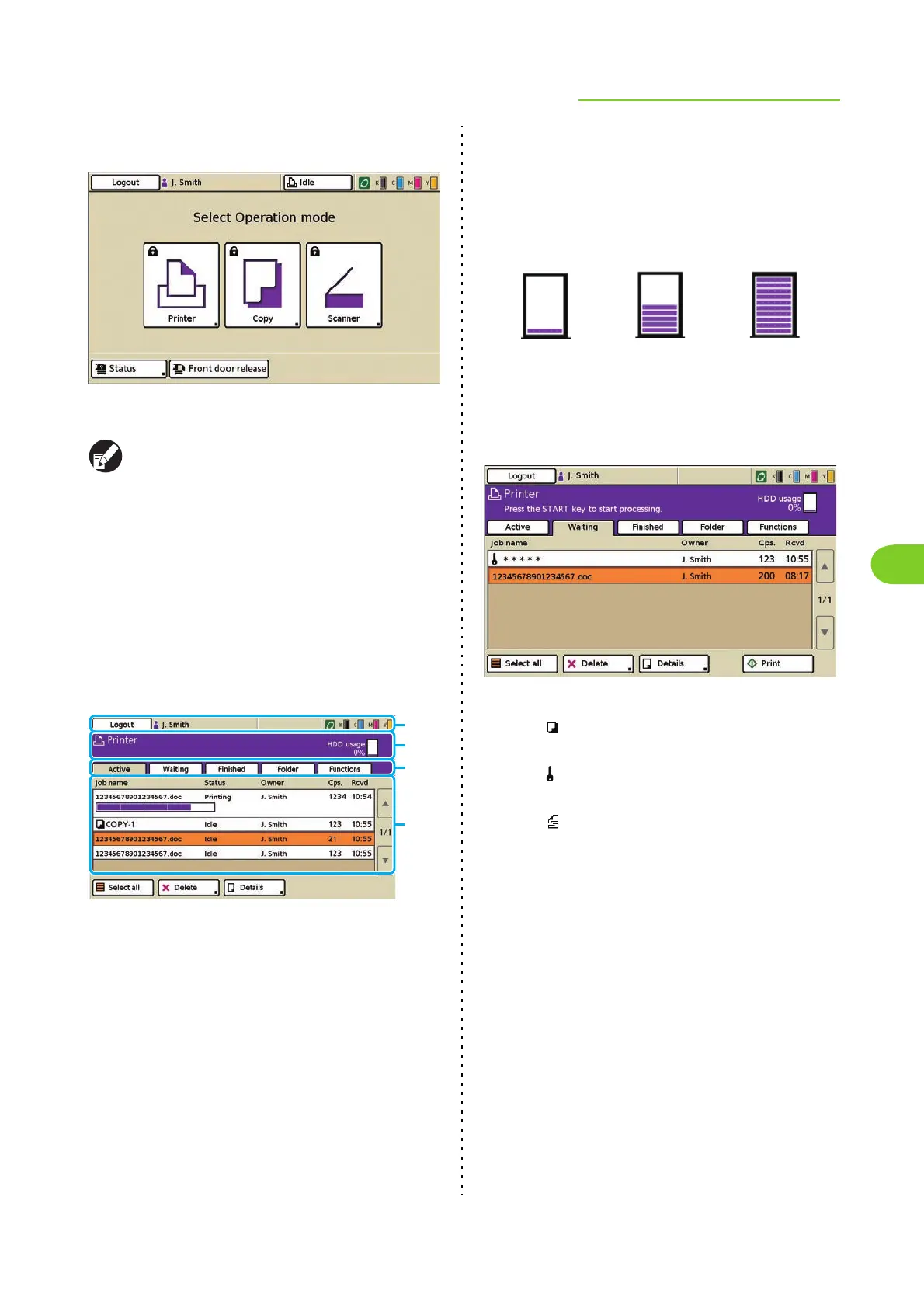
a Status bar
Displays the login or logout button, user name, machine
status, and remaining ink indicator.
b Message area
Displays a message and the hard disk usage.
c Screen selection buttons
Switch between the [Active], [Waiting], [Finished],
[Folder] and [Functions] screens.
d Job list
Displays the job name, status, owner name, number of
copies, and receiving time for jobs.
■ HDD Usage
The used internal hard disk space is displayed in the
message area using a 10-bar scale.
When the hard disk usage exceeds 91% and the
display begins to blink, delete any unnecessary data
to free up hard disk space.
● 3 Selecting a job
Icons Displayed in the Job Name
Copied job
Job with a PIN code
Broken jobs (broken data or a file format
different from the RISO printer driver's)
None
Other job (such as job sent using the printer
driver or job retrieved from a folder)
c
a
b
d
Less than 20% used
More than 51% used More than 91% used













 To Next Page