1-31
Basic Settings
1
ComColor Series User’s Guide 09
● Stamp start page
Enter the stamp start page (1 to 9999).
To not stamp on the cover, set "Stamp start page" to
"2". Set this to "3" in some cases such as duplex
printing.
● Font
Select the font and style.
● Size
Specify the page number text size between 8pt and
32pt.
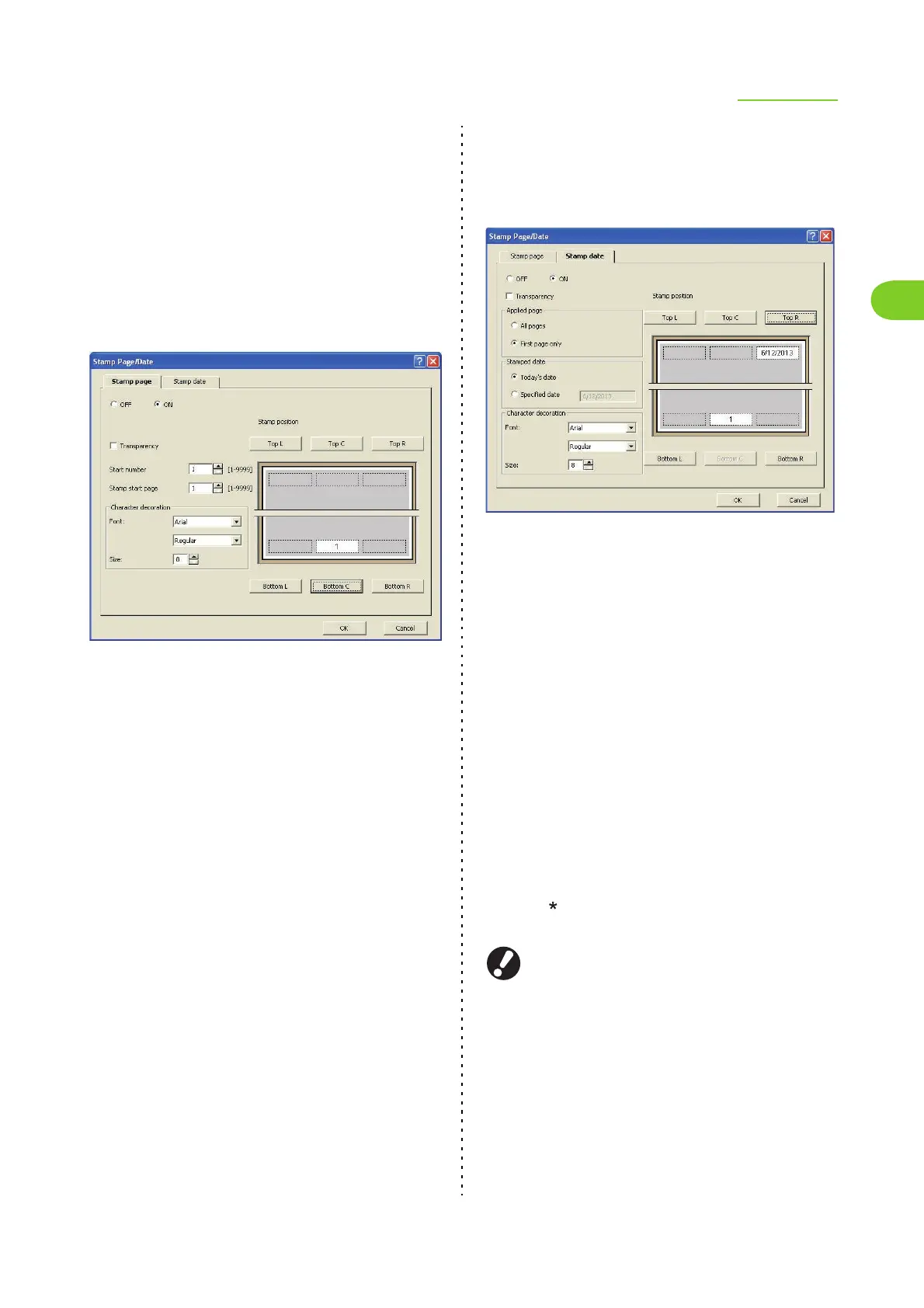
■ Stamp date
To stamp the date, select [ON] on the [Stamp date] tab
screen.
● Stamp position
[Top L], [Top C], [Top R], [Bottom L], [Bottom C],
[Bottom R]
● Transparency
Select the [Transparency] check box to have the date
stamped on top when the stamp area and images
overlap.
Remove the check mark from the [Transparency]
check box to create a white space by removing
images in the stamp area, and then stamp the date in
that white space.
● Applied page
[All pages], [First page only]
● Stamped date
[Today's date]
Stamp the date based on the date information of the
computer.
[Specified date]
Enter up to 20 numeric characters in the text box.
● Font
Select the font and style.
● Size
Specify the date text size between 8pt and 32pt.
● Job name
You can set a desired job name. Select the [Job
name] check box, and then enter a job name 1-255
characters long.
● PIN code
You can set a PIN code when, for example, printing
a document you do not want others to view.
Jobs with a PIN code are set to [Waiting] status. To
print, enter the PIN code using the operation panel
of the printer. (p. 4-7 "[Waiting] Screen" in "Printer")
Select the [PIN code] check box and enter a PIN code of
up to eight digits. When you have selected the [Hide job
name] check box, the job name is displayed with
asterisks " " on the operation panel of the printer and on
the RISO Console.
Manage the PIN code so as not to forget it. Users
without administrative authority cannot delete jobs
from a list for which the PIN code is unknown. Ask
the administrator to delete these jobs.













 To Next Page