1-34
1 Printer Driver
ComColor Series User’s Guide 09
■ Configuring the Printer Configuration
Manually
You can change the configuration of options that you
obtain from the printer.
Specify the following settings manually.
● Paper feeder
Select whether there is a high capacity feeder.
● Finisher/Basic unit
Select the type of optional output equipment
connected to the machine.
● Offset stapler
Select whether there is a face down offset stapler.
● Unit of length
Select whether to display units of length in millimeters
or inches.
● Default paper type of "Any"
Select the color profile to use when [Paper type] is set
to "Any" on the [Basic] tab of the printer driver screen.
The machine changes the color profile according to
the paper type. (p. 1-10 "Paper type")
Even if a paper type is not specified, you must
select one of the color profiles. Make your selection
based on the administrator's recommendation.
● Custom paper entry
Register up to 99 non-standard paper sizes.
The sizes registered here are displayed in [Original
size] and [Paper size].
■ Configuring the Paper Size
Automatically
You can use this option when the paper size is already
registered in the printer.
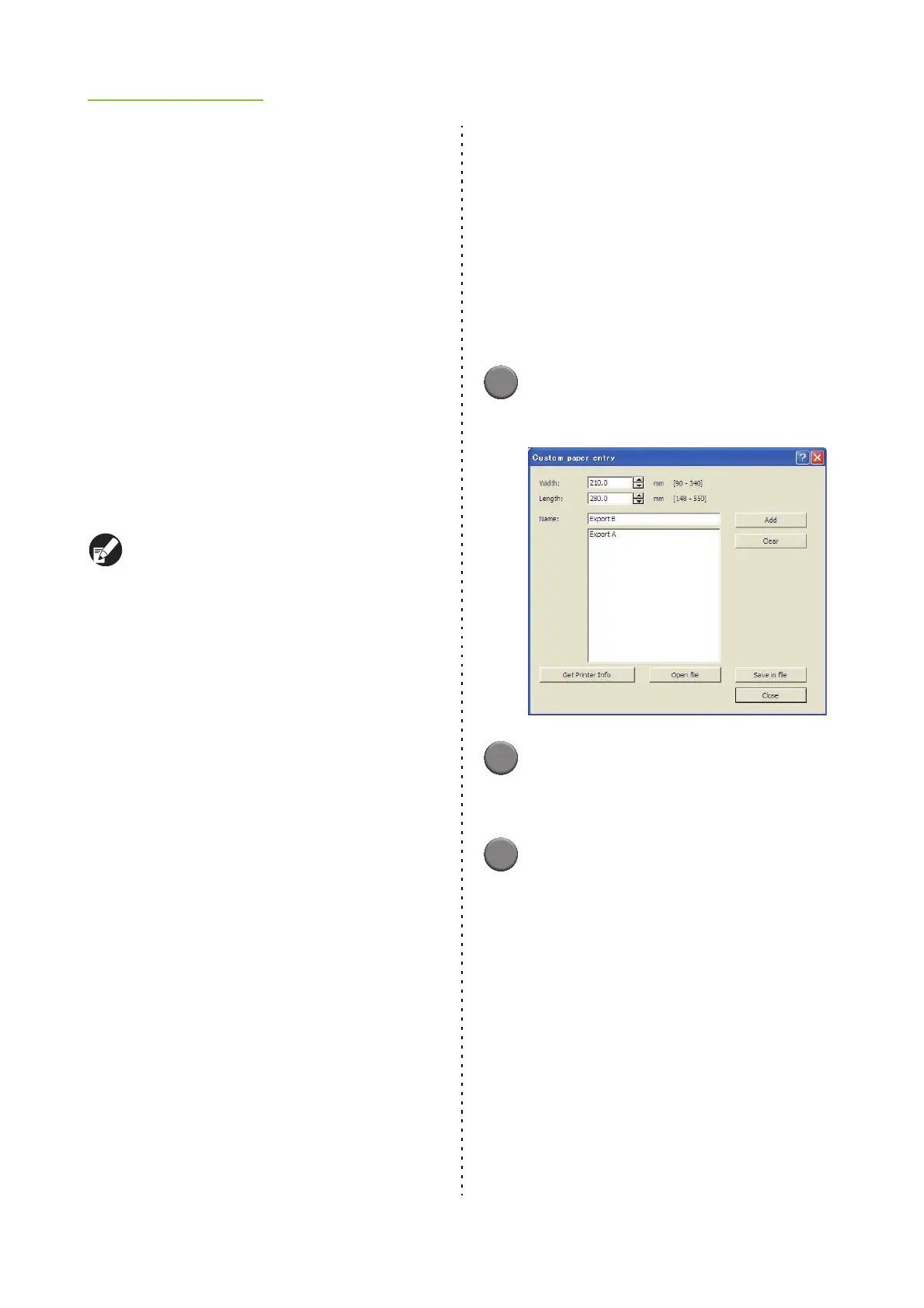
1
Click [Custom paper entry].
The [Custom paper entry] dialog box is displayed.
2
Click [Get Printer Info].
The information of the paper size registered in the
printer is displayed.
3
Click [Close].
The paper size information is saved.













 To Next Page