4.1 Erecting Scanner
Place the scanner either on the suitable ROWE floor stand, the suitable ROWE MFP stand
(see Optional Accessories ROWE Scan 850i Series, Chapter 3.2 on Page 9), or on a sturdy
table. Erect the scanner in a way that document feed and outlet can be accessed from all
sides.
Do not yet connect the scanner to power supply or computer.
Do not lift the scanner by grabbing the side boxes (also see Chapter 3.4 on
Page 16).
4.2 Starting Software Installation
In order to install the software, you need
the supplied CD-Rom. First, switch the
computer On which is not yet connected to
the scanner. Put the CD-Rom into the CD-
Rom drive of the PC.
Usually, installation of the software starts
automatically. If not, start from the CD by
double-clicking "autorun.exe".
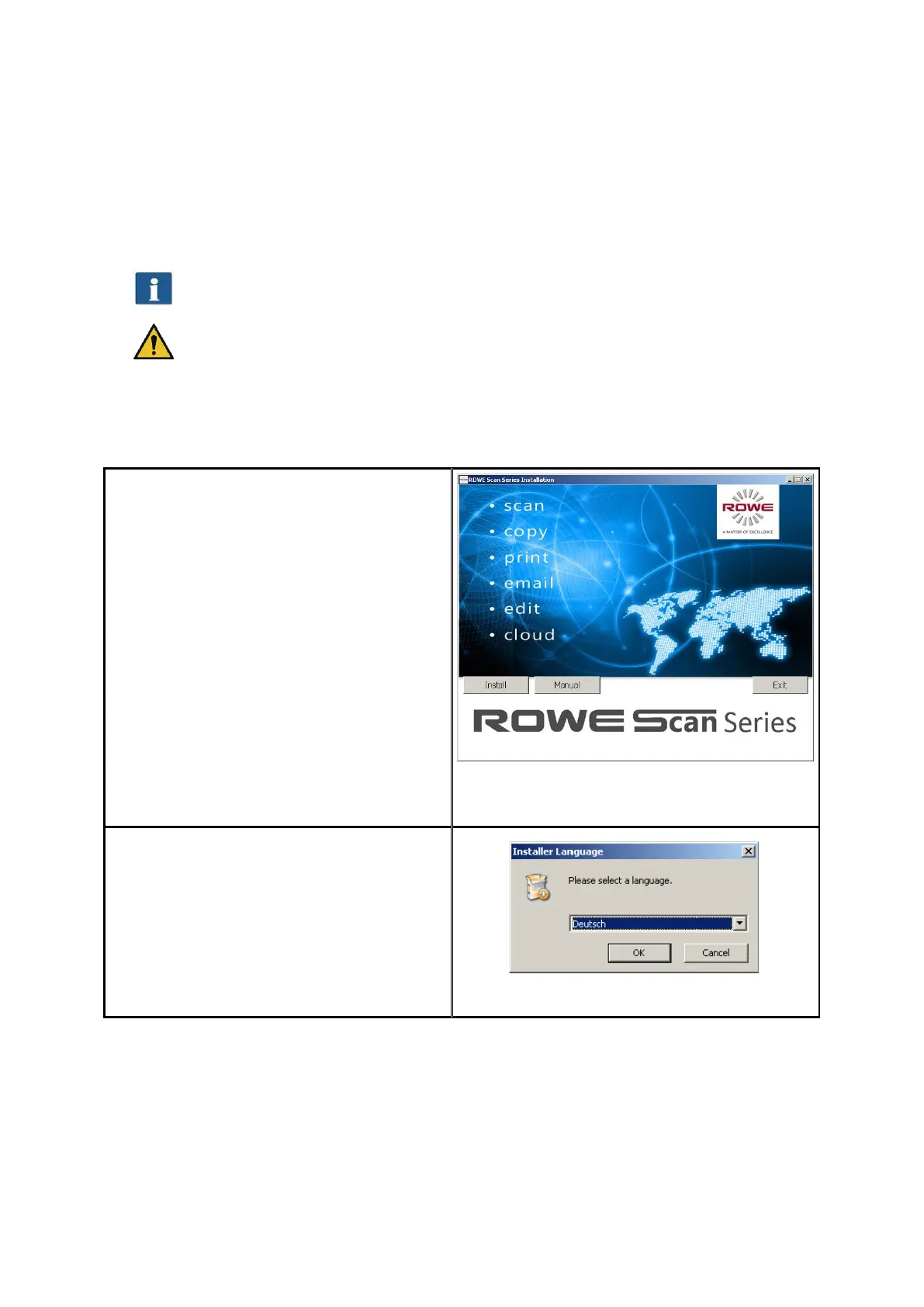
The dialog box shown in Fehler!
Verweisquelle konnte nicht gefunden
werden. appears from which you simply
select "Install“.
Figure 4.1: Installation screen
The installation process has been started
and you are first prompted to select the
language.
Figure 4.2: Selection of language



 To Next Page