4.6 Installation of Additional Plug-ins
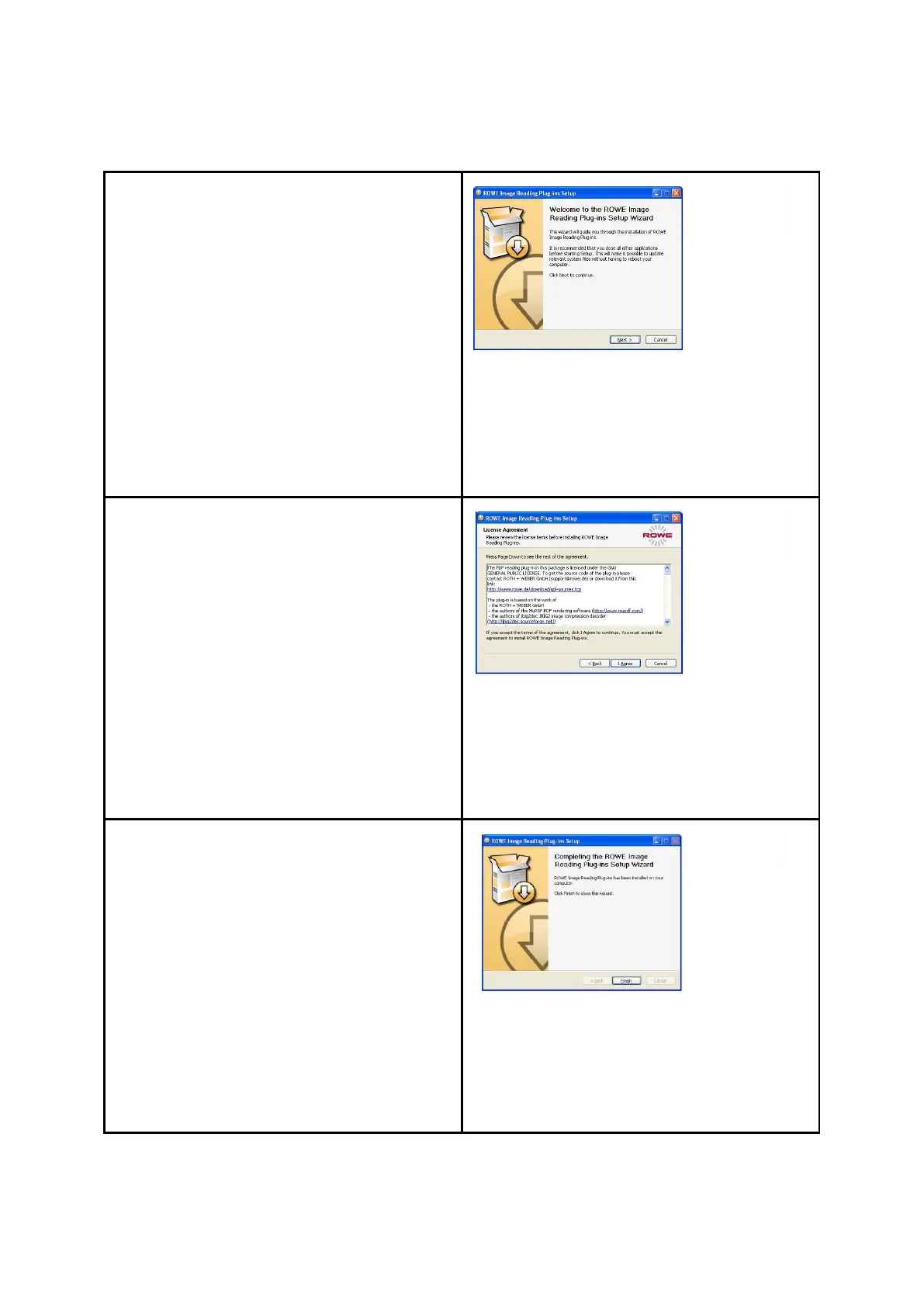
After having completed the installation of
device drivers and files, additional plug-ins
required for use of the ROWE Scan 850i
software are installed. By actuating "Next“
(see Figure 2.8) installation will be
continued.
Figure 4.8: Homepage for installation
of plug-ins
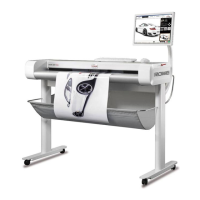
In the opening dialog box (Fehler!
Verweisquelle konnte nicht gefunden
werden.), you are prompted to accept the
license agreement. Select "I agree“.
Figure 4.9: License agreement for
plug-ins
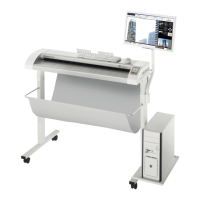
The required plug-ins are now installed
automatically. In the dialog box seen
afterwards (Fehler! Verweisquelle
konnte nicht gefunden werden.), you
have to click "Finish“ to complete
installation.
Then, another installation dialog box
appears for installation of the standard ICC
color profiles. Proceed as described above.
Figure 4.10: Complete installation of
plug-ins


 To Next Page