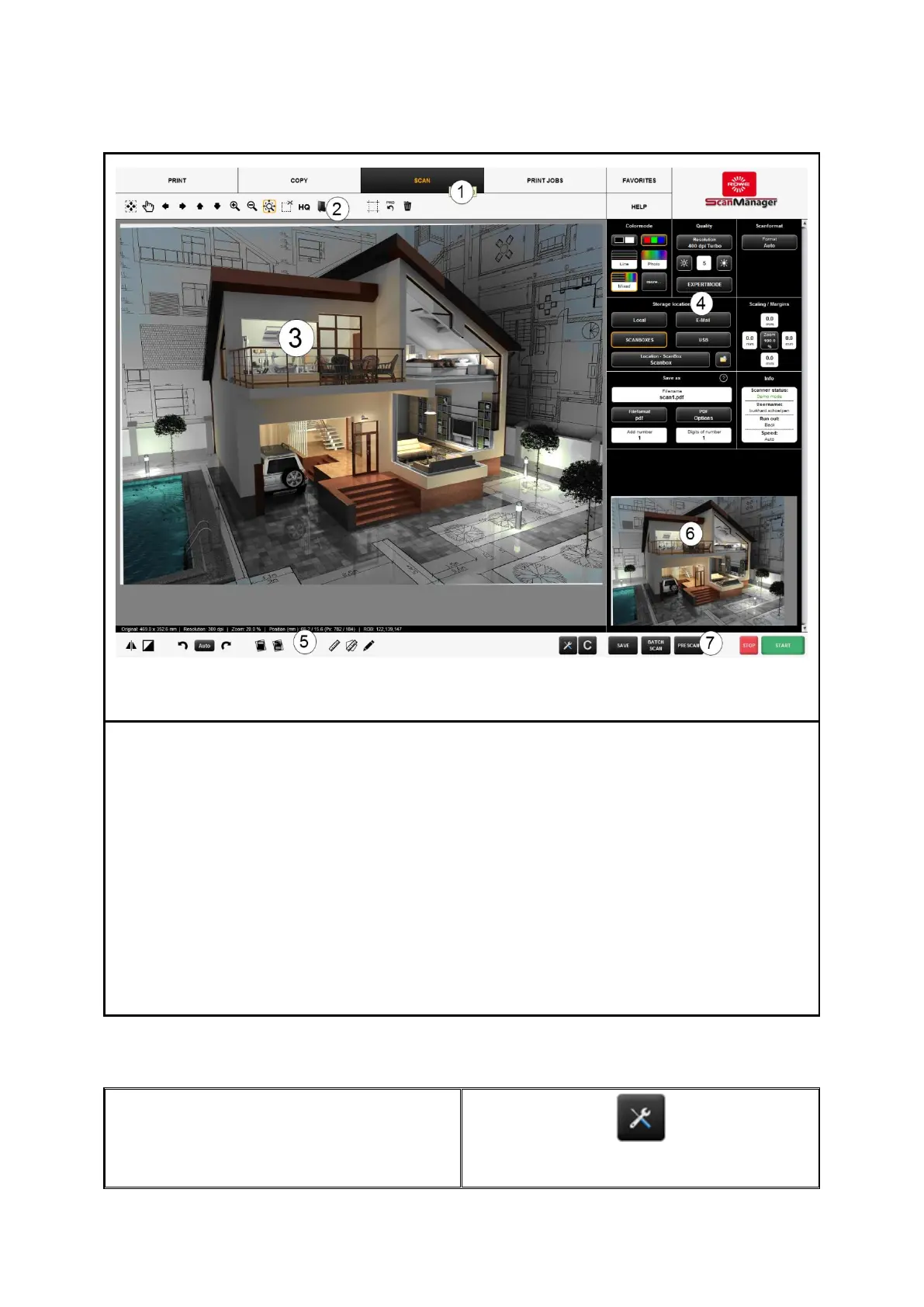
The ROWE SCAN APP includes the following components:
1. Functions (depending on the purchased license options not all functions are
available (see Chapter 7.4, Page 38)
2. Toolbar of main viewer (see Chapter 7.8, Page 42)
3. Main viewer to display scans (detailed view, preview); for detailed information,
refer to Chapter 7.5, Page 39
4. Settings (automatically adjusts to the respective function), refer to Chapter 7.10,
Page 44
5. Toolbar editing and measuring functions, refer to Chapter 7.9, Page 43
6. Overview to display complete scan, refer to Chapter 7.6, Page 40
7. Toolbar with keys (refer to Chapter 7.7, Page 40)
Should ROWE SCAN APP display information
not in the requested language, press the
"Settings“ button left to the "action keys".



 To Next Page