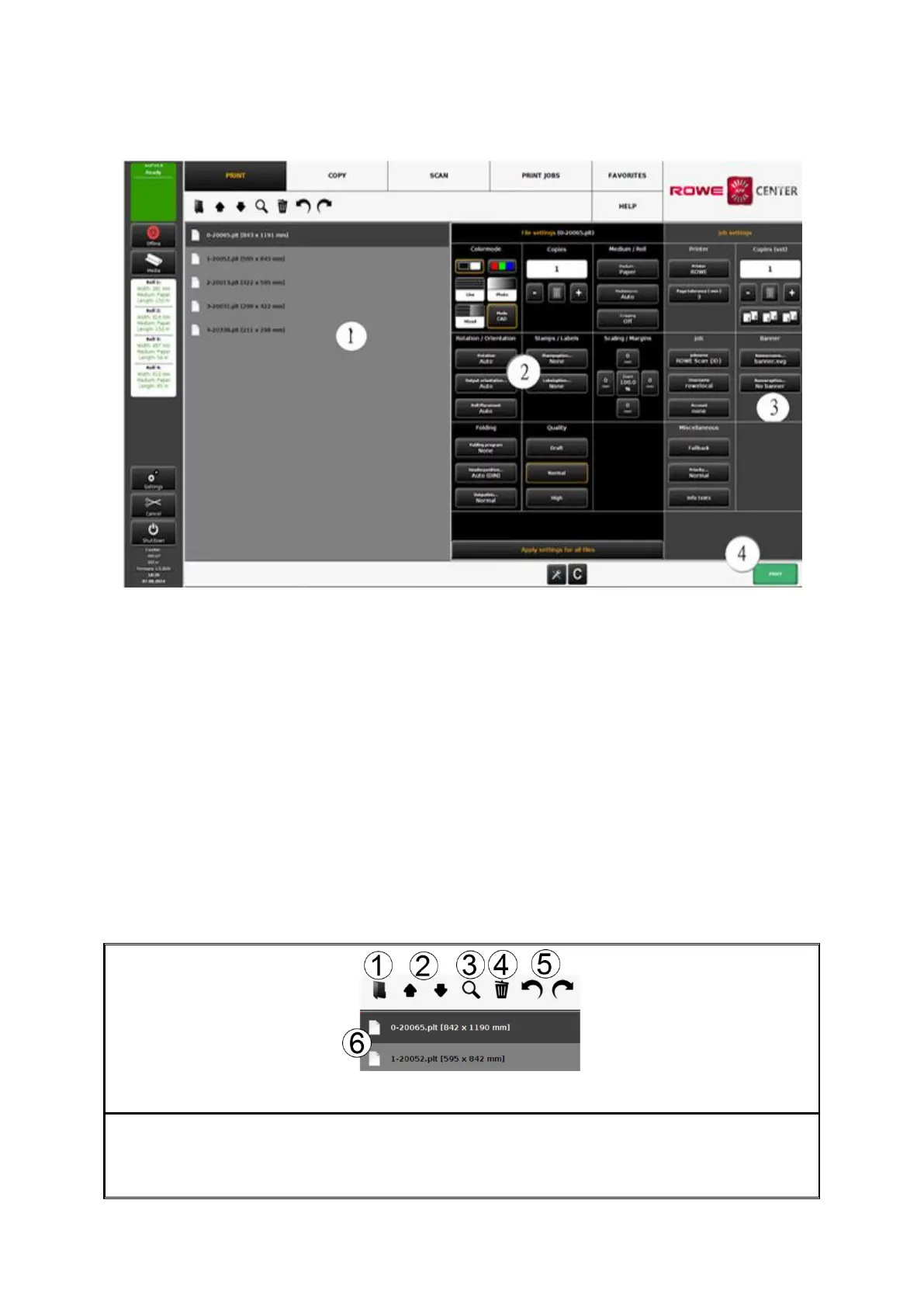
7.13.1 Layout of ROWE PRINT APP
Figure 7.44: Print Master PRO – Overview
ROWE PRINT APP is divided into the following sections (see Fehler! Verweisquelle
konnte nicht gefunden werden.):
1. File list: List of files added to a print job (see Chapter 7.13.2).
2. File presets: Here, you can make the settings which shall apply to the file
highlighted in list (1) (see Chapter 7.13.3).
3. Job settings: The settings made here apply to all files of a print job (see Chapter
7.13.4).
4. Action Buttons:
Print: Button to start the print job.
C-Button: Load default settings for PRINT APP
General settings (see 7.13.5).
7.13.2 File List
Figure 7.45: ROWE PRINT APP – File list
By means of the file list you can administer which files belong to a print job and see a
preview.
1. Add file(s): Add one or several files to the print job at once. The files are output in



 To Next Page