5.1 Connection of Power Unit
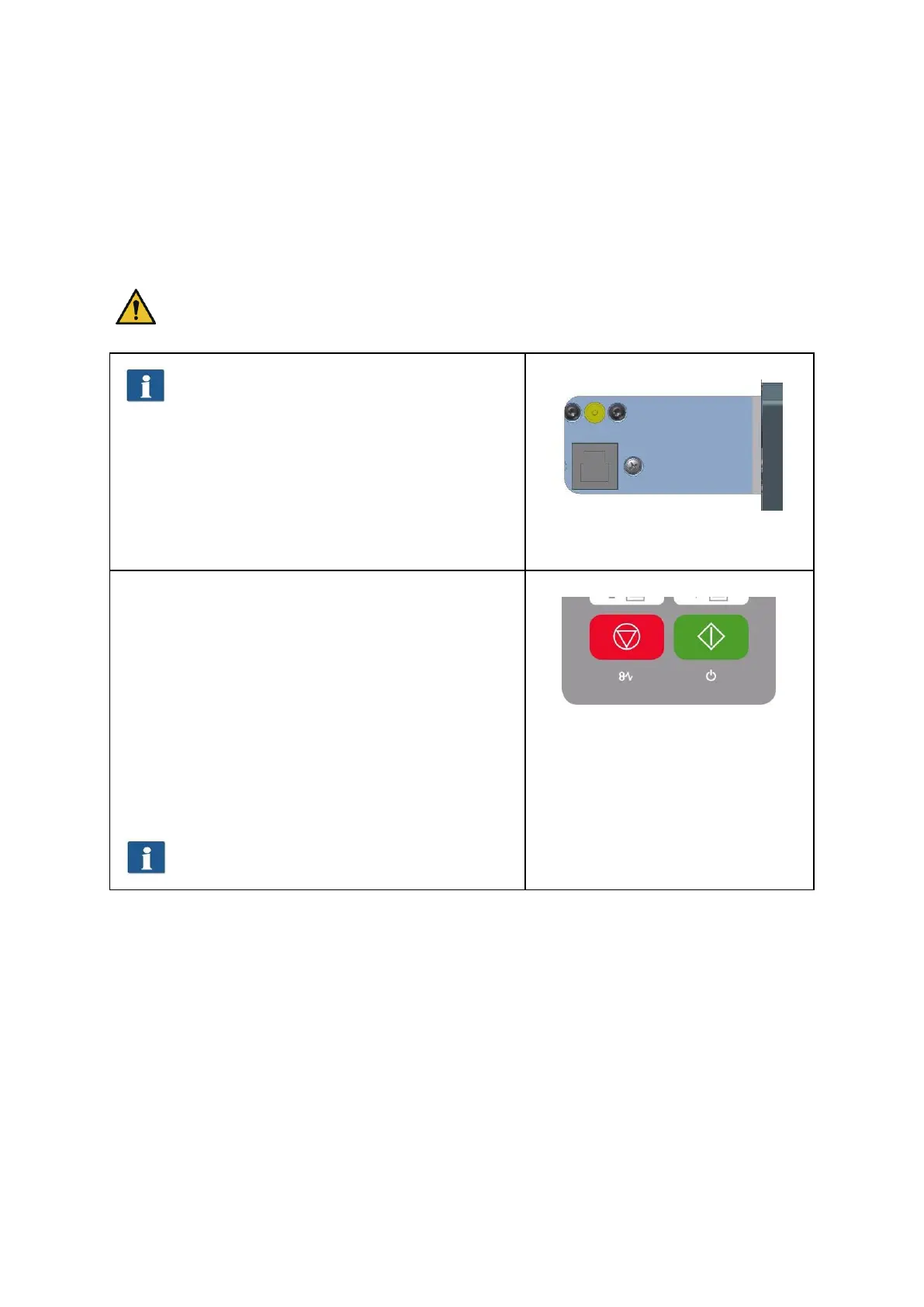
The scanner is switched ON by connecting the power unit to a socket. The connector for
the power unit is located on the back of the scanner on the right. (see
Figure 5.1). If the device is switched ON, the operating LED under the green button (2) on
the control panel (see Fehler! Verweisquelle konnte nicht gefunden werden.) lights
up.
During the installation process switch the
scanner ON only after being prompted to do
so.
The scanner works properly only after
installation of the ROWE Scan 850i software
(see Chapter 4) prior to use.
Plug the connector of the power unit into
the socket to switch the device ON.
Figure 5.1: Position connector
power unit
On the control panel of the scanner (see
alsoFehler! Verweisquelle konnte nicht
gefunden werden. on Page 15) you see two LEDs.
After having switched ON the device, the operating
LED under the green button (2) lights up.
Should a failure occur (e.g. paper jam), the LED
under the red button (1) lights up.
If the operating LED under the green button (2) is
flashing, the scanner is in energy saving mode. In
this mode, the scanner is not recognized by the PC.
In order to put the scanner into operation again,
simply press the green button once.
If you do not use the scanner for a longer
period, pull the mains plug.
Figure 5.2: Control panel



 To Next Page