4.8 Continuing Installation
If Windows XP is installed on your
computer, the operating system
may browse for new scanner
software after restart. Otherwise,
you can skip this step.
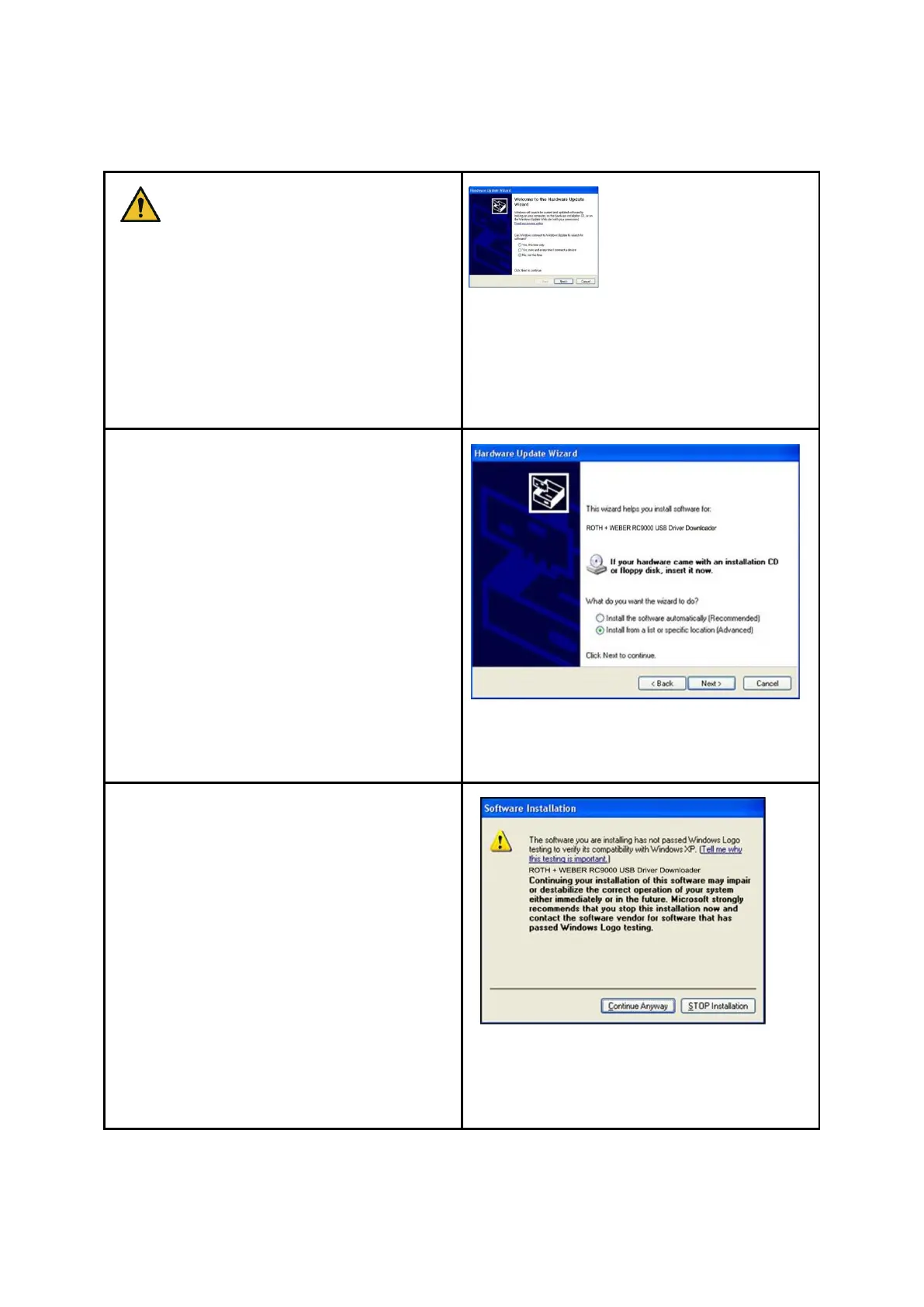
For driver installation, the dialog boxes in
Figures 18 to 21 are displayed.
Please select "No, not this time" and click
the "Next" button in Fehler!
Verweisquelle konnte nicht gefunden
werden..
Figure 4.13: Disable Windows update
Afterwards select "Install the software
automatically“ in Fehler! Verweisquelle
konnte nicht gefunden werden. to use
the driver already installed.
Figure 4.14: Installing driver
automatically
Afterwards select "Continue anyway“ in the
dialog box shown in Fehler!
Verweisquelle konnte nicht gefunden
werden..
Figure 4.15: Continuing driver
installation



 To Next Page