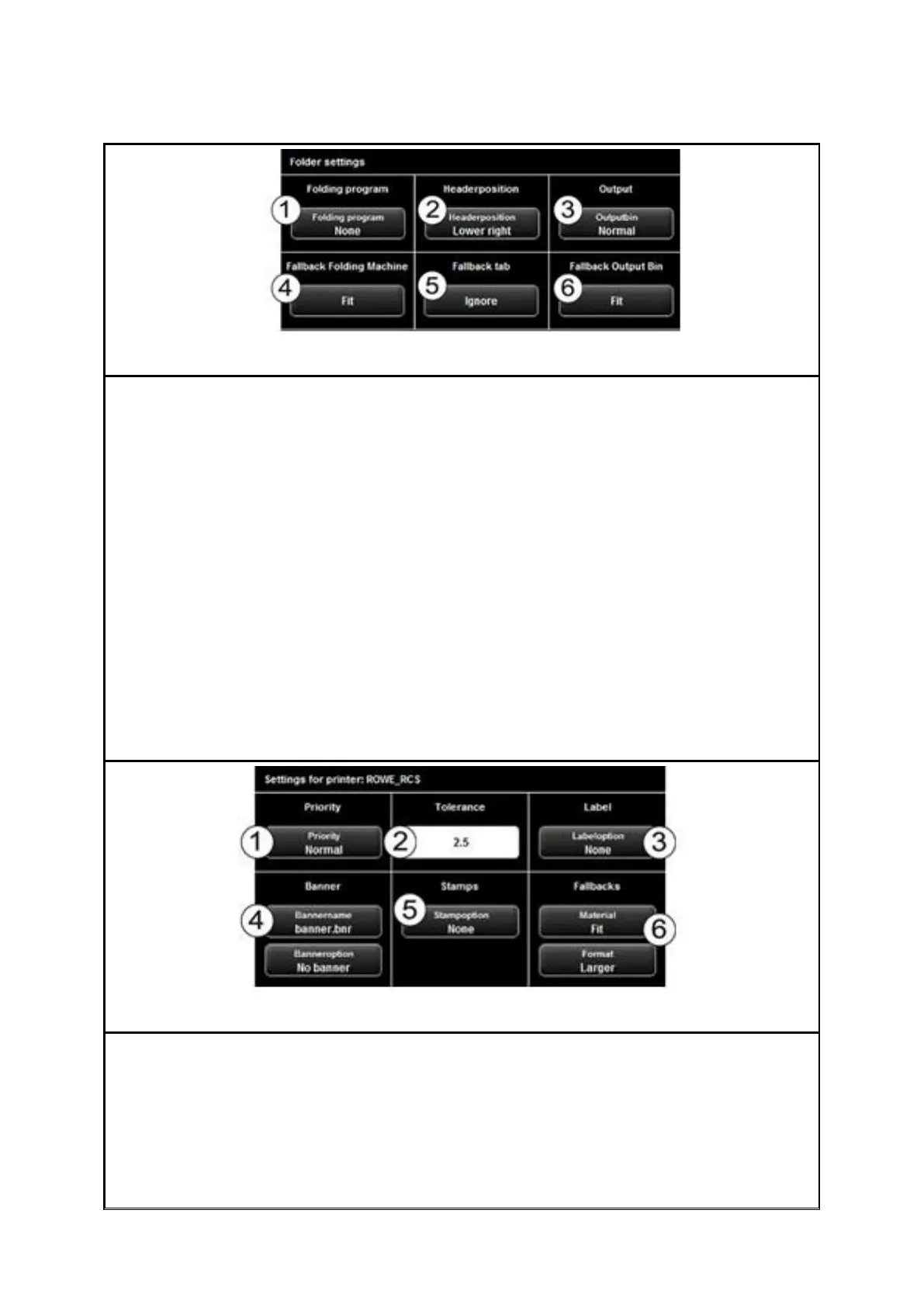
If you print on a ROWE printer featuring a folding machine, you can select the following
folding options:
1. Select folding program
2. Header position: Here, you can define in which quadrant there is a header if any.
If a folding program is activated, the drawing is rotated automatically so that the
text field is always at the top.
3. Output bin: Here, you can select where printer and/or folding machine shall
output the drawing. E.g. if a sorter is connected, you can select the conveyor.
4. Fallback folding machine: Response to folding machine not existing or not ready
(also refer to 7.13.4).
5. Fallback tab: Response to missing tab if a folding program with tab is selected
(also refer to 7.13.4).
6. Fallback output bin: Response to output bin which is not available and/or full
(also refer to 7.13.4).
After having enabled all requested settings, you return to the previous view by pressing
"Back".
In the advanced settings you can select the following options if you selected a ROWE
printer:
1. Priority: Define behavior in printer job list.
Normal: The job is added to the job list normally.
Low: All print jobs with a higher priority are prioritized.
High: The print job is started as soon as possible.



 To Next Page