Quality: see 7.10.3.2
Scan format: see 0.
Printer/Program: Here, you can define the printer for output. Moreover, you can
set printer-specific output options (e.g. folding programs if any). For detailed
information see Chapter 7.10.2.1 , Page 49.
For being able to use a printer, you have to set it once. Printer setup is
described in Chapter 8.5.1, Page 81.
Medium/Roll: Here, you can define on which medium and/or roll to print if the
selected printer supports this option.
Scaling/margins see 7.10.3.4 .
Copies: Define how many copies shall be made.
Set: This option can be activated if you want to unite several scans in one set.
This set can then be output on the printer. A detailed description of the set
function can be found in Chapter 7.10.2.4 , Page 52.
Info: see 7.10.3.5 .
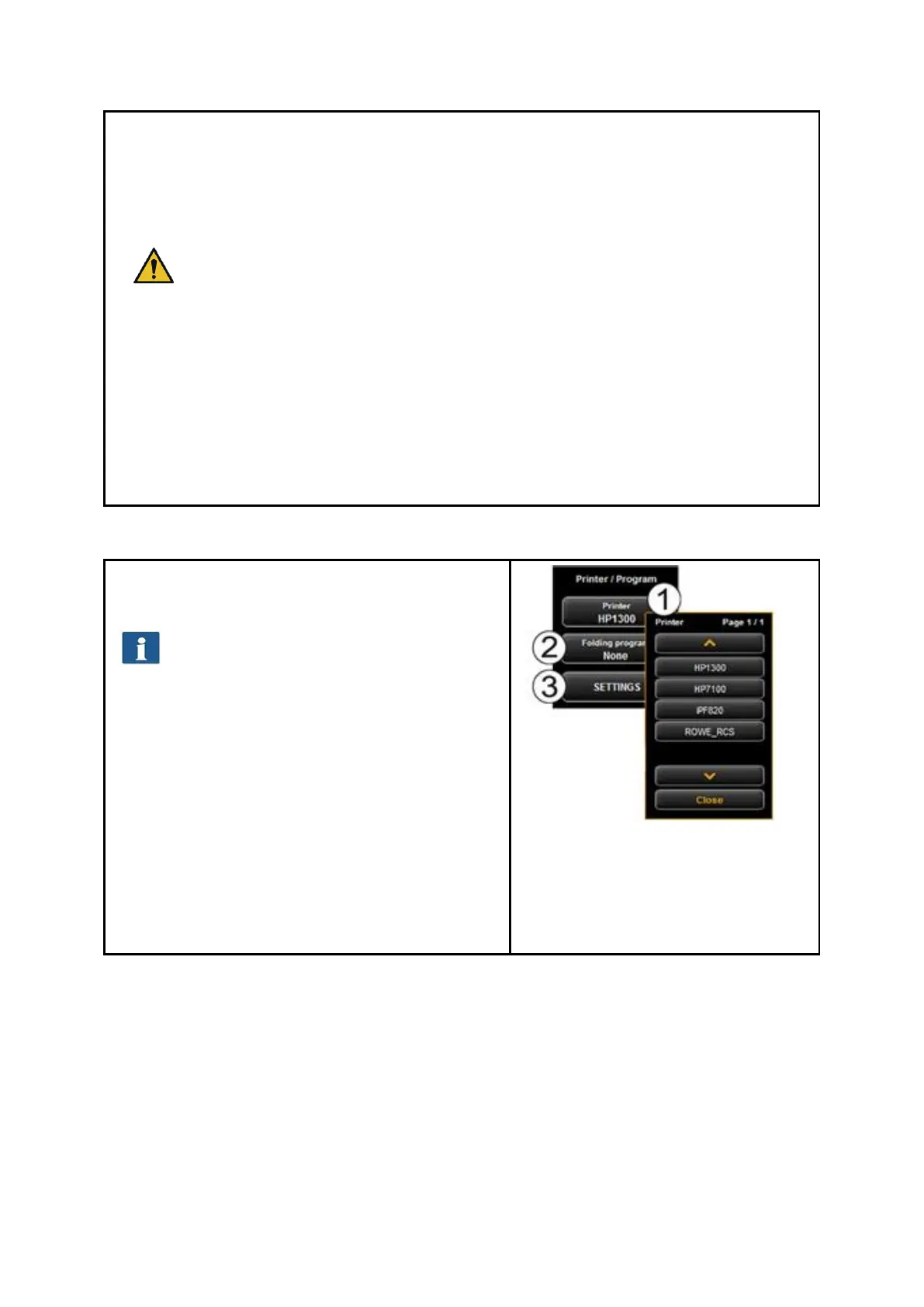
7.10.2.1 Printer Selection
Here, you can select on which printer you want to
output a document.
Depending on the selected printer (1)
other options may be available (e.g.
Folding for ROWE printers)
1. Printer: Select the requested printer.
2. Folding program: Available only if a
ROWE printer was selected in (1). See
Fehler! Verweisquelle konnte nicht
gefunden werden..
3. Settings: Further options affecting the
print depending on printer type.
ROWE printer: see Fehler!
Verweisquelle konnte nicht
gefunden werden..
Inkjet printer: see 7.10.2.3
Figure 7.19: Printer selection


 To Next Page