7.10.2.4 Set Function
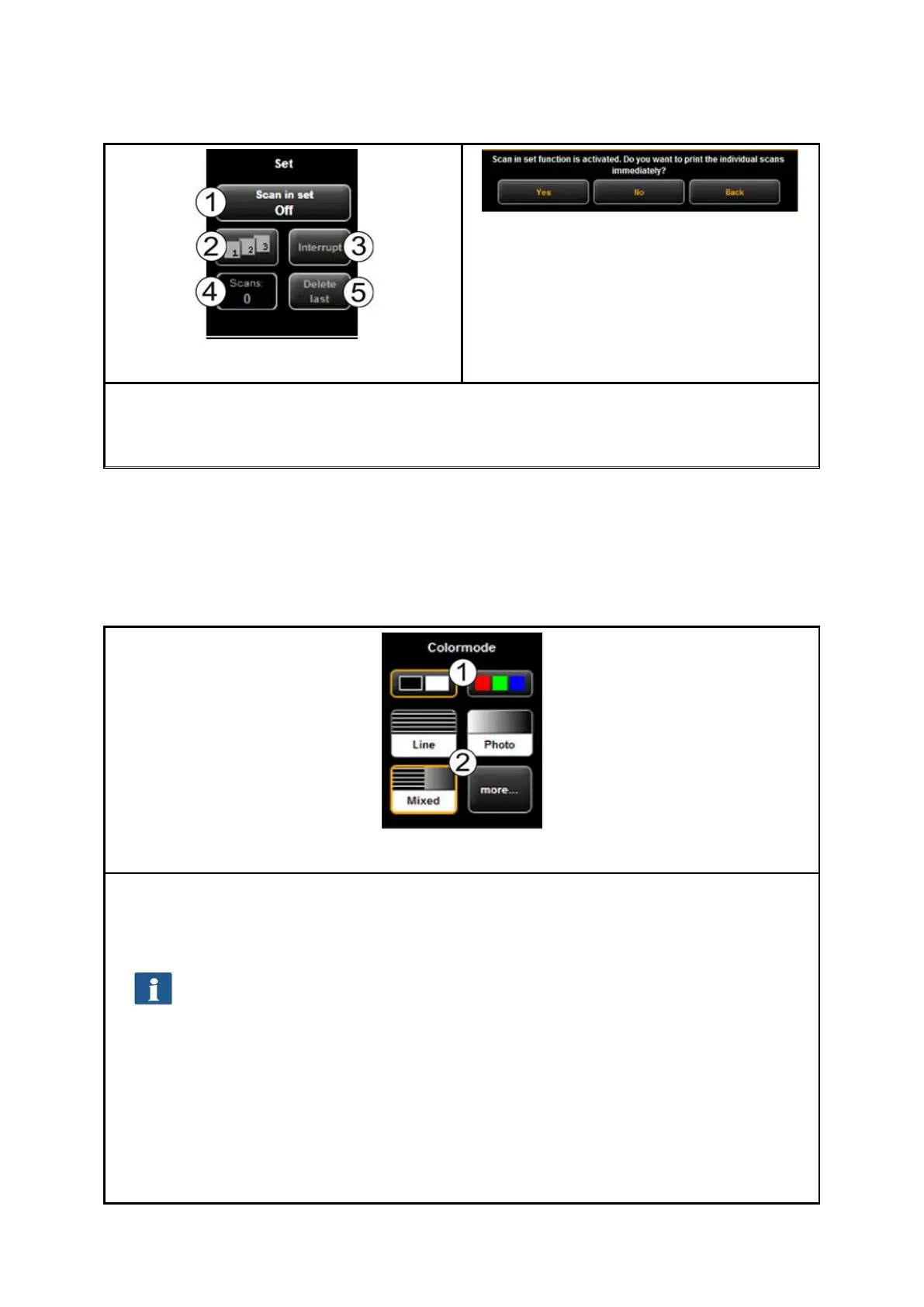
Figure 7.23: Set function
Figure 7.24: Query whether set shall
be printed immediately
As soon as you enable the set function (1), you are asked whether you want to print the
documents in the set immediately. If you press "Yes", the output is started immediately; if
you press "No", the output is started only after completion of the set (press (1) again).
7.10.3 Settings Independent of Function
In this section, those settings are described which are available in "Scan" as well as
"Copy" function. They mainly cover parameters such as color mode, brightness/contrast
as well as numerous other options for improving the quality of scans and copies.
7.10.3.1 Color Mode
One of the most important settings is the color mode.
1. Selection of Color (RGB) and gray scale and/or black/white. The following scan is
effected in the mode set here.
If you effected a gray scale and/or black/white scan and switch to color later,
the image is, however, displayed in gray scale in the Viewer.
2. Set type of original: Here, you can easily achieve the best quality for many
different types of originals by selecting the condition of the scanned original.
Specially optimized settings are then selected to achieve the best possible result.
Select "Line" if the original exclusively includes line structures and/or
homogenous areas (e.g. CAD drawings).
Select "Photo“ if the original includes complex structures and color
gradients (e.g. photos, posters, etc.).
Select "Mixed“ if the original includes line structures as well as color


 To Next Page